M101H Series User Guide 69
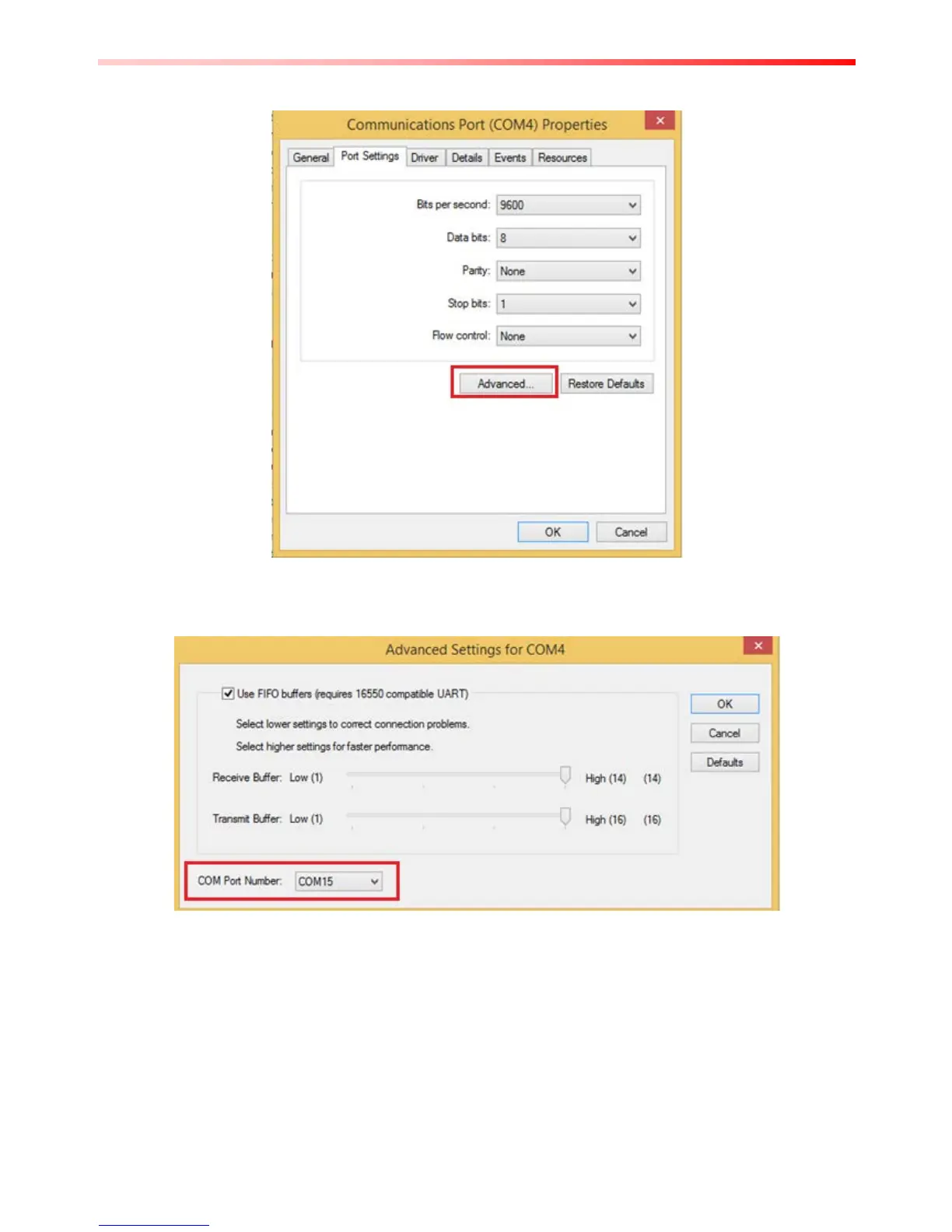
2. Tap on "Port Setting" tab and click on "Advanced" button.
3. Tap on the dropdown list and choose the correct COM Port Number (refer to the COM Port
Definition Table), and click "OK".
4. Double check "Device Manager" to make sure the COM Port number has been re-defined
successfully, and then restart the system.



 To Next Page