\Manuals\GettingStartedManual8500eRev2
10/02/08
21
MatDesigner™ - Getting Started Manual - Model 8500e
Install Hoods
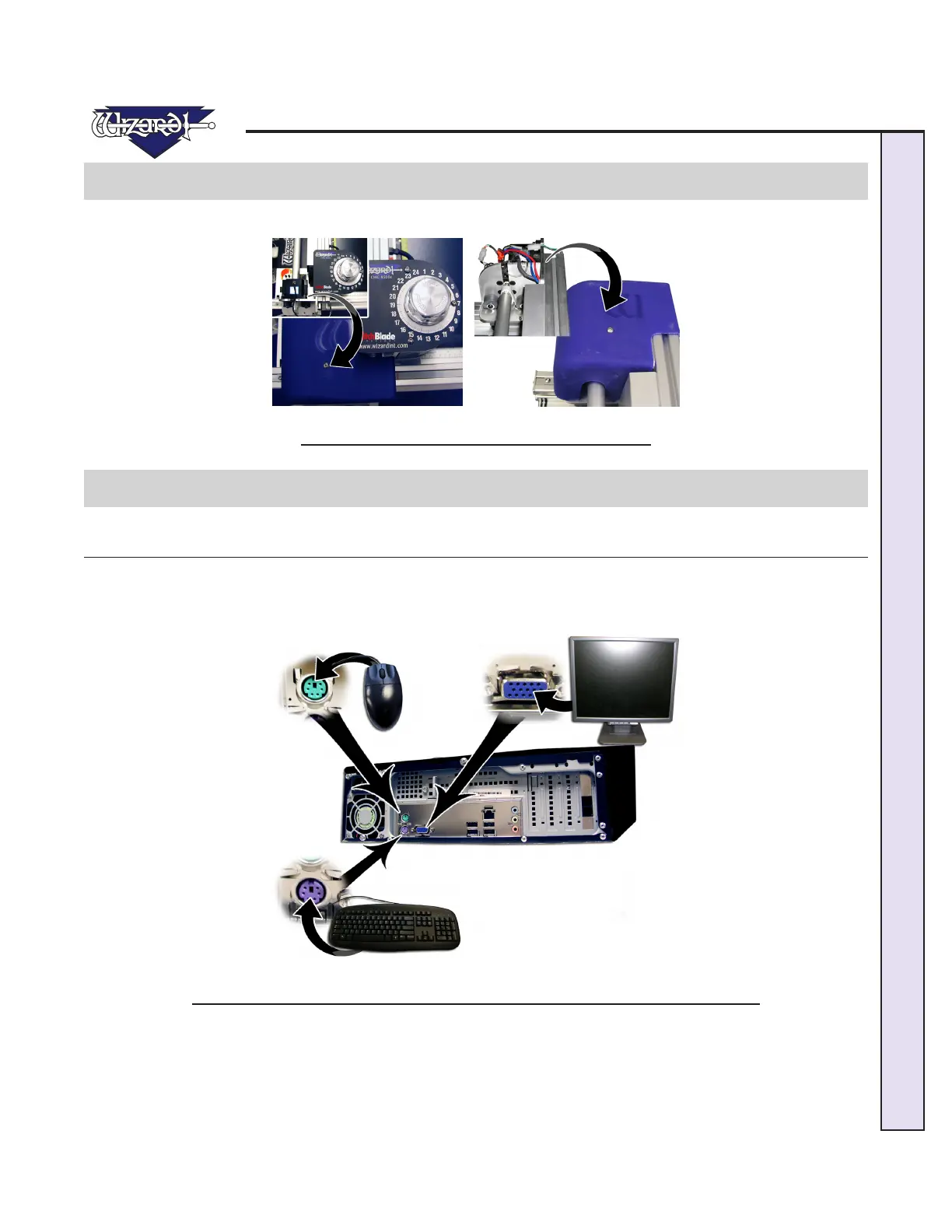
Install the upper and lower Hoods using the screws included (Fig A and B); each Hood has one screw.
Fig A. Fig B.
Fig A: Install bottom hood. Fig B: Install upper hood.
Hook up Computer
Hook up Computer Peripherals
Hook up the Computer, monitor, keyboard, and mouse by plugging in the color-coded plugs into the matching ports on the back
of the computer. Plug the Power Cords from the computer, monitor, and Emergency Stop into a surge protector.
NOTE: You may have to adjust your monitor settings for optimum display.
Fig A.
Fig A: General connections on back of CPU. Systems may vary on the location of plugs.


 To Next Page