22
Wizard™ International, Inc., 4600 116th St. SW, PO Box 66, Mukilteo, WA 98275 888/855-3335 Fax: 425/551-4350 wizardint.com
Connect the ECU
*WARNING: HIGH VOLTAGE! No user serviceable parts inside the
ECU.*
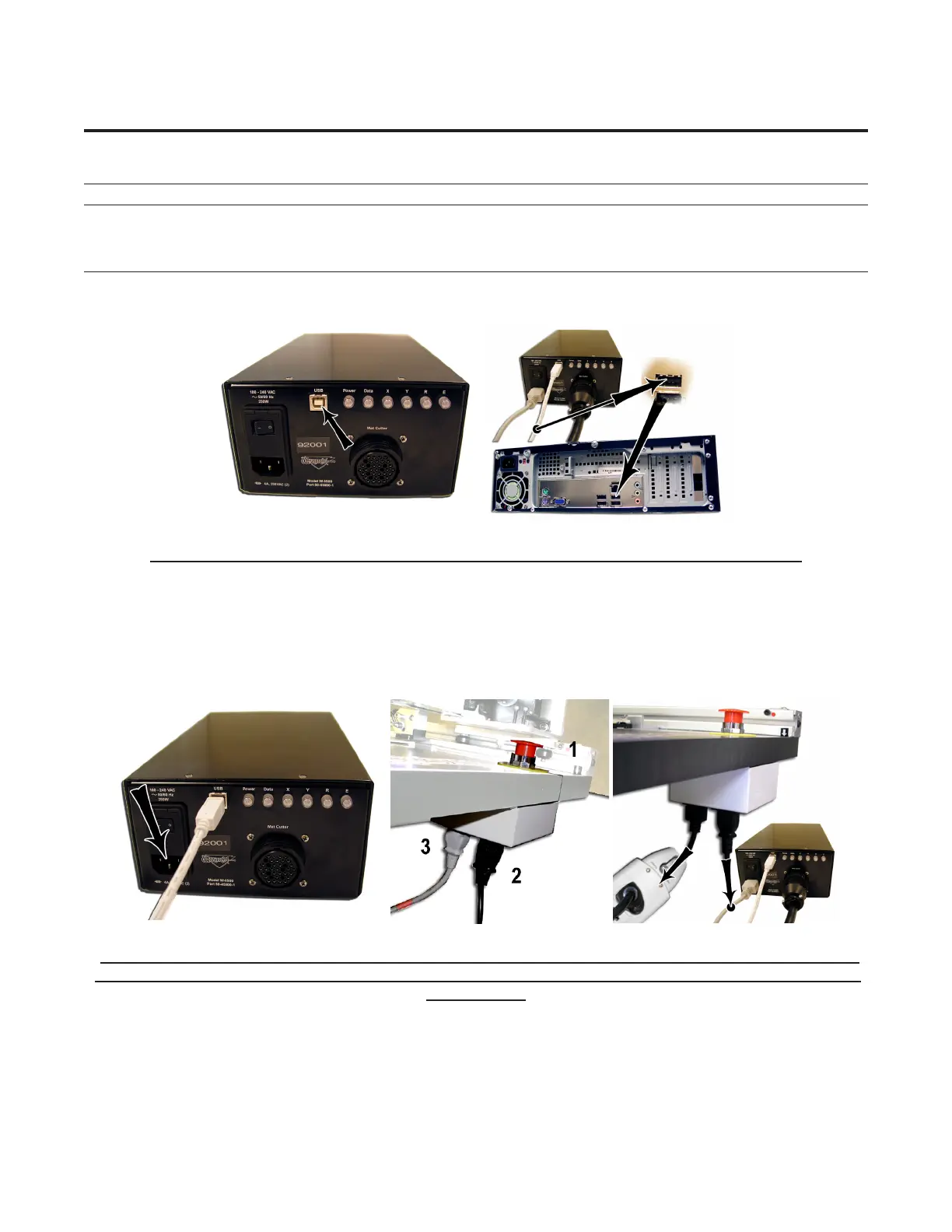
1. Connect USB Cable (Fig B) (USB-B end) to back of the ECU (Fig A).
2. The other end of the USB Cable (USB-A end) should be plugged into the USB Port on the back of the Computer (Fig B).
Fig A. Fig B.
Fig A: Plug the USB Cable into ECU. Fig B: Plug the other end of the USB Cable into the computer.
3. Plug the Power Cable into the back of the ECU (Fig C).
4. The other end of the Power Cord of the ECU plugs into the back of the Emergency Stop Button, in the right-hand outlet as
viewedfromtheback(FigD-E).Makesurethatthisplugisrmlyinsertedalloftheway.Someoftheseplugsareratherstiff,
preventing them from being easily fully inserted, and keeping the grounding wire from connecting.
5. The Power Cord of the Emergency Stop Button is plugged into the left-hand outlet (as viewed from the back) and then plugged
into your surge protector (Fig D-E).
Fig C. Fig D. Fig E.
Fig C: Plug in the Power Cord into the ECU. Fig D-E: Viewed from the back and down: 1: Emergency Stop Button.
2: Power Cord from the ECU into the Emergency Stop Button. 3: Power Cord from the Emergency Stop Button into a
surge protector.



 To Next Page