28
Wizard™ International, Inc., 4600 116th St. SW, PO Box 66, Mukilteo, WA 98275 888/855-3335 Fax: 425/551-4350 wizardint.com
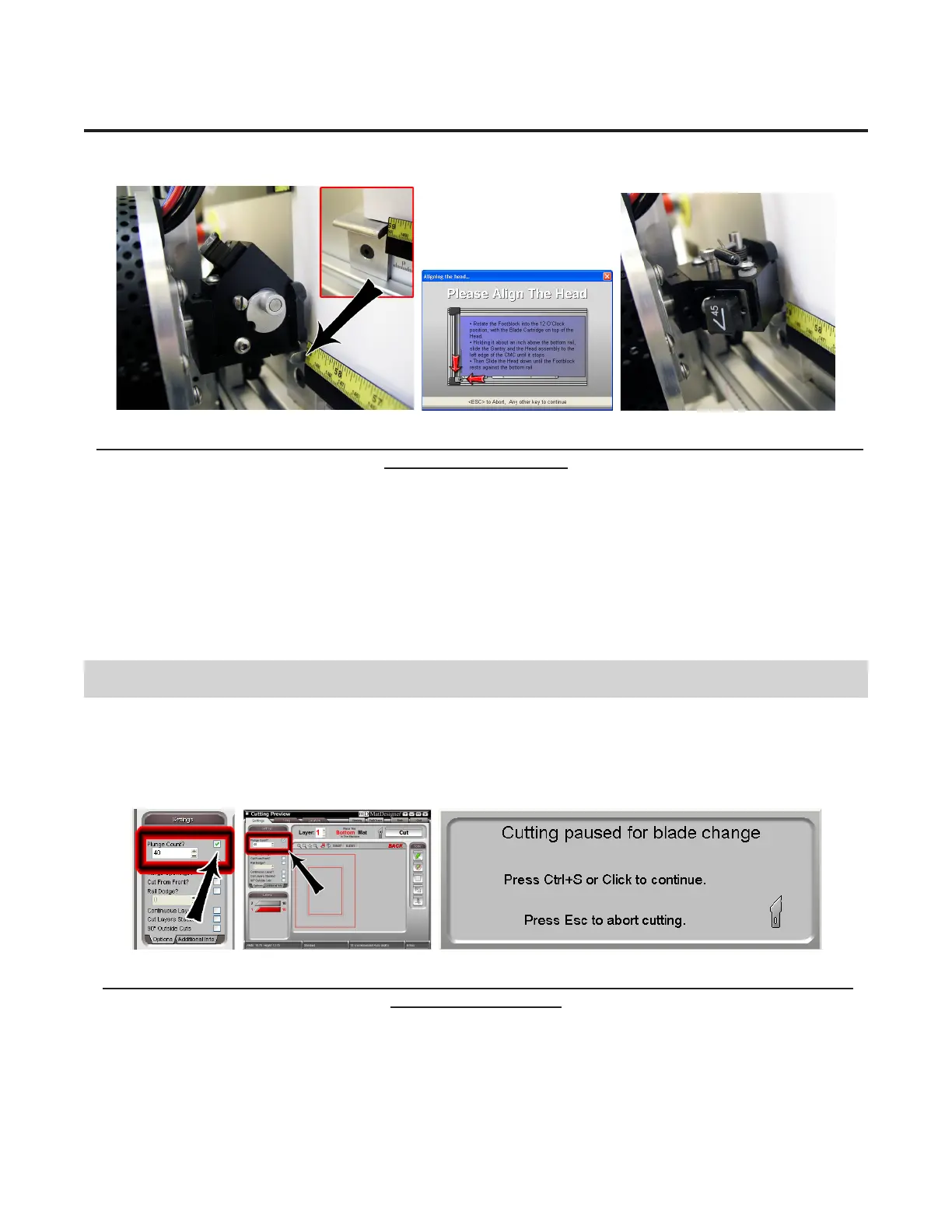
You can also Align the Head without cutting by clicking on the Power button on the Cut Preview.
Fig A. Fig B. Fig C.
Fig A: Rotate Foot Block into start position against the Head Alignment Stop. Fig B: Click on Align the Head Screen.
Fig C: Head will be Aligned.
After the CMC Has Cut the Mat
Afterthecuthasnished,theHeadwillreturntothehomeposition,andtheFootBlockwillrotatetotheAlignedpositionso
that you may access the Blade Cartridge. Unless the CMC asks you to Align the Head, do NOT turn the Foot Block.
RemovethematboardfromtheCMC.Youhavecutyourrstmat!ClickBacktoreturntotheNewOpeningsScreen.
If The Cut Doesn't Look Right
See the Troubleshooting section near the end of this document.
Changing the Blade
Plunge Count
You can change the Blade at any time before the next cut, or select Plunge Count under Settings on the Cut Preview (Fig A), so
that the CMC will stop after it has reached the number of plunges entered to allow you to change the Blade. Change the Blade
and hit CTRL+S or Click on the screen to continue cutting Fig B).
Fig A. Fig B.
Fig A: Enter the number of plunges of the Blade the CMC will make before stopping for a Blade change. Fig B: Hit
CTRL+S to restart cutting.


 To Next Page