\Manuals\GettingStartedManual8500eRev2
10/02/08
23
MatDesigner™ - Getting Started Manual - Model 8500e
*The ECU Power Cord must plug into the back of the Emergency Stop
Button, and the Emergency Stop Button Power Plug must plug into a
surge protector, otherwise the Emergency Stop Button will be non-
functional.*
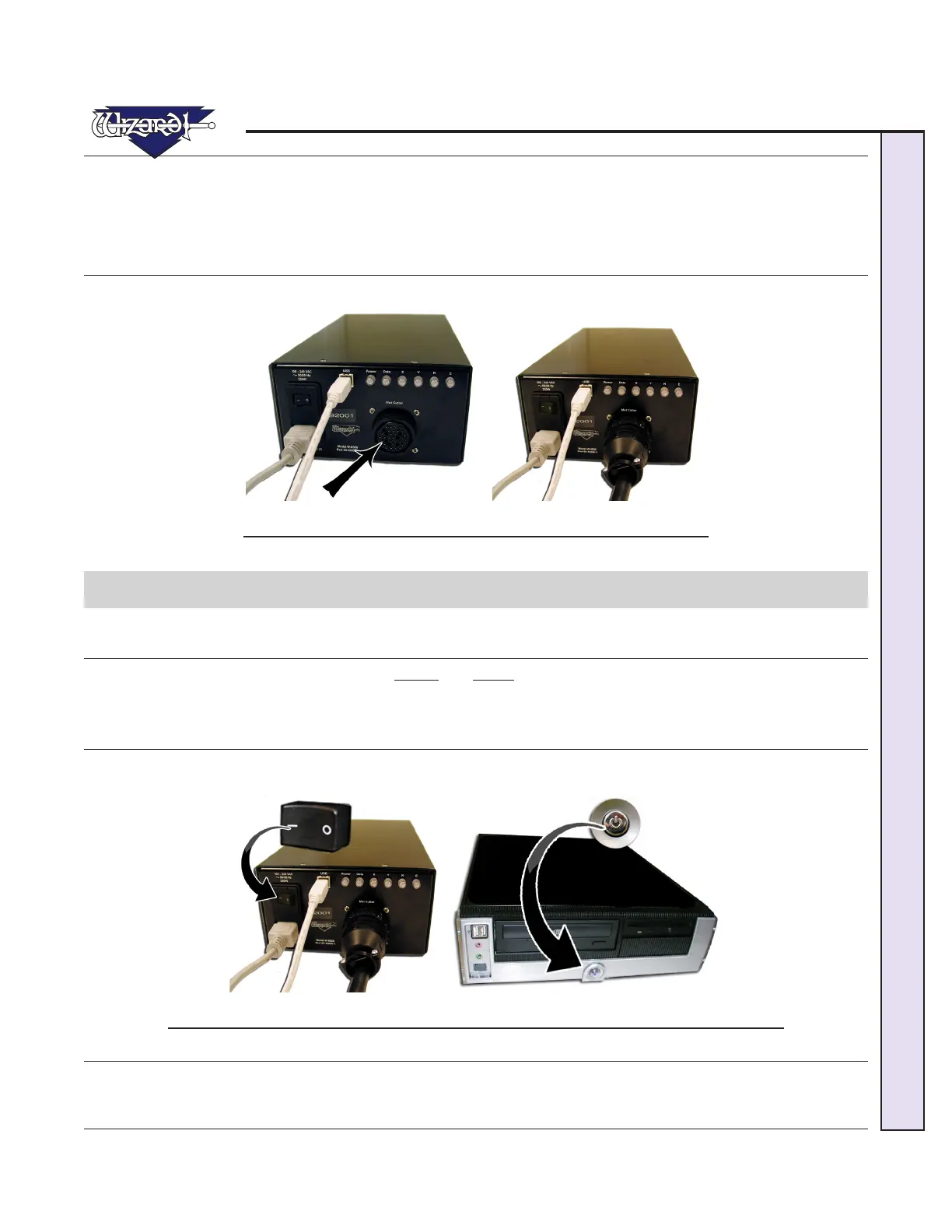
6. The Board Cable was plugged into the back of the ECU when we hooked up the Gantry (Fig F-G).
Fig. F. Fig G.
F-G: Large Board Cable was plugged in when we plugged in the Gantry.
Turn on the System
Turn on ECU
There is a toggle switch on the back of the ECU. 0 is off, and 1 is on. To turn on ECU by pressing in 1 on the toggle.
NOTE: Red Power light should come on.
Boot up the CPU
You should be able to turn on (boot) the computer and monitor, allowing a minute or so to power up. The MatDesigner software
will automatically start up.
Fig. A. Fig B.
Fig A: Turn on the ECU by pressing 1 on the toggle on the back. Fig B: Turn on the computer.
*Your Wizard will NOT cut until you turn ECU ON by pressing in the 1
(may look like a sideways dash) on the toggle switch.*



 To Next Page