Software | Ready to operate
3.2 Ready to operate
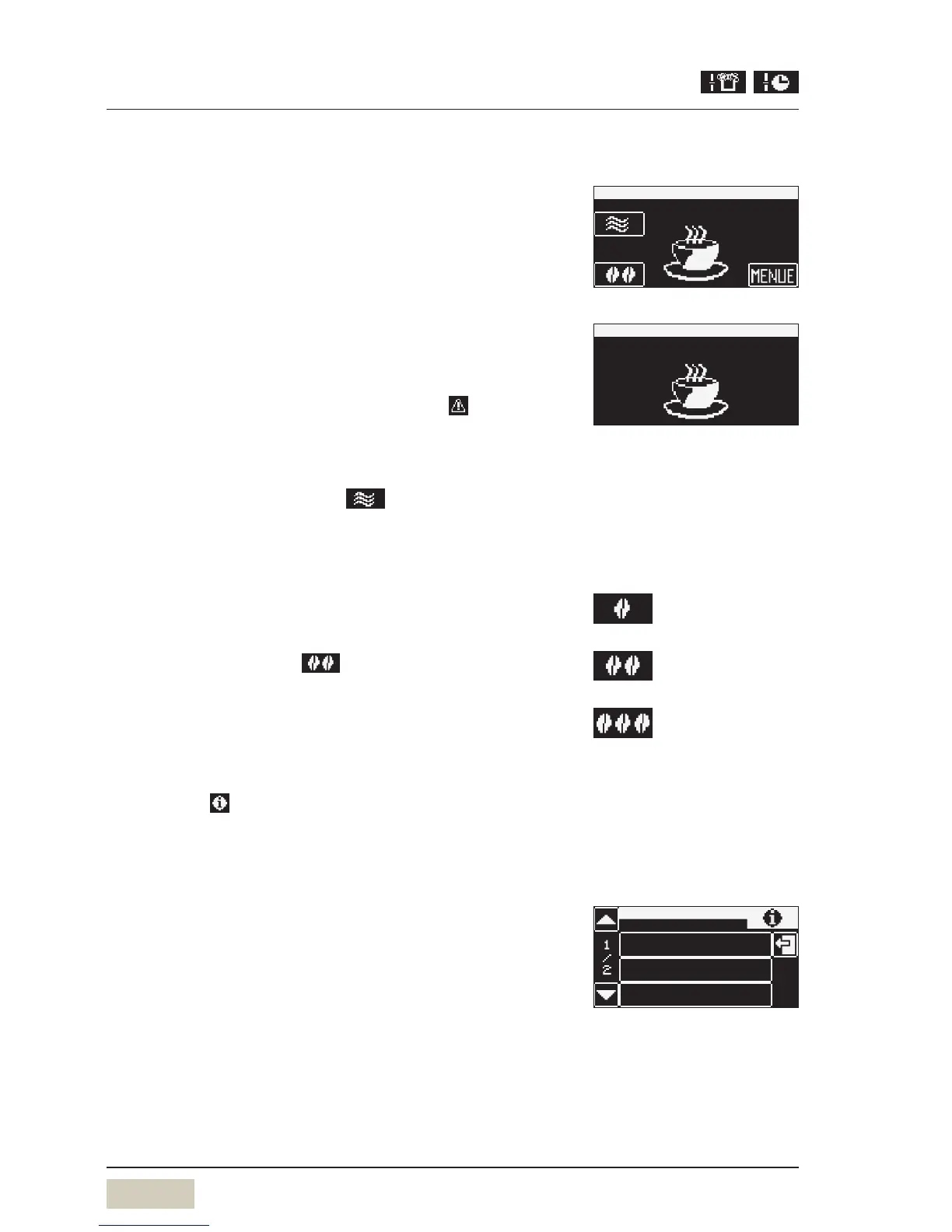
Standard display for normal operation
• “Warm rinse” pad
• Barista pad
• Menu
• Information
Standard display for SB mode (self-service)
All pads that allow changes to be made are not available.
The “warm rinse” pad, Barista pad, menu pad and messages
are inactive. If there are errors, the relevant
pad is
displayed.
3.2.1 “Warm rinse” pad
Touch the “warm rinse” pad
A rinse of the pipes with hot water starts. The water
warms the brewing system and guarantees an optimum
coffee temperature.
3.2.2 Barista pad
Touch the Barista pad
The coffee strength will be altered for the next brewing
cycle only.
3.2.3 Information
Touch the pad on the “Ready to operate” display
The Information menu appears.
The “Information” main menu contains the following
selection options.
Service
• Service location
• Start-up data
• Next maintenance date
• Software version
Recommended after alonger
brewing pause, especially before
dispensing acup of espresso.
“Warm rinse” pad (active/inactive)
w Settings w Operating options
page 33
weaker (-15 %)
normal, as per setting
stronger (+15 %)
Barista pad (active/inactive)
w Settings w Operating options
page 33
brewtime
service


 To Next Page