Software | Accounting numbers of beverages
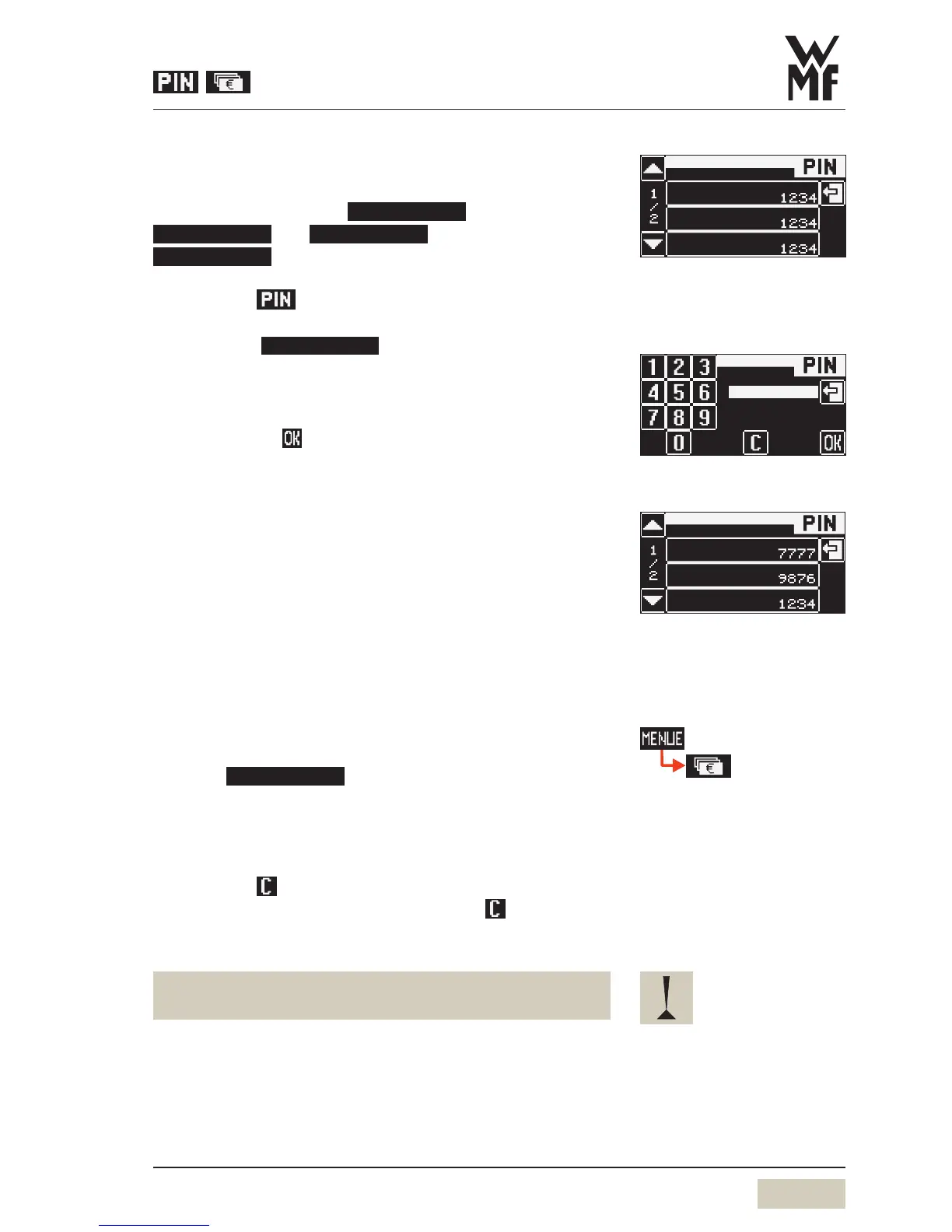
A PIN may be assigned to any level. The levels are
hierarchical.
Example: the PIN for the
level.
Touch the pad in the main menu
Select desired level
Example:
Numerical keyboard display appears.
Enter any desired 4-digit number
Number entered is displayed.
Confirm with
This level is now PIN-protected.
When aPIN is assigned to asubordinate level, that PIN is
automatically copied to higher levels if the latter are not
already PIN-protected.
Delete PIN
Entering 0000will delete access control for the given level.
Deletion the PIN of one level automatically deletes the
subordinate PINs.
3.3.7 Accounting numbers of beverages
Touch
The counter menu displays the counter for each beverage.
Read counter
Touch desired beverage on the display
Delete counter
Touch the
clear pad
If no beverage is selected, on touching the
clear pad
adialogue appears in the display querying whether the
counter readings for all beverages should be zeroed.
The “Accounting numbers of beverages” function should
be protected with aPIN to prevent unauthorised access.
Example:
cleaning
accounting
setting
PIN entry for Cleaning level 1234
This PIN is carried over to the
higher levels.
PIN
PIN entry display
Example:
cleaning
accounting
setting
PIN entry for
cleaning level: 1234
setting level: 9876
accounting level: 7777


 To Next Page