a >
b >
Software | Settings
Sequence of ingredients additions
The sequence of additions is only possible for beverages
whose recipe contains at least two ingredients.
The sequence in which the individual additions will be
dispensed.
Adjustable additions
• Coffee
• Milk
• Milk foam
• Choc
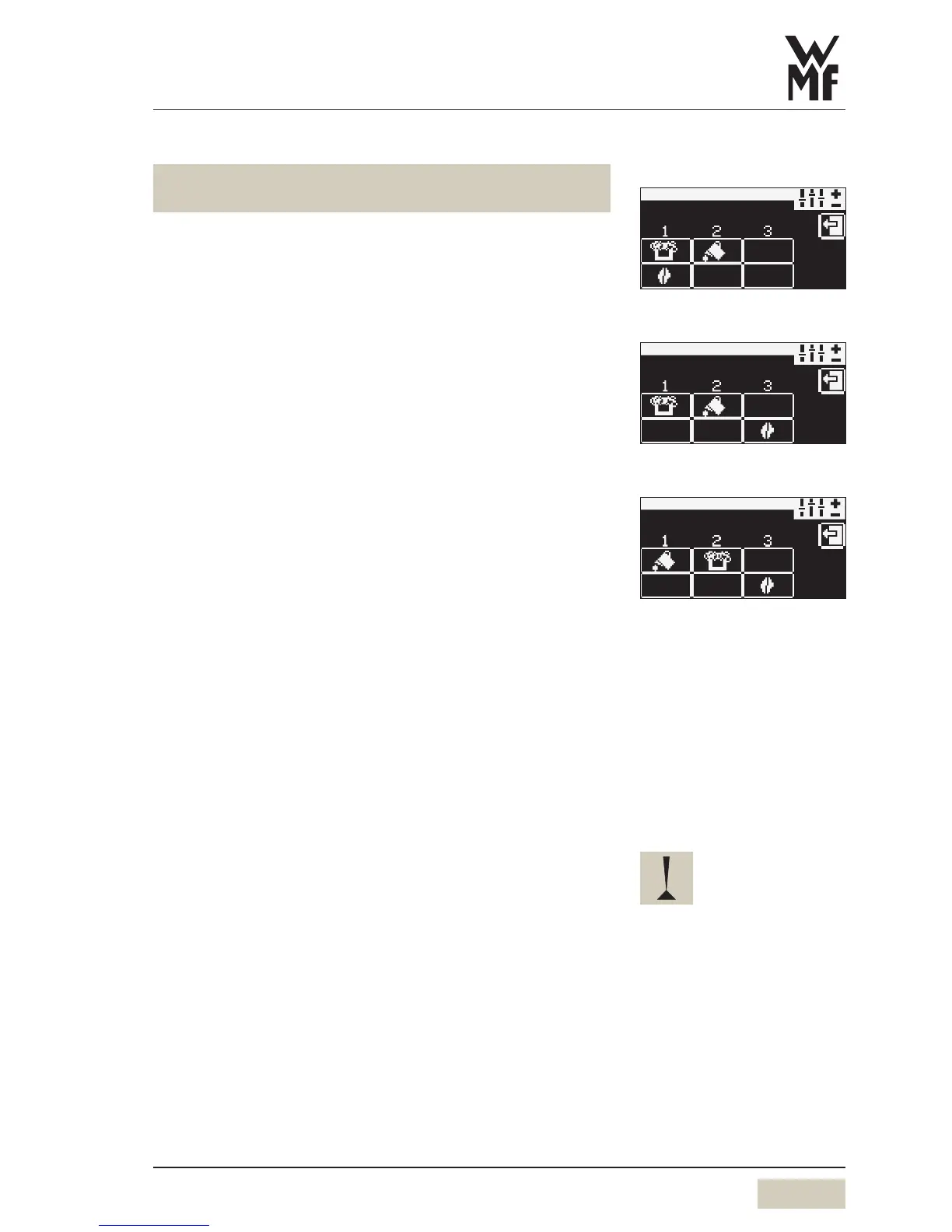
Set the sequence
a.) Upper line: set start position for dispensing milk, milk
foam or Choc.
b.) Lower line: set start position for coffee brewing
Touch the start position pad until the desired addition
is displayed
The next addition will be displayed each time it is touched.
Sequence of dispensing from left to right.
Button allocation
The beverages are assigned to the beverage buttons.
This button allocation is set here.
Press beverage button
Select the desired recipe, for example espresso, from
the list
Select grinder for acoffee beverage
(only for 2grinders, without decaf)
Press beverage button
Select recipe, for example espresso
Select grinder (on the right or left)
Select the portion controller for the Choc beverage
(only for Twin Choc)
Press beverage button
Select recipe, for example milk Choc 1
Select portion controller (on the right or left)
Sequence examples
cappuccino
First milk, then milk foam, then
coffee
Load anew recipe:
the previous settings will be
overwritten by the factory
standard values for the new recipe.
Only adjustable recipes are
indicated.
The product hopper cannot
be selected for the Chociatto
beverage.


 To Next Page