Software | Main menu
Care
• Journal
Journal log of last cleaning
• Cleaning information
Info on last cleaning
• Descaling information
Info on last/next descaling
• Water filter information (optional)
Remaining capacity infoformation
Brew time
• Brew time of last beverage dispensed
Journal
• List of logged error and status messages
(fortelephonesupport)
Timer
• Display the timer state (ON/OFF)
• Display the next switching time
3.2.4 Main menu
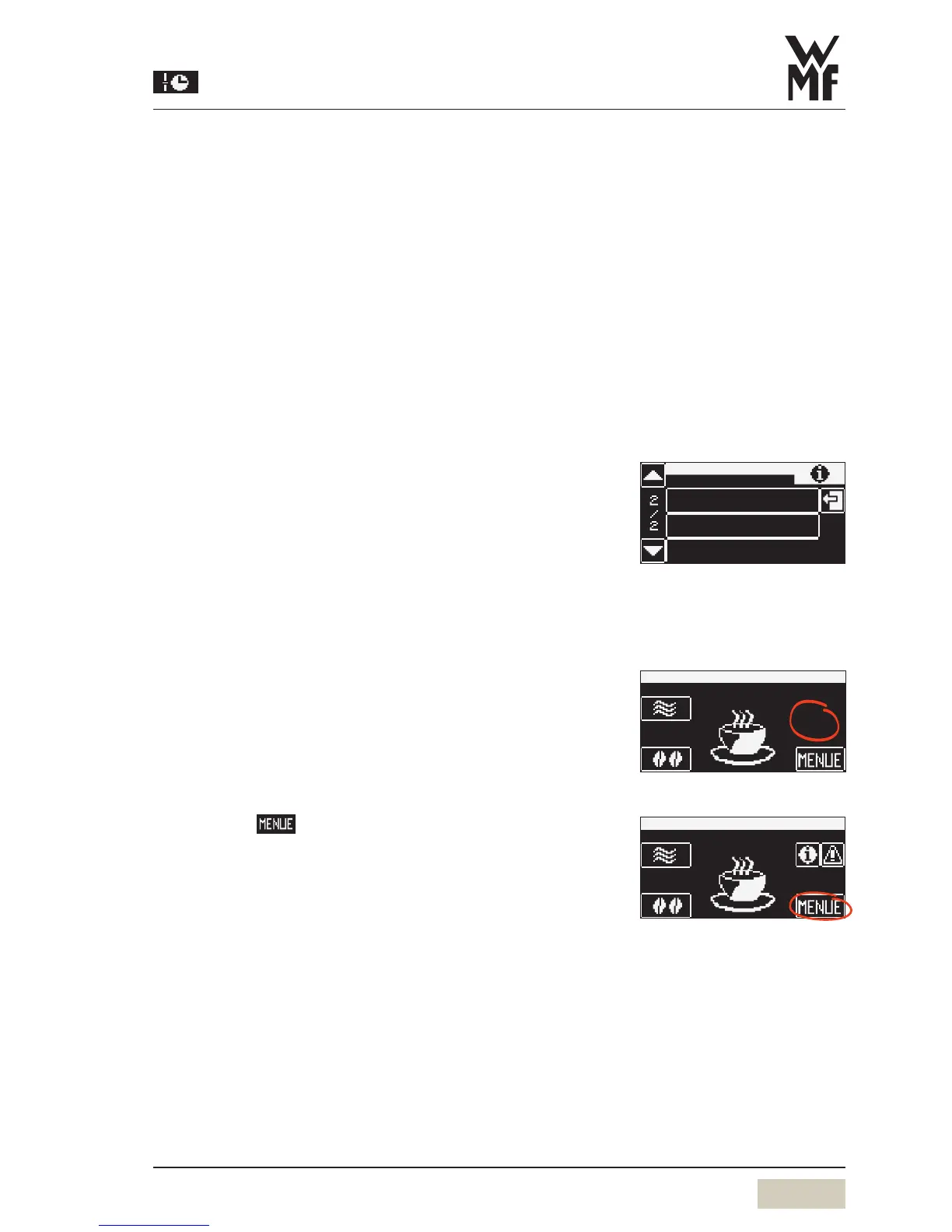
Call up the main menu
Touch clear area on the “Ready to operate” display
Additional pads are activated.
Touch the
menu pad
The main menu is displayed.
journal
information
timer


 To Next Page