Software | Settings
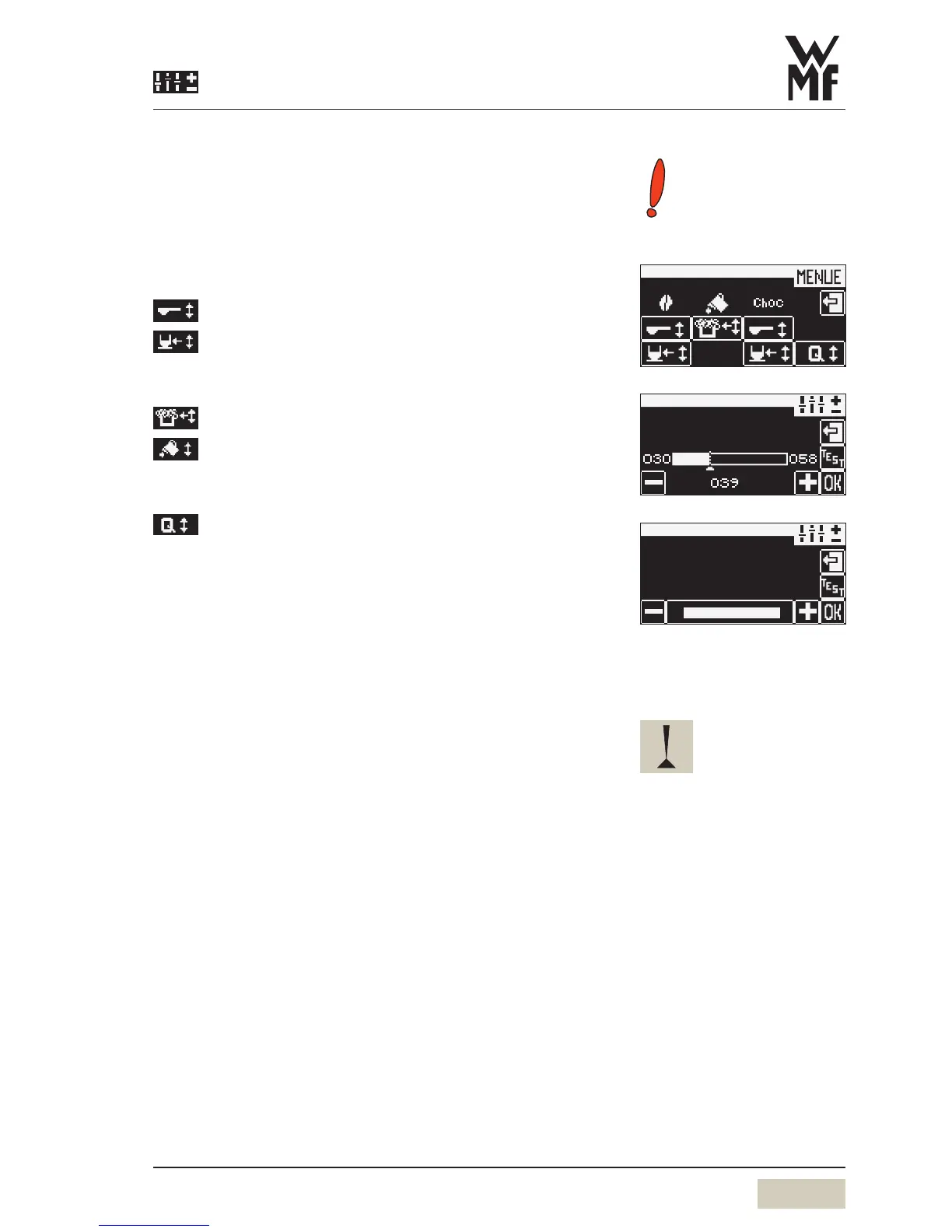
Cup volumes
Cup volumes are matched to the cups used.
Individual beverage ingredients are matched to the new
cup volumes with no effect on composition and quality.
Change recipes
All beverages
Ground coffee quantity/Choc powder quantity
Water volume
Milk beverages
Milk foam volume
Milk volume
Coffee beverages
Quality
The five available quality levels affect the coffee brewing.
The higher the quality level, the more intensive the release
of the flavour and aromatic substances in the coffee.
Quality 1
After pressing, space is provided for the ground
coffee to swell.
Quality 2
After pressing, the coffee is brewed
immediately.
Quality 3
After pressing, apre-infusion occurs.
Quality 4
After pressing and apre-infusion, asecond wet
pressing occurs.
Quality 5
After pressing, apre-infusion occurs. In
addition the brew time is automatically
extended.
quality level
Quality 4
Quality
Instructions.
If very finely ground coffee is used
with asmall amount of brewing
water, ahigh quality level can
cause abrewing water flow error.


 To Next Page