Initial setup
11
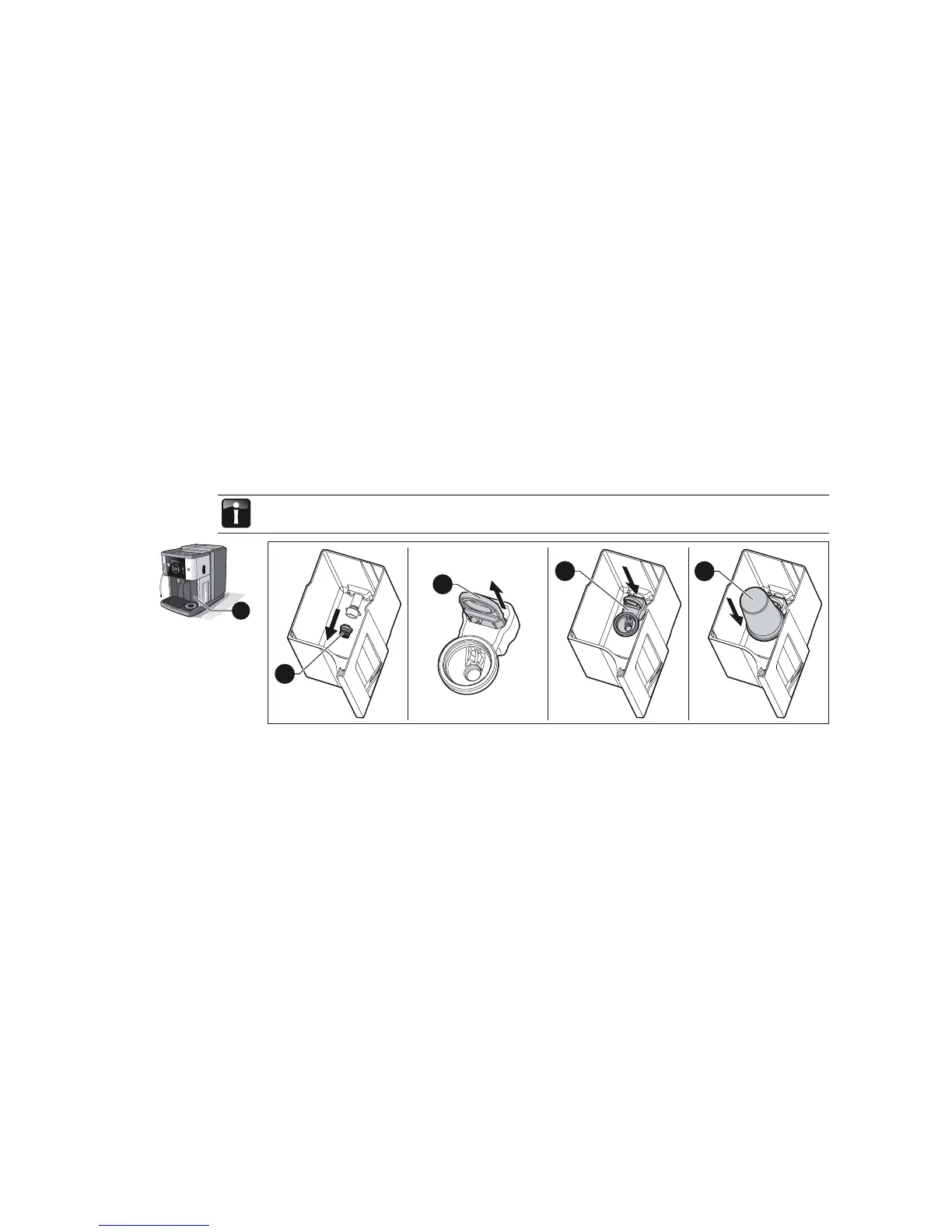
2.5 Insert the WMF water fi lter
The WMF water fi lter protects the coffee machine from scale formations and ensures best quality of
water for making coffee.
You need only observe the instructions in Section 2.5 if you work with a water fi lter. If your water
hardness is between 0 and 4, you need not use a water fi lter.
6a
6b
6c
6d
> Remove the sieve (6a) in the water tank.
> Pull the locking device (6b) of the cartridge adapter upwards.
> From the top lateral side, clamp the cartridge adapter (6c) at the dispenser connection to the water
tank.
> Press the locking device on the cartridge adapter downwards.
> Attach the new water fi lter cartridge (6d) to the cartridge adapter.
6



 To Next Page