Operation
40
15a
15b
15d
15c
15e
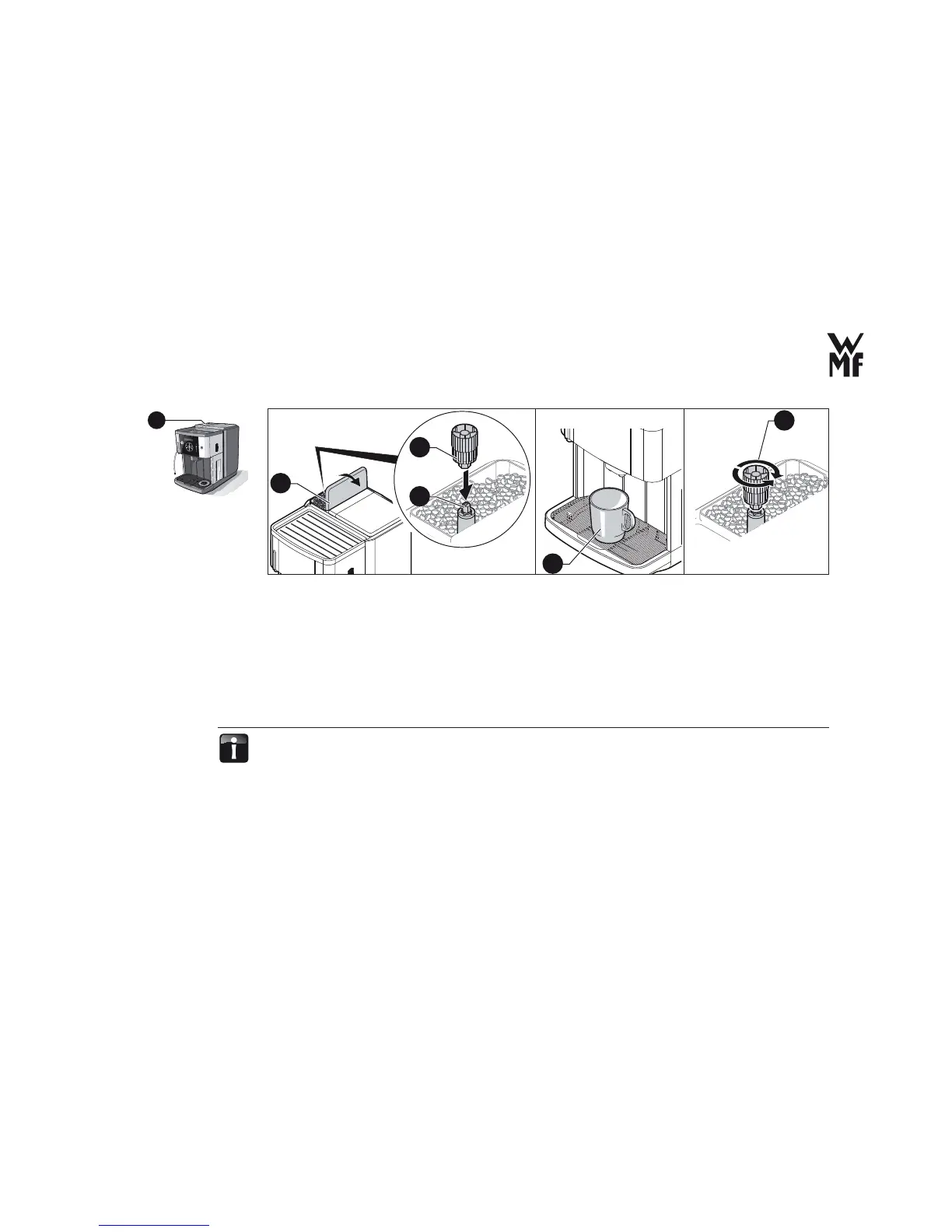
> Open the lid (15a) on the bean hopper.
> Connect the Multi tool (15b) to the grinding degree setting (15c).
> Place an appropriate drinking vessel under the All-In-One-spout, press the Espresso button and wait
till the grinder runs.
Grinding should be fi ner: Press the multitool downwards and turn the multitool (15b) in
anticlockwise direction.
Grinding should be coarser: Press the multitool downwards and turn the multitool (15b) in
clockwise direction.
The factory setting of the grinding degree is based on the characteristics of average coffee beans. The
effect of a change in the grinding degree is assessed only after the delivery of the second cup after the
new setting. The fi ner the coffee is ground, more strongly its contents are released into the coffee.
The following constraints are there for the setting
Grinding degree is too fi ne:
The dispensing stream is interrupted and/or there is a fl ow fault: –> the ground coffee clogs the brewing fi lter.
Increase the grinding degree by one rotation to make it coarser.
15



 To Next Page