Care
50
> Call the customer care programs (Chapter “4.2 Customer
Care programmes” on page 44).
> Browse the Machine-cleaning.
> Start the machine cleaning with
P
button.
> Follow the instructions in the display.
1a
1c
1b
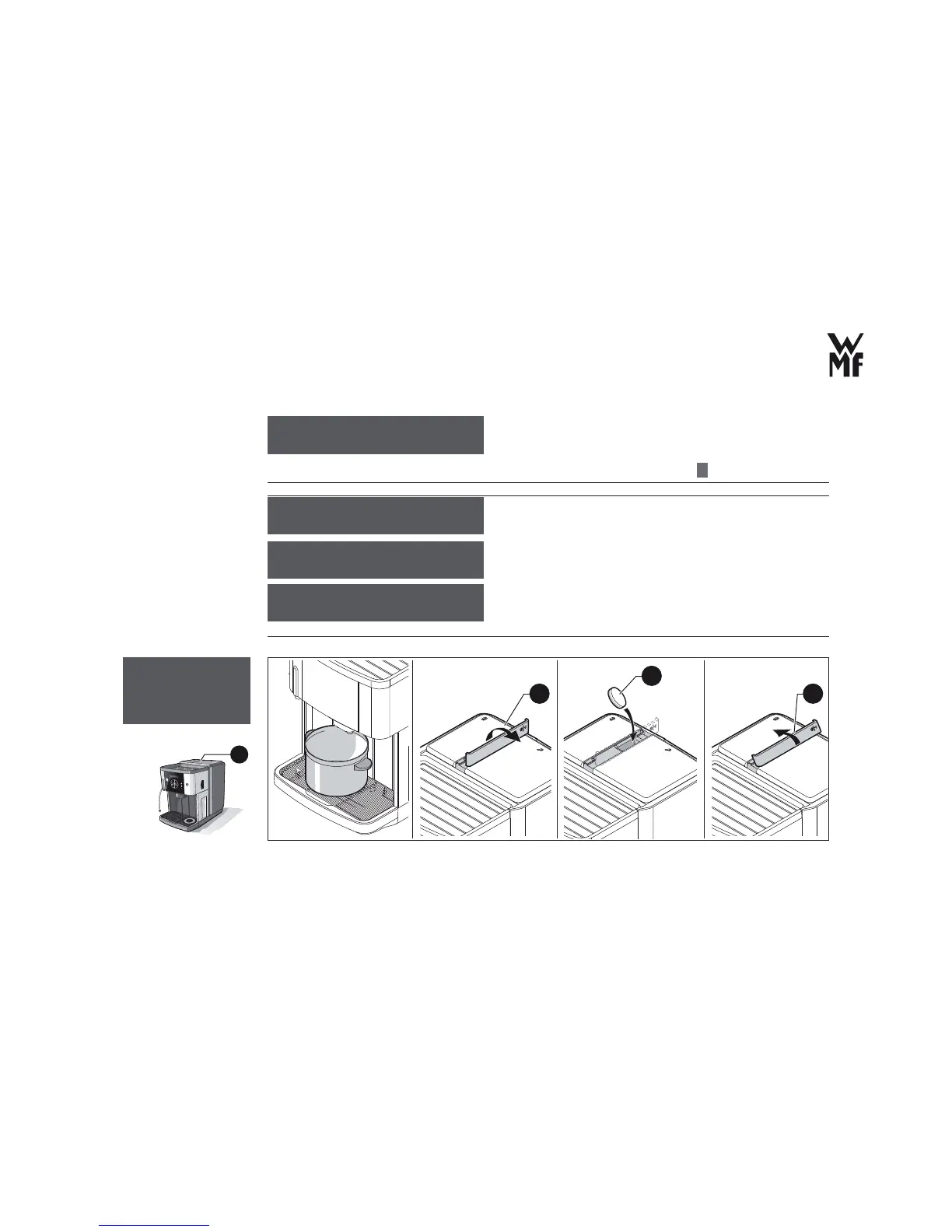
> Place a suitable vessel (2 litres'capacity) under the All-In-One spout.
Machine cleaning
OK: P Browse: -/+
Machine cleaning
Duration of the cleaning
program: 7 minutes
Empty drip tray
Re ll water tank
Place 2L container
under spout
Insert tablet
into coffee
grounds slot
1



 To Next Page