Satellite Upconverter Manual WORK Microwave
41 / 49 V151207
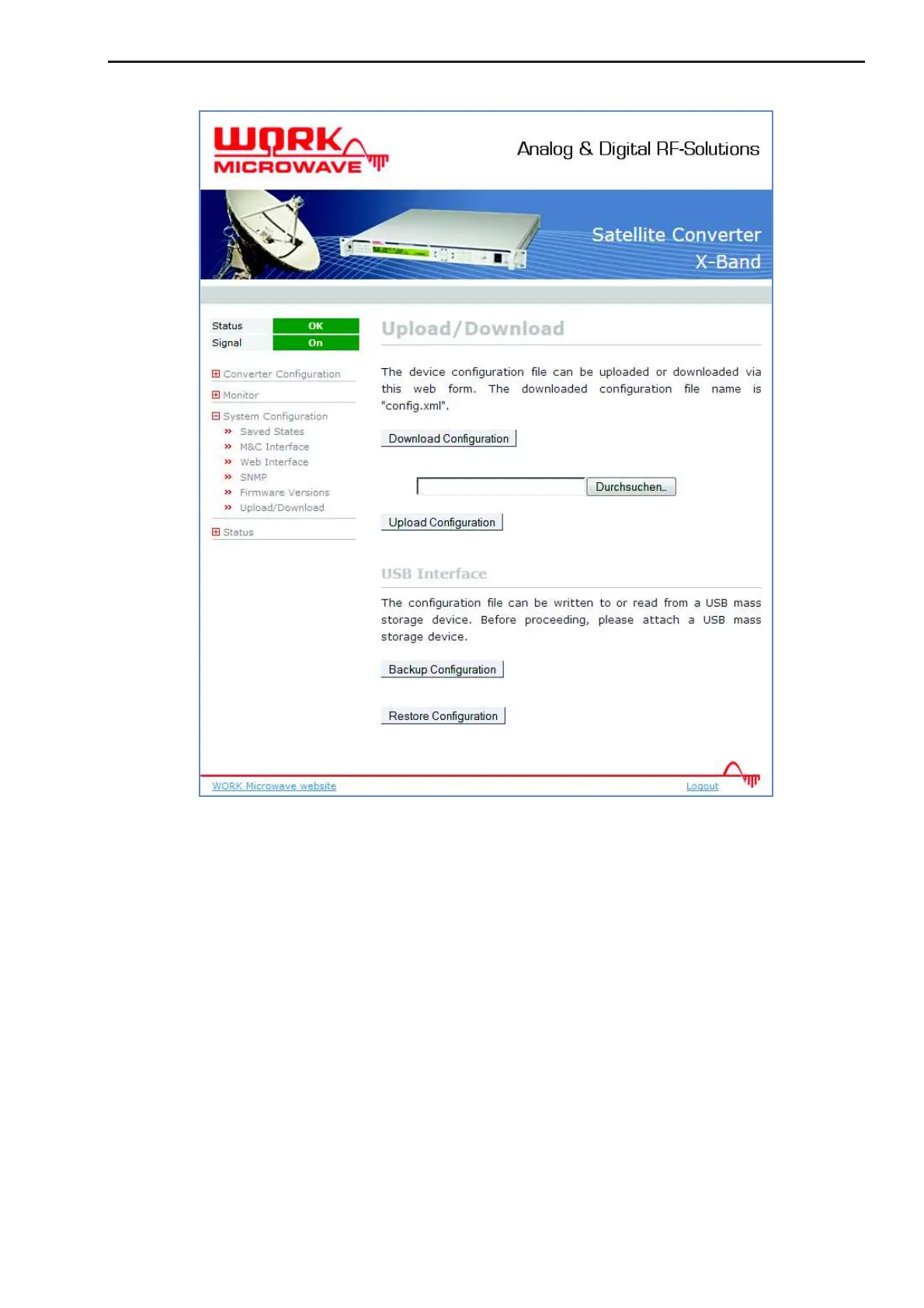
Figure 20: Configuration backup and restore page
4.5.1 Local Backup and Restore
For this option a flash disk has to be attached to the USB interface of the device. The initialization of the
backup- or restore process is done with the web interface (System Configuration – Upload/Download). To
save the current configuration to a flash disk, the “Backup Configuration” Button has to be pressed. Please
ensure that there is sufficient free disk space on the flash device (about 100kByte, depends on the complexity
of the configuration). The configuration is written to the file “config.xml” at the root directory of the flash disk.
The file contains the configuration in a XML based formatting.
To restore a configuration set, put a file with a valid configuration and the filename “config.xml” in the root
directory of a flash disk and attach it to the USB interface of the IP Modem. The button “Restore Configura-
tion” starts the process.
4.5.2 Remote Backup and Restore
The web interface provides an option to backup and restore the device configuration remotely. The item “Up-
load/Download” in the “System Configuration” menu provides the buttons “Download Configuration” and “Up-
load Configuration”.


 To Next Page