4 - 20 Workabout Pro4 (Windows Embedded Hand-Held 6.5) User Manual
HSP/HFP (Headset Profile/Hands-Free Profile) Service Commands
The HSP (Headset Profile) allows users to connect their device to Bluetooth enabled headsets and other
audio devices.
HSP/HFP services provide the following unique menu options:
• Connect Audio establishes an audio connection to the Bluetooth headset.
• Disconnect Audio disconnects the audio connection from the Bluetooth headset.
• Volume Control displays a dialog box where the headset and microphone volume can be adjusted.
Connecting Using a Bluetooth GPRS Phone
Once you’ve completed the Bluetooth settings, you can go ahead and set up communication through your
Bluetooth-equipped phone.
Before you begin, make certain that the Bluetooth phone is turned on, that the Bluetooth radios in your Worka-
bout Pro4 and phone are enabled (turned on), and that the hand-held and phone are within 10 metres of each
other. Both should be discoverable.
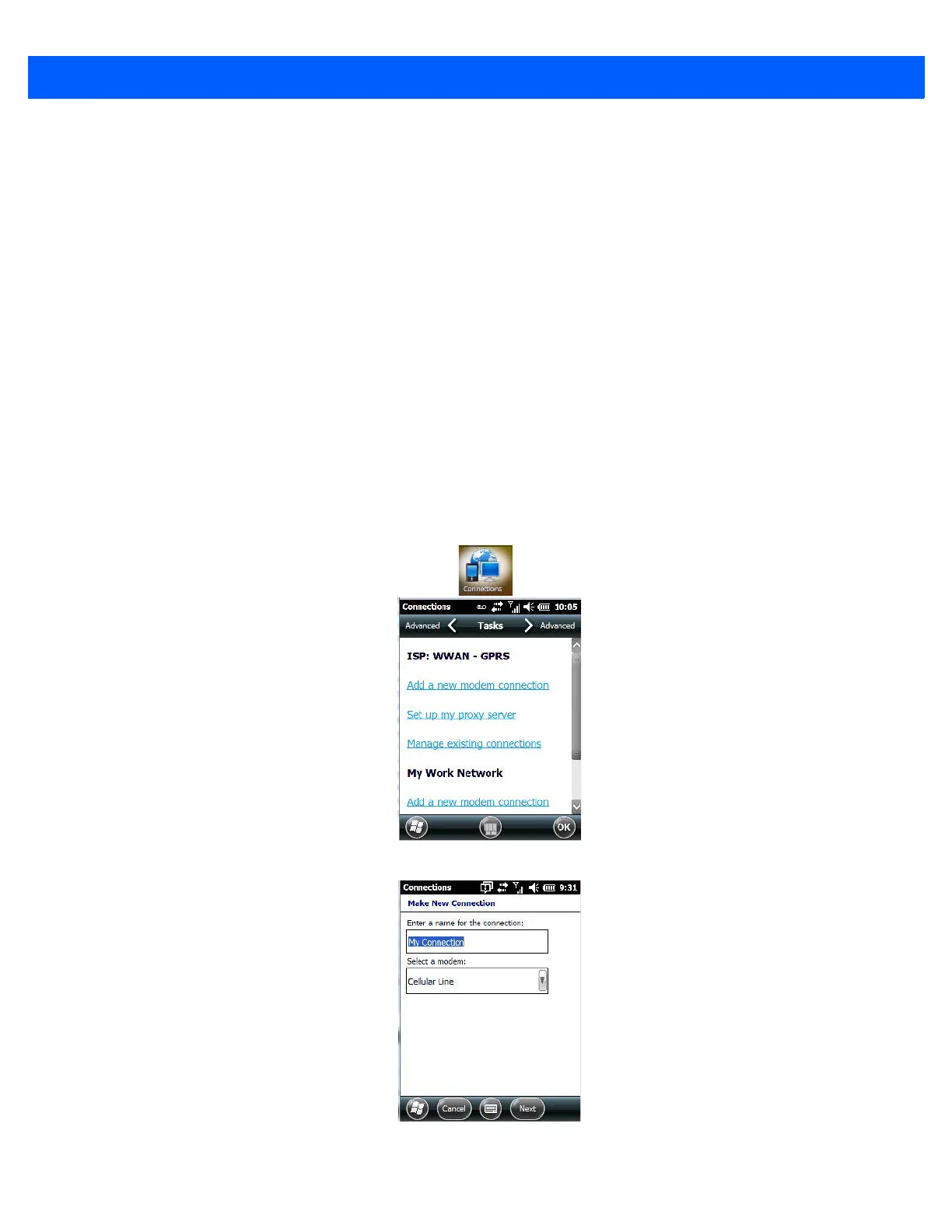
1. Tap on Start>Settings, and then tap on the Connections folder icon.
2. Tap on the Connections icon. Tap on Add a new modem connection.
3. Type a name for the connection.
4. Tap on the Select a modem drop-down menu, and choose Bluetooth. Tap on Next.



 To Next Page