Programs 3 - 5
To make a phone call:
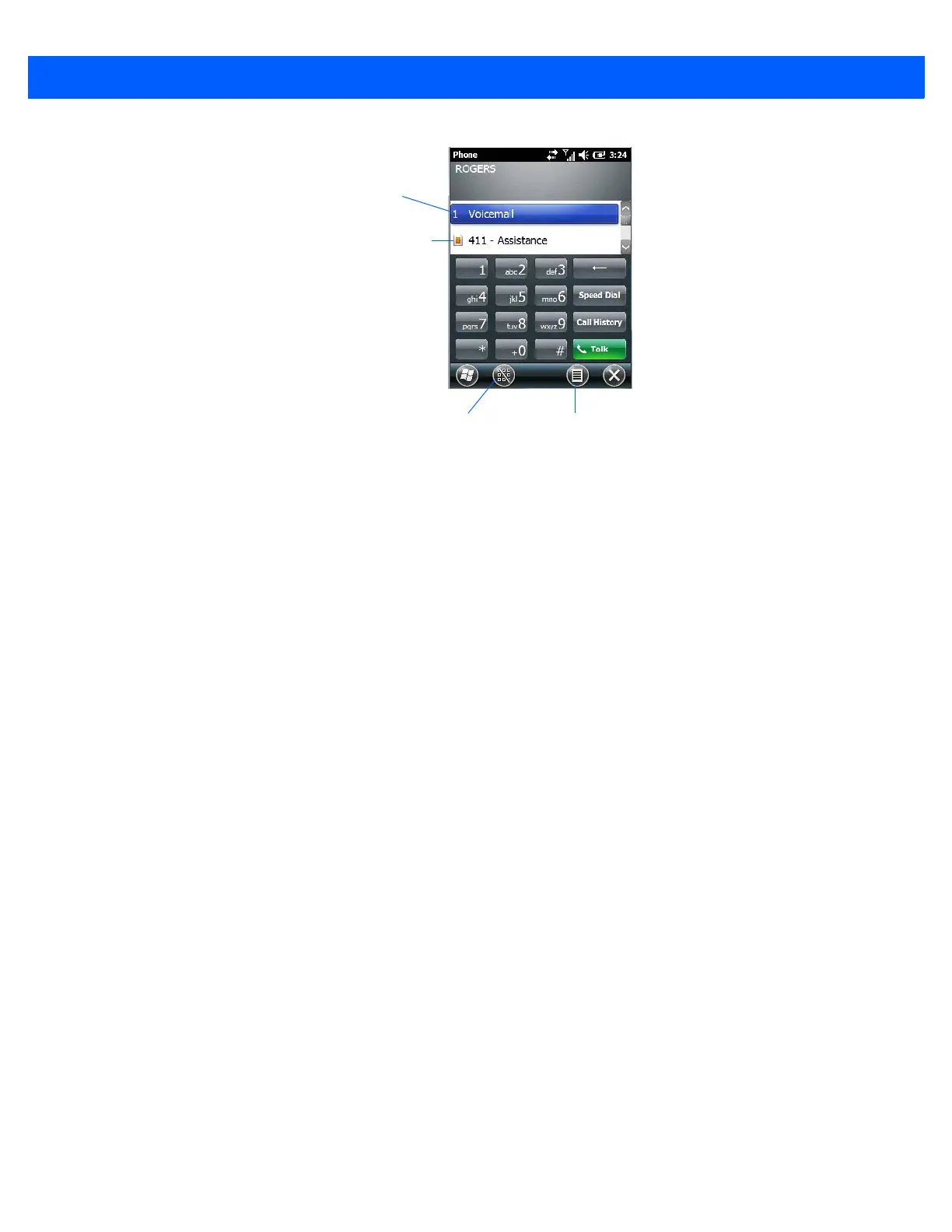
• Use the phone keypad to enter the phone number. Tap on [Talk] to connect the call.
When you tap on the [Talk] button to connect to a phone number, the [Talk] button toggles to become the [End]
button. When you’ve completed your call and want to disconnect:
•Tap on [End] button on the onscreen phone keypad.
Sending & Ending Calls Using the Workabout Pro4 Keyboard
The keyboard provides a [Talk] and an [End] key on the physical keyboard.
• Press the [Talk] key to answer a call or to display the onscreen phone keypad so you can initiate a call.
• Press the [End] key to terminate a phone call.
Making a Conference Call
To set up a conference call between yourself and two or more other parties:
• In the phone keypad, type the first phone number. Tap on [Talk].
• While you are connected to the first number, tap on Menu>Hold.
• Type the second number. Tap on [Talk].
•Tap on Menu>Conference.
• To add another party, tap on Menu>Hold, type the number, and then tap Menu>Conference.
•Tap on [End] to disconnect all calls.
Programming Speed Dial
The phone keypad provides a Speed Dial button for quick access to frequently used numbers.
• In the phone keypad, tap on the Speed Dial button to display the speed dial Phone dialog box.
Phone settings
Directory assistance
Hide/show keypad Menu



 To Next Page