Programs 3 - 13
Searching for a Contact
To search for a particular entry:
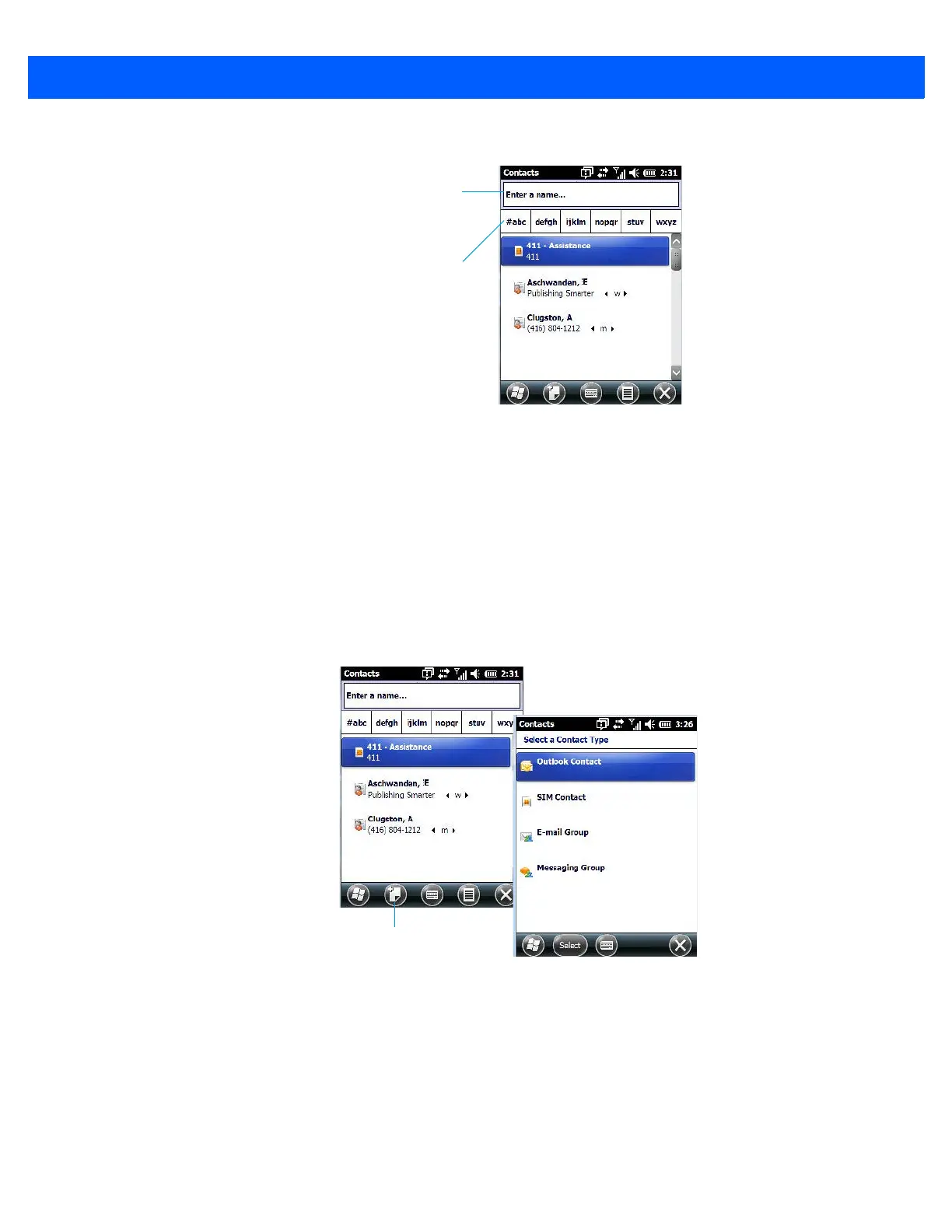
• Tap on the Enter a name ... field, and type the name you are searching for in the Contacts list.
• To narrow your search to names beginning with a particular letter, tap on the appropriate alpha
character grouping.
Communicate Tab - Adding Contacts
Adding a New Contact
The New softkey located to the right of the Start softkey allows you to add additional entries to your contacts
list.
• Tap on the New softkey.
• Choose the contact type to which you want to add an entry.
• Tap on the Select button to display the Communicate screen. Tap on each of the options you want to com-
plete for the new contact you are creating. Each item you tap on in this screen produces an associated
pop-up screen in which you can enter the appropriate information. For example, in the sample screen fol-
lowing, tapping on Add a name displays an associated screen for you to complete.
Type a contact
name here
Tap on an alpha
group to narrow
the search



 To Next Page