Settings 4 - 23
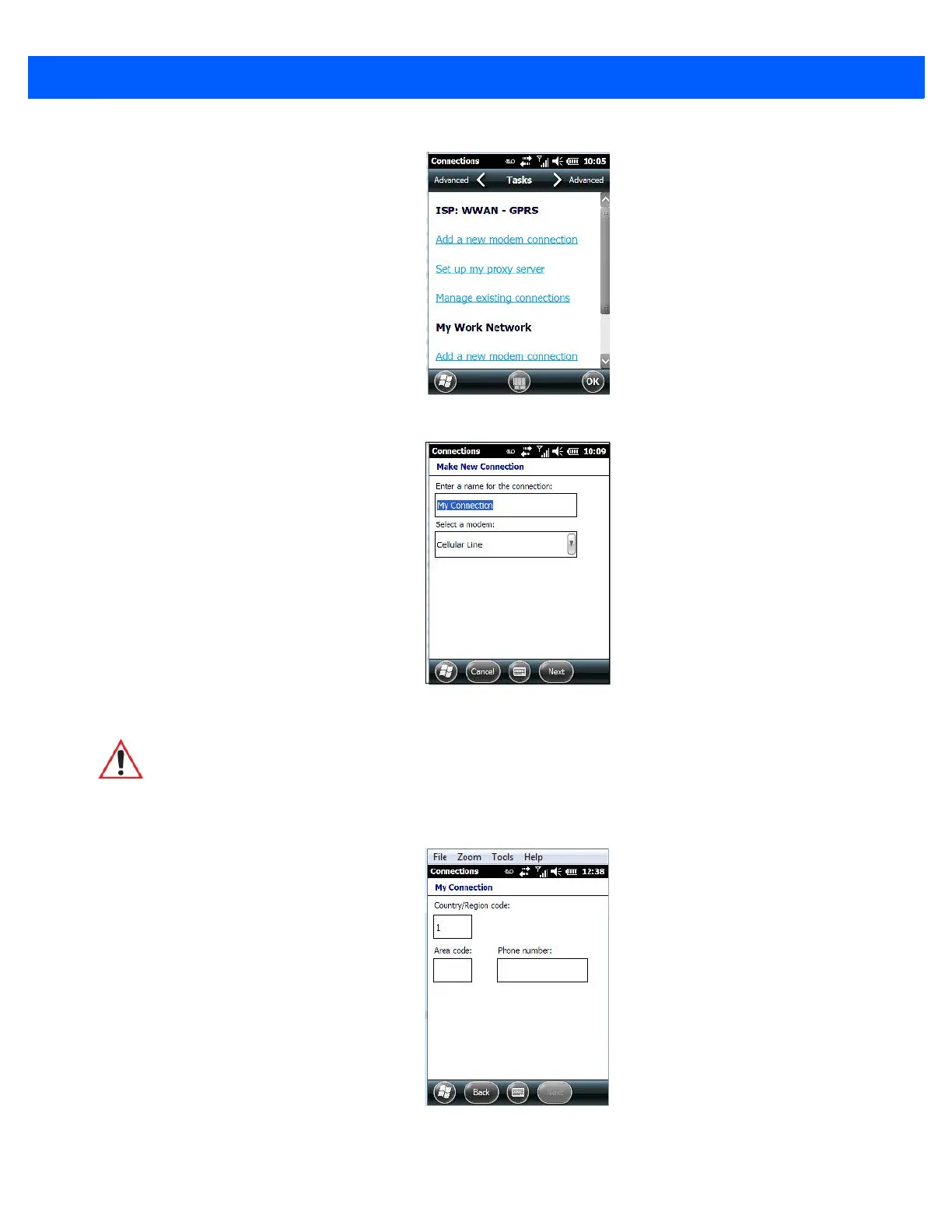
3. In the Make New Connection screen, type a name for the connection.
4. In the drop-down menu under Select a modem, tap on your modem type.
5. In the My Connections screen, enter the phone number exactly as you want it dialed. If, for example,
you need to dial 9 for an outside line, enter 9 at the beginning of the phone number.
6. Tap on the Next button.
WARNING If your modem is not listed in the drop-down menu, choose Hayes Com-
patible on COM1.



 To Next Page