27
4.4 SettingupconnectionstoSnooper+
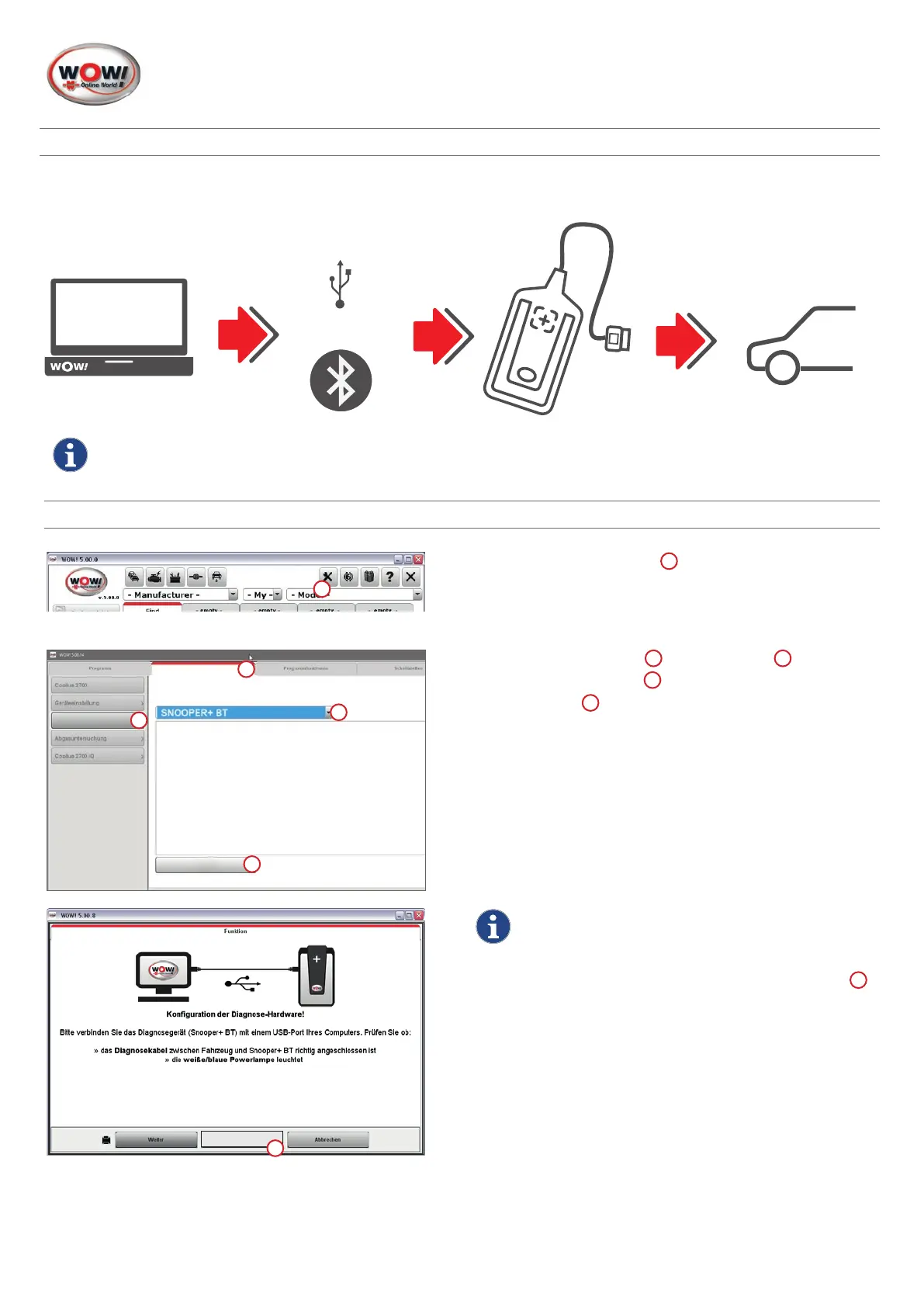
Snooper+connectiondiagram
ConnectiontotheSnooperdevicecanbeconguredusingaUSBcableand/orBluetooth.
Procedure
1. Click on
Program settings
1
2
4
3
1
Find
DiagnosisBox
Devices
1. Select
“Diagnosis Box”
1
in the
“Devices”
2
index tab.
2. Select
"SNOOPER+BT"
3
.
3. Click on
Find
4
.
The connection assistant is launched.
The application is described in detail while the program
is running. Please follow these instructions.
Skip
1
Note!
Connection to the Snooper device can be
set-upusingaUSBcableorBluetooth.Ifonly
the Bluetooth connection is to be used,
Skip
1
therststepdescribingtheUSBconnection.
USB-Kabel / Bluetooth
USB cable or Bluetooth
1


 To Next Page
 Loading...