33
7.2 ConguringSnooper+BTforWindowsBluetoothenvironment
Note!
ThisprocedureisonlynecessaryifproblemsareencounteredwhenconnectingtotheSnooper+deviceinthe
WOW! software.
Pleaseonlyperformsteps1-2withtheiQ150Generation24diagnosissystem.ThereshouldbenoSnooperor
Snooper+ device present in the Bluetooth environment with this device.
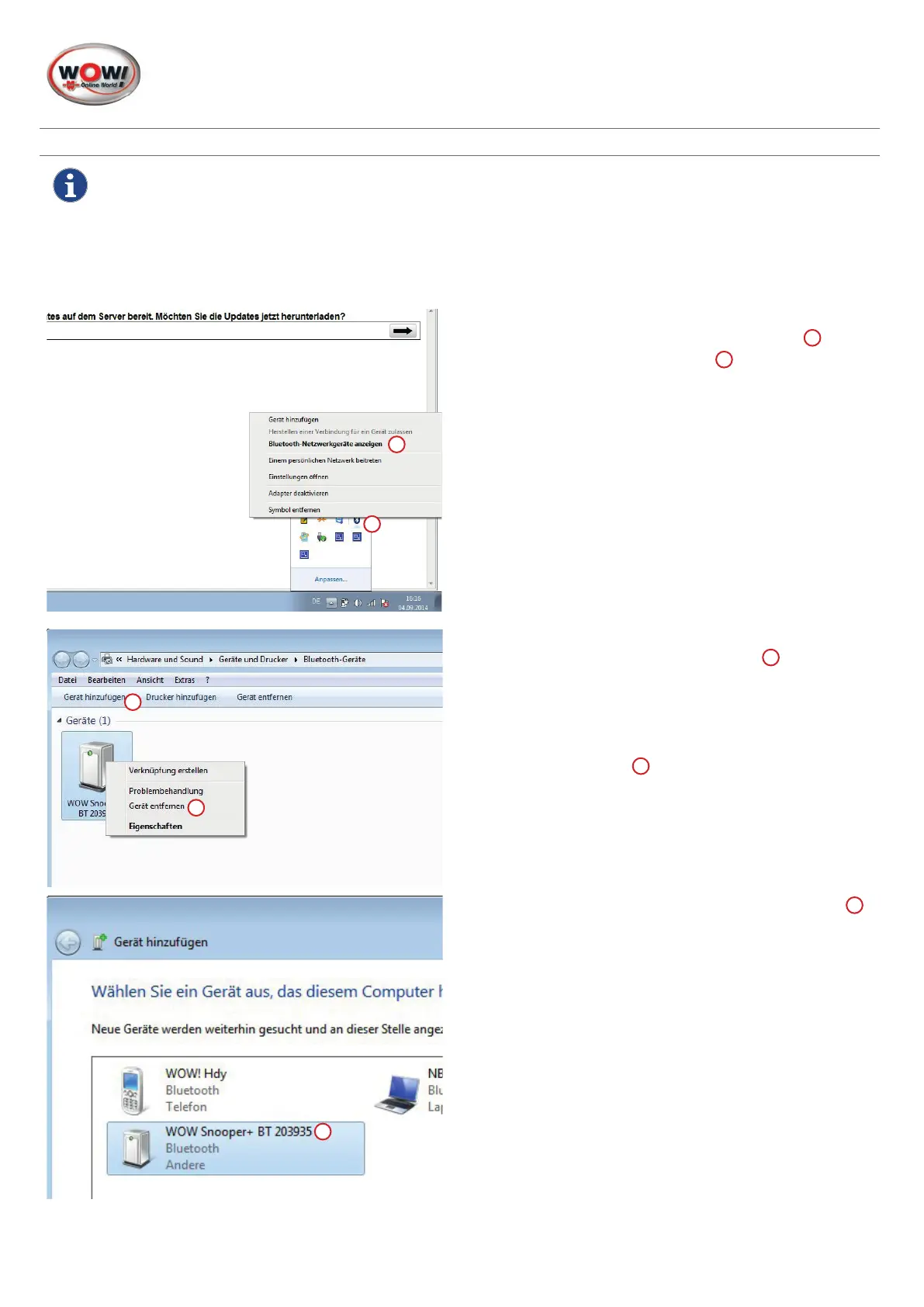
1. Open Bluetooth environment.
Click in the task bar on the
"Bluetooth symbol"
1
and
"Display Bluetooth network devices"
2
.
2. Delete all unused WOW! Snooper devices or VCI devic-
es with a right click and
"Remove device"
1
.
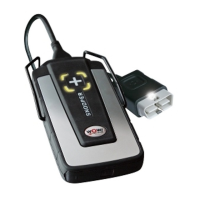
3. ConnecttheSnooper+devicetoapowersupply,e.g.
the diagnosis connector in the vehicle.
4. Click on
"Add device"
2
.
ThesystemsearchesforBTdeviceswithinrange.
5. Select the Snooper+ with the correct serial number
1
.
The serial number can be found on the Snooper's data
plate.
6. Conrmtheaddeddeviceinthefollowingwindow.
7. ConguretheSnooper+BTintheWOW!software.See
"4.2 Setting up connections to Snooper+" on page .
1
2
1
2
1


 To Next Page
 Loading...