26
4.3 UpdatingWOW!softwareonline
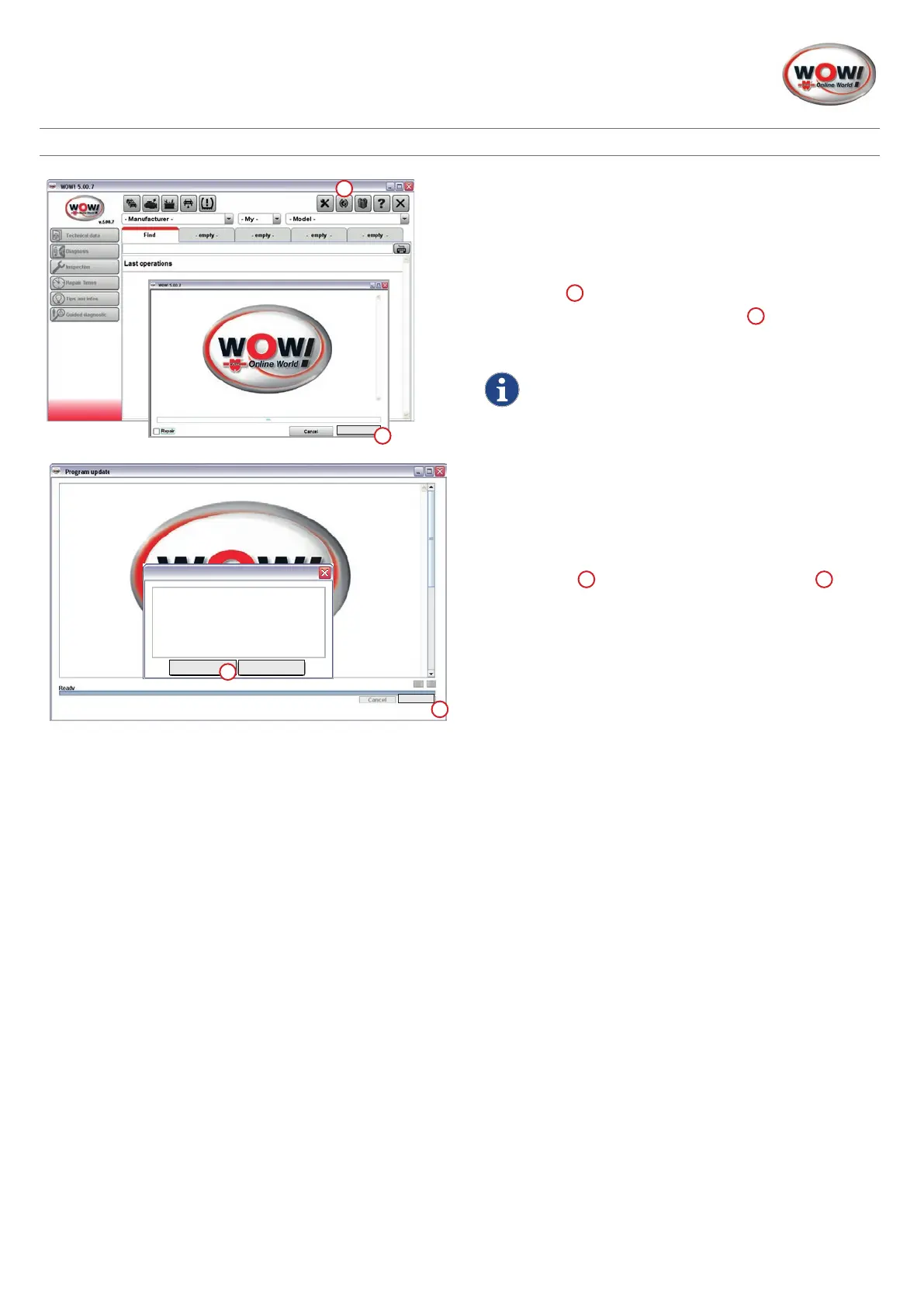
9. WOW! software update
Launch the WOW! software.
The computer must be connected to the internet to do
this.
To perform the update, click on the button marked
Online
update
1
in the menu bar.
To start the online update, click on
Start
2
in the following
window.
Observethemessagesandconrmtheseasand
whennecessary.
10. Finalising online update
Once the update data has been transferred, the software
must be rebooted.
Click on
Ready
1
andconrmtheactionwith
Yes
2
in the
next window.
1
Start
2
Tocompletetheupdate,youmust
performarestartoftheWOW!
Software.
DoyouwanttoWOW!Software
stopnow?
Yes
No
2
1
Ready


 To Next Page
 Loading...