Remote Operation
4–20 TM-XDOP-01XN
Configuration
Configure the power supply’s GPIB address and power-on service request setting.
The defaults are GPIB address 2 and power-on service request off.
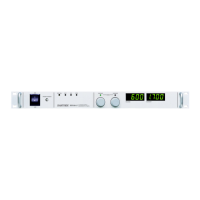
Front panel
First set the GPIB parameters:
Next, select GPIB as the remote control interface:
Step # Do This You Will See
1 ERROR MSGS
2
5 times
REMOTE CONFIG
3
RS-232 Cfg
2 times
GPIB Cfg
4
GPIB Addr ##
5 Select an address from 1-30 GPIB Addr 2
6 PON SRQ? Y
7
or
Select whether power-on service
request is to be sent.
Options are
Y (Yes) or
N (No)
8 Settings are saved.
MENU
ENTER
ENTER
ENTER
ENTER
Step # Do This You Will See
1ERROR MSGS
2
4 times
REMOTE SELECT
3
RS-232
4
or
Select GPIB.
GPIB
5 GPIB setting is saved.
MENU
ENTER
ENTER
TM-XDOP-01XN.book Page 20 Monday, July 17, 2006 11:19 AM



 To Next Page
 Loading...