DocuMate 765 Scanner User’s Guide 37
Scanning from One Touch
Setting Destination Application Properties
The different types of Destination Applications have various properties
that you can select.
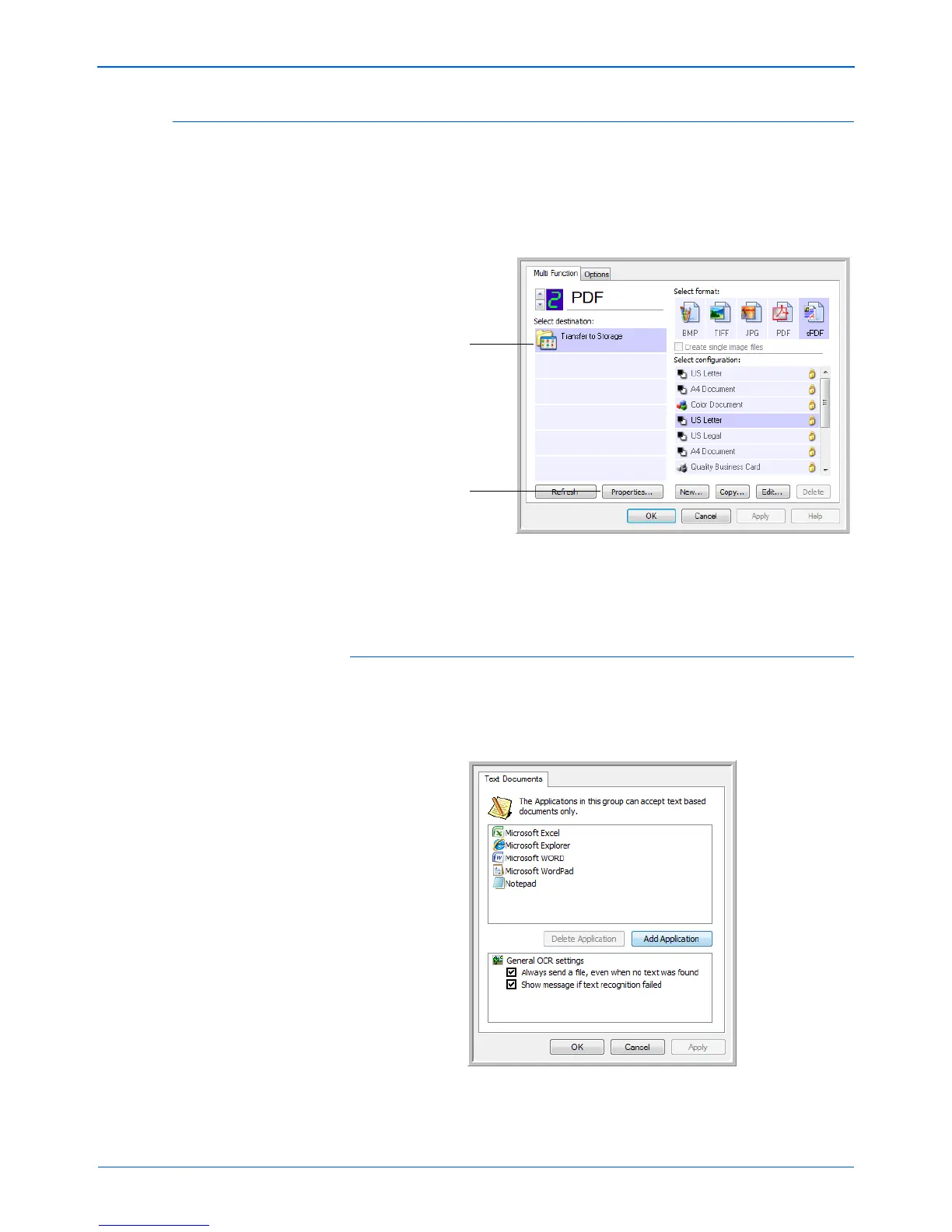
1. On the One Touch Properties window, click a Destination Application.
2. Click the Properties button.
A One Touch 4.0 Link Properties dialog box opens for the type of
Destination Application you selected, and the available options are for
that type of application.
Text Documents Properties
These properties apply to Microsoft Word, Microsoft Excel
®
, and the other
applications indicated by their icons in the list. The properties apply to the
OCR settings for the applications.
Click a Destination
Application.
Click the Properties
button.


 To Next Page
 Loading...