Printing on Specialty Media
Phaser® 4510 Laser Printer
3-37
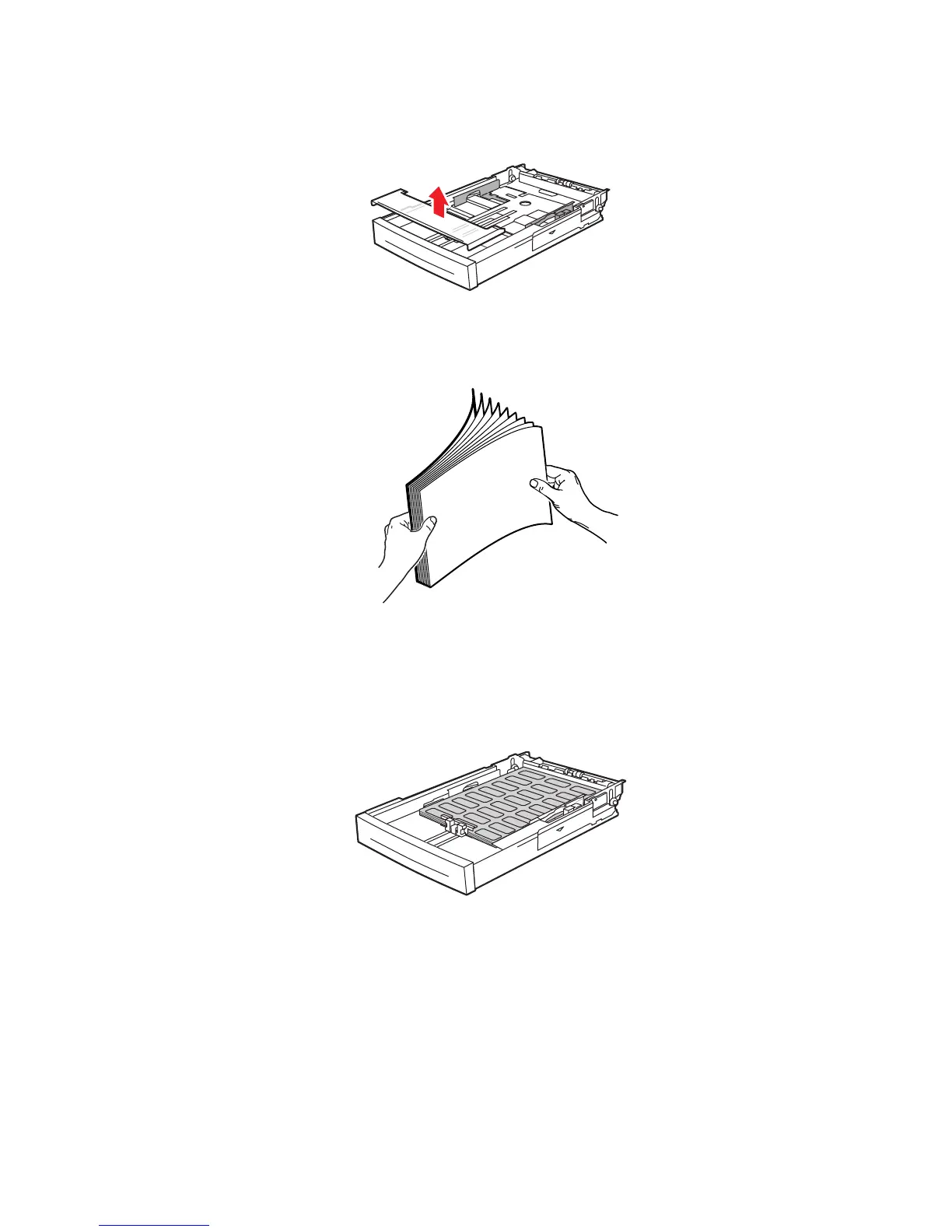
2. Remove the lid from the tray.
3. Fan the labels to release sheets that are stuck together.
4. Insert the labels into Tray 1, and adjust the paper guides to fit the sheets.
■ Place the side to be printed faceup with the top of the sheets entering first.
■ Do not load more than 100 sheets.
4510-097
4510-087
















 To Next Page