Maintenance
Phaser 6700 Color Printer 107
User Guide
Moving the Printer
• Always turn off the printer and wait for the printer to shut down.
• Disconnect the power cord from the back of the printer.
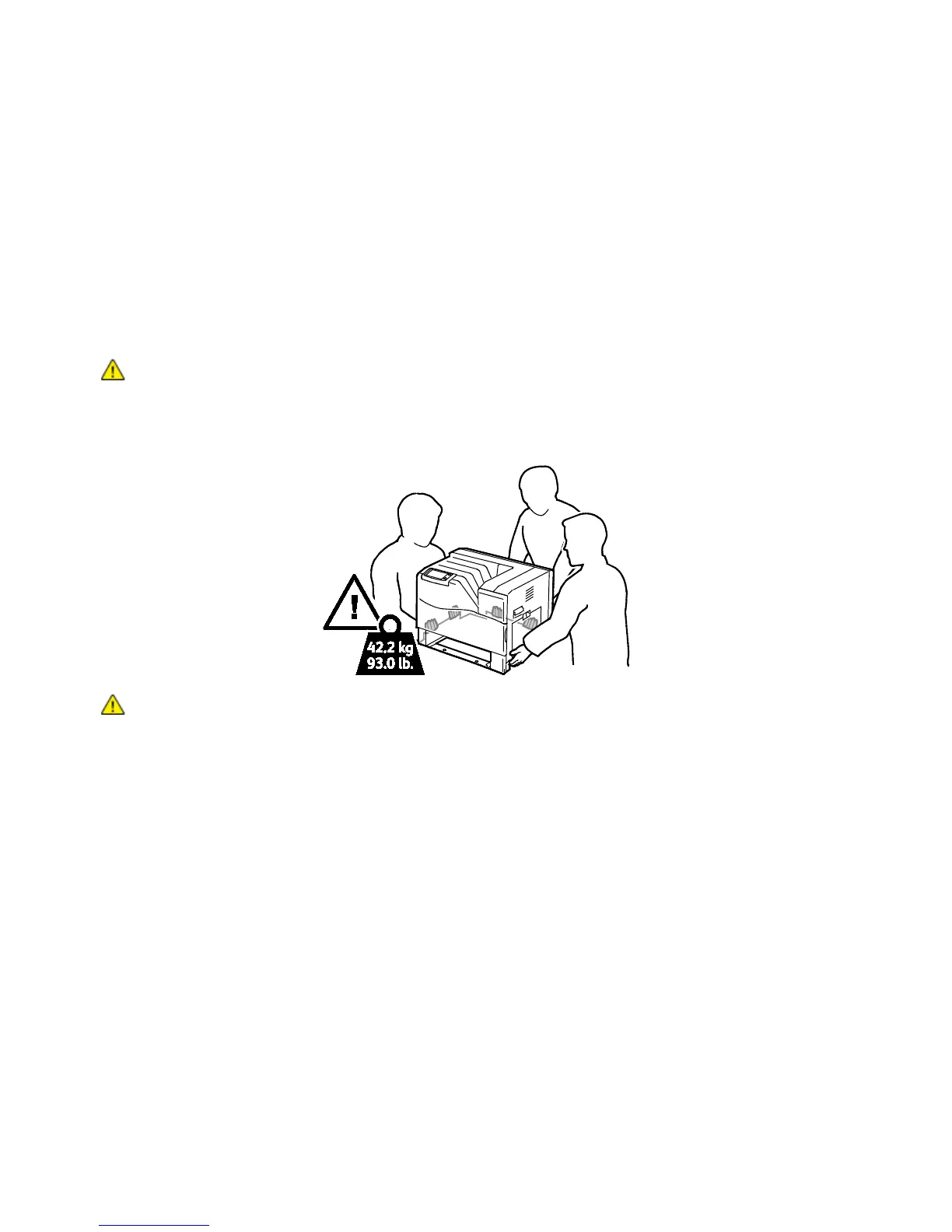
• Always use at least three people to lift the printer.
• When lifting the printer, grasp the areas as shown.
• Keep the printer level to avoid toner spillage.
CAUTION: Failure to repackage the printer properly for shipment can result in damage not covered by
the Xerox
®
Warranty, Service Agreement, or Total Satisfaction Guarantee. The Xerox
®
Warranty,
Service Agreement, or Total Satisfaction Guarantee do not cover damage to the printer caused by
improper moving.
CAUTION: The Xerox
®
Total Satisfaction Guarantee is available in the United States and Canada.
Coverage could vary outside these areas. Please contact your Xerox representative for details.



 To Next Page
 Loading...










