Troubleshooting
Phaser 6700 Color Printer 125
User Guide
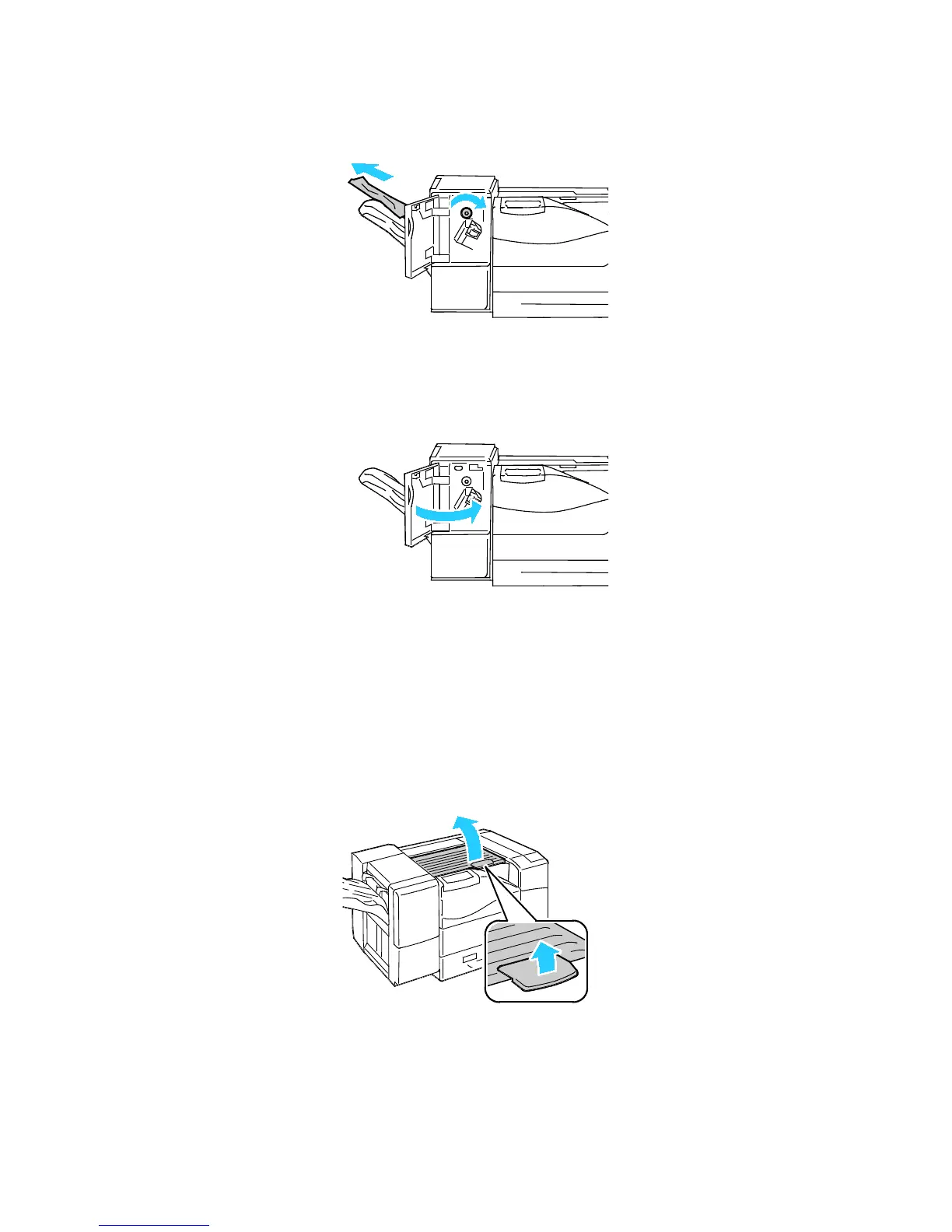
2. Rotate the knob clockwise and remove the jammed paper from the paper exit.
Note: If the paper jam message remains, repeat this step.
3. Close the front door of the finisher.
Note: If the paper jam message remains, repeat this step.
Clearing Jams at the Horizontal Transport Unit
To resolve the error displayed on the control panel you must clear all paper from the paper path.
1. Grasp the handle of the horizontal transport unit and open the cover.


 To Next Page
 Loading...










