Troubleshooting
130 Phaser 6700 Color Printer
User Guide
WARNING: Do not perform this procedure while the printer is printing.
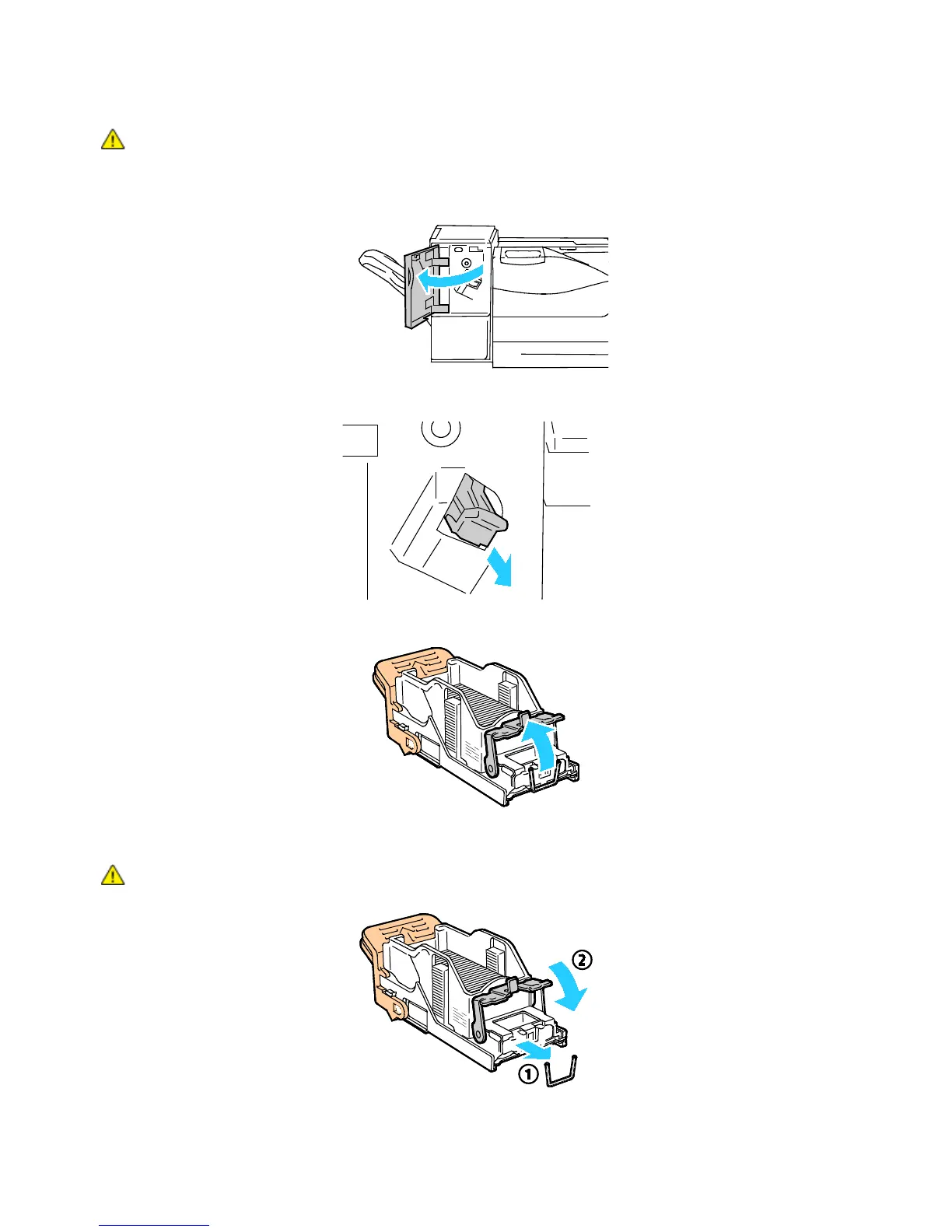
1. Open the front door of the finisher.
2. Remove the staple cartridge from the printer by pulling it toward you.
3. Open the staple cartridge clamp by pulling firmly in the direction shown.
4. Remove the jammed staples (1), then push the clamp in the direction shown until it snaps into the
locked position (2).
WARNING: The points of the jammed staples are sharp. Remove the jammed staples carefully.



 To Next Page
 Loading...










