Maintenance
80 Phaser 6700 Color Printer
User Guide
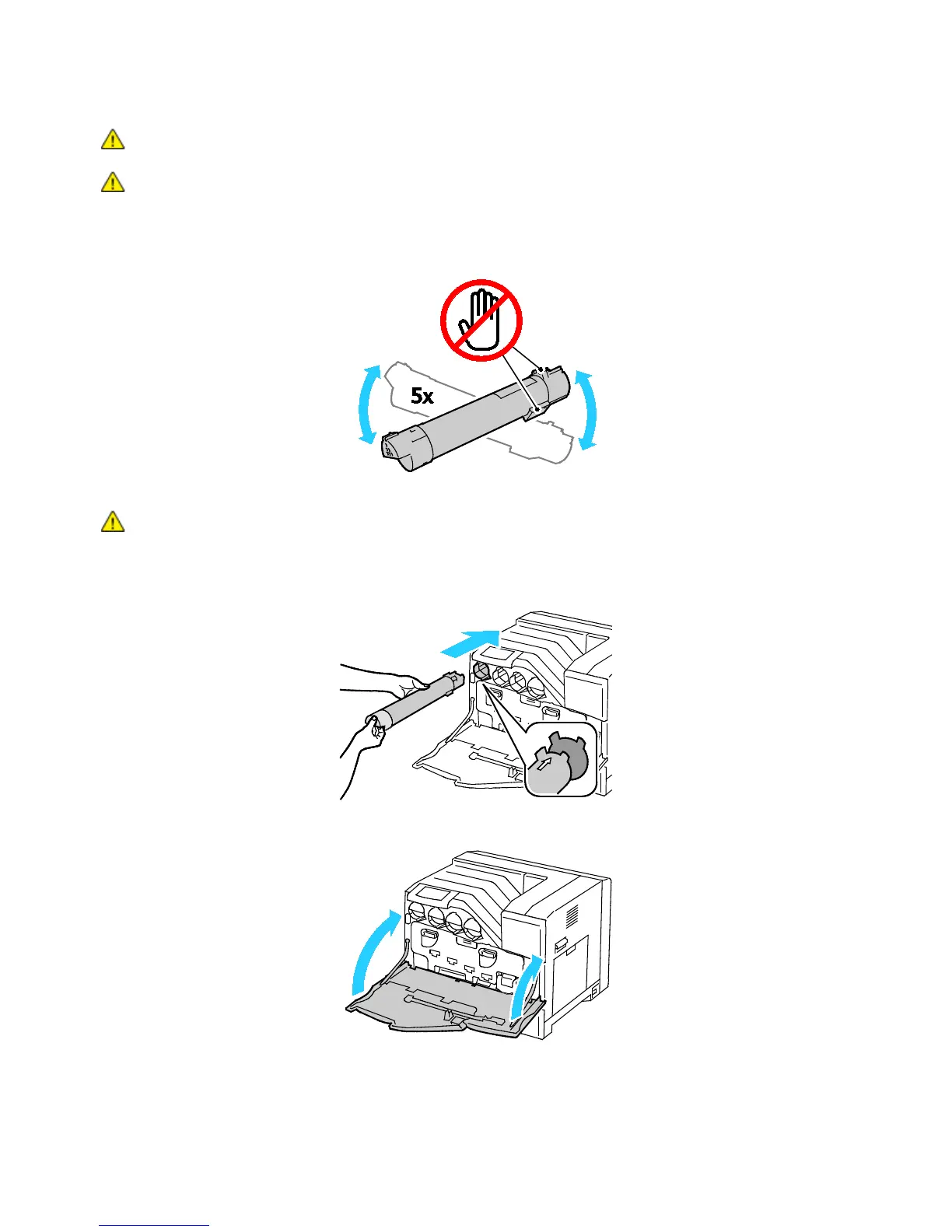
CAUTION: Do not touch the parts shown in the illustration.
CAUTION: Be careful not to spill toner when handling the toner cartridge.
3. Remove the new toner cartridge from the packaging.
4. Shake the toner cartridge five or six times to distribute the toner evenly.
CAUTION: Be careful not to spill toner when handling the toner cartridge.
5. Align the arrow on the toner cartridge with the arrow on the printer, then push the cartridge in slowly
until it stops.
6. Close the front door of the printer.















 To Next Page