Maintenance
86 Phaser 6700 Color Printer
User Guide
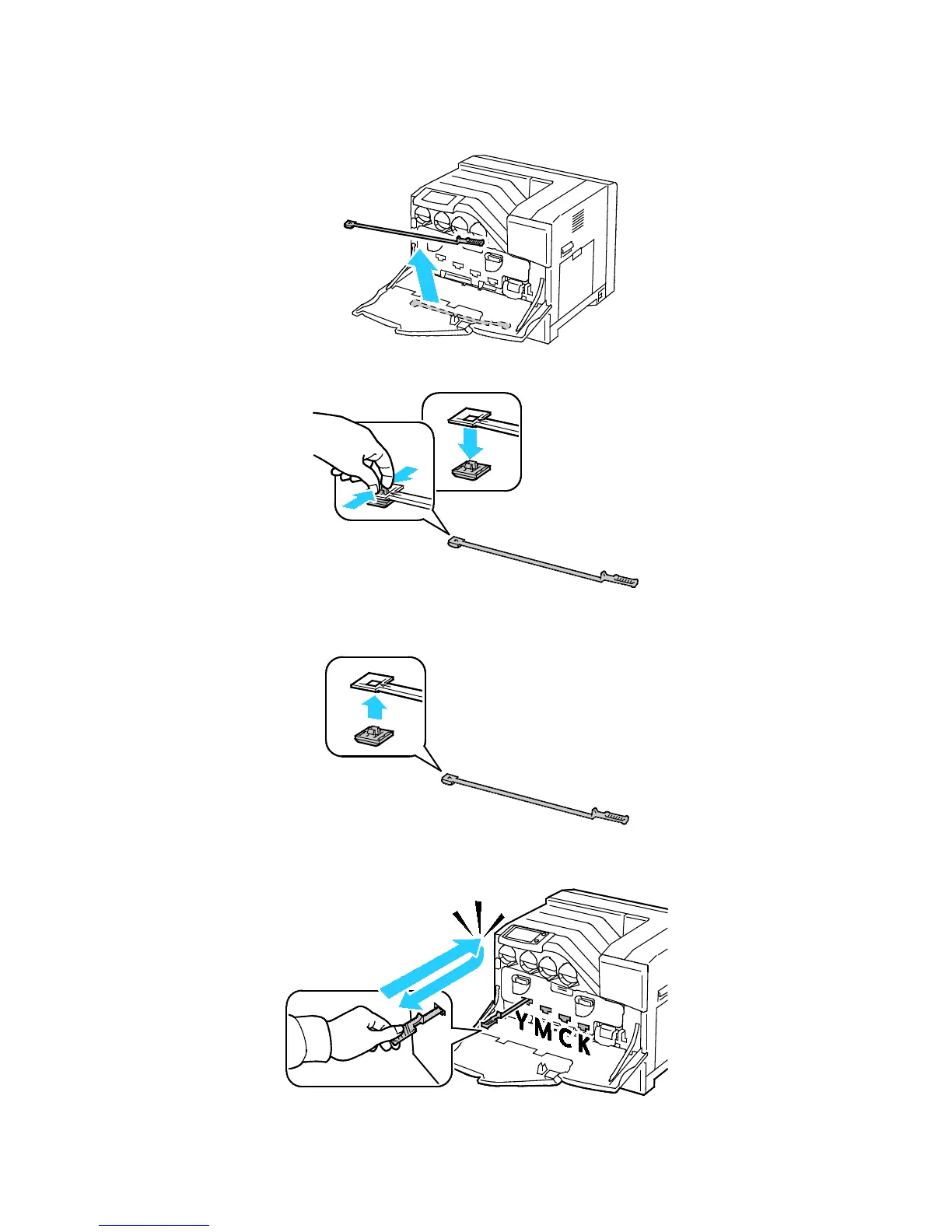
7. Remove the cleaning rod from the back of the front door.
8. Remove the cleaning pad by pinching the tabs behind the pad.
9. Unpack a new cleaning pad from the imaging unit box.
10. Attach the new cleaning pad to the cleaning rod.
11. Insert the cleaning rod into one of the four cleaning holes until it clicks, then pull it out. Repeat this
two more times.















 To Next Page