iFT Series Hardware Installation Manual ADPRO
56 27817_05
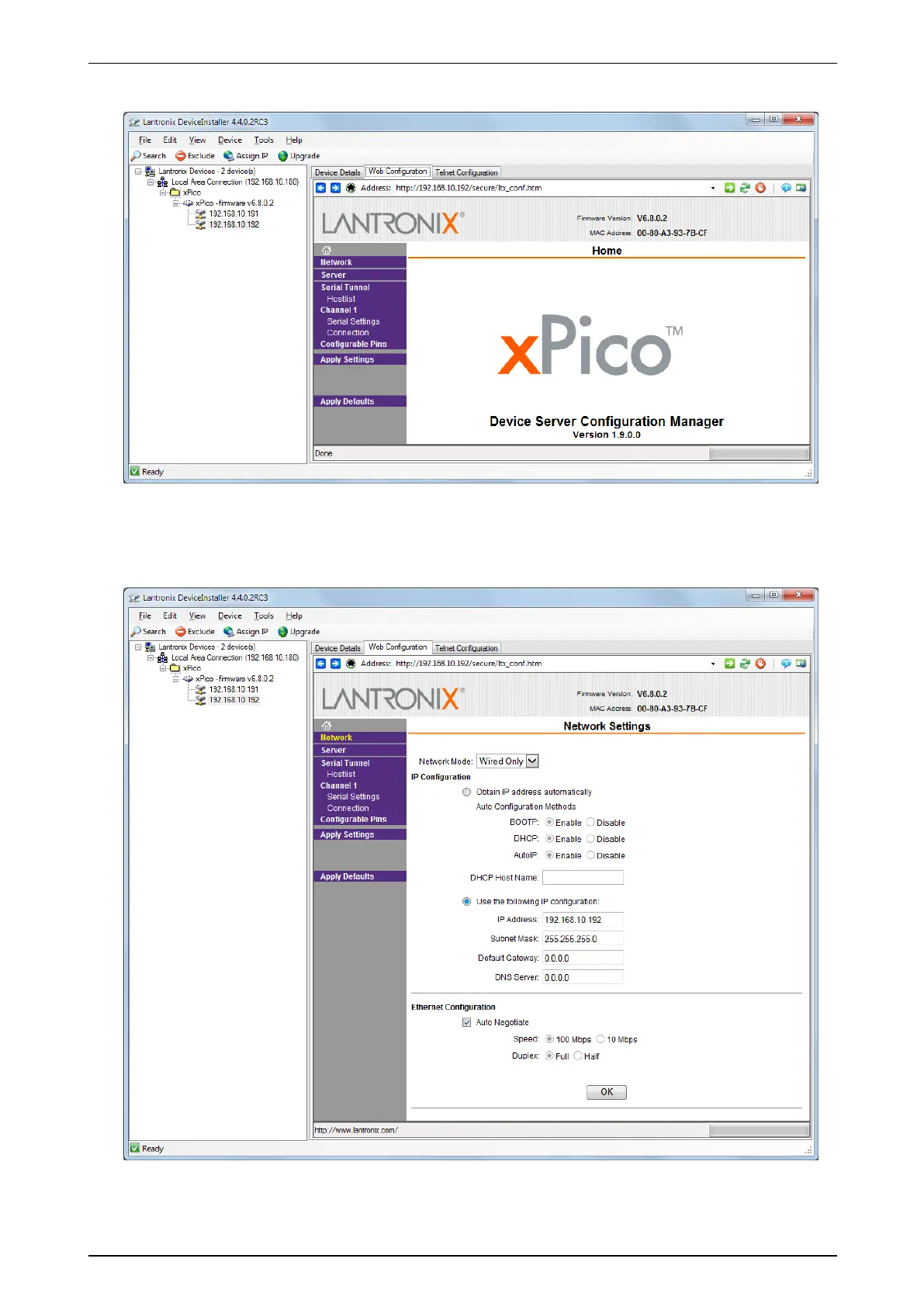
6. Leavetheusernameandpasswordblank;justclickOK tocontinue.
Next,youwillmakesurethatthemoduleusesastaticIPaddress.
7. ClickNetwork,andprovidethecorrectnetworksettings.Theexamplescreenaboveshowsthesettingsfor
anIPmodulewithIPaddress192.168.10.192.XtralisrecommendstouseIPaddressesinthesamerange
asthelocalnetworkoftheXOdevice(eth0;notineth1whichistherangeoftheIPcameranetwork).
8. ClickOK tosavethesettings.
Next,youwillsetuptheserialportcommunication.


 To Next Page