VESDA ECO Detector by Xtralis Product Guide
17898_05 Configuration 33
Configuration
The ECO gas detector comes supplied from the factory with a default configuration
setup which is suitable for most applications. However, should it be necessary to
modify the configuration for a specific user application this can be achieved by
using Xtralis VSC.
To install the Xtralis VSC application, refer to Appendix B – Software Installation on
page 86.
VSC Connection Configuration
The first time Xtralis VSC is run, the communications ports must be configured.
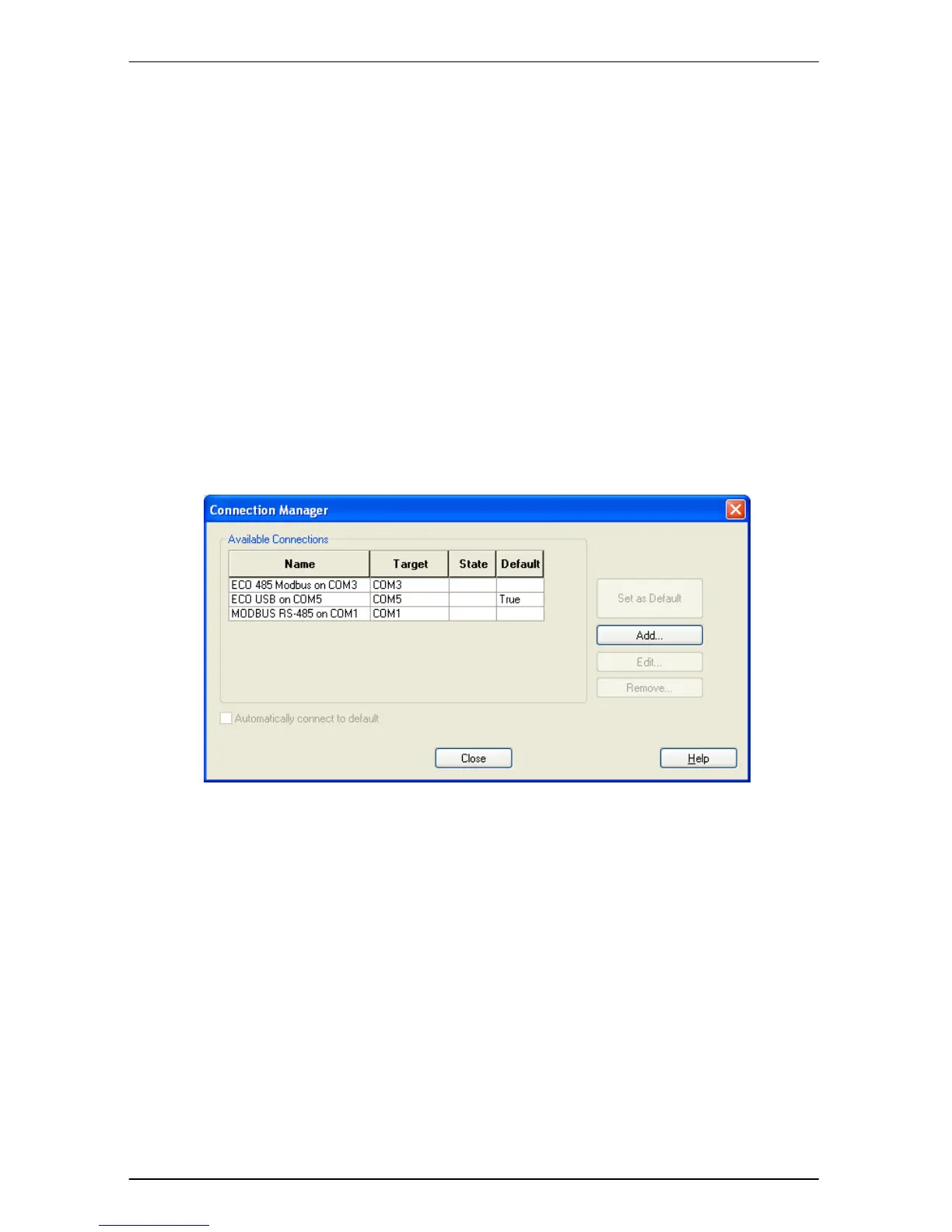
Select the ‘Connection’ option from the Xtralis VSC menu bar and then click the
‘Manager’ item. This will display the ‘Connection Manager’ dialog as shown in
Figure 15 Connection Manager.
Figure 15 Connection Manager.
To create connections click the ‘Add’ button. The ‘Add Connection’ Wizard will be
displayed as shown in Figure 16


 To Next Page