VESDA ECO Detector by Xtralis Product Guide
17898_05 Configuration 39
Using Xtralis VSC with ECO
The following sections of the manual only concentrate on configuration and
operational aspects of the ECO detectors. For more information on general use of
Xtralis VSC please refer to the Xtralis VSC online help.
Opening a connection
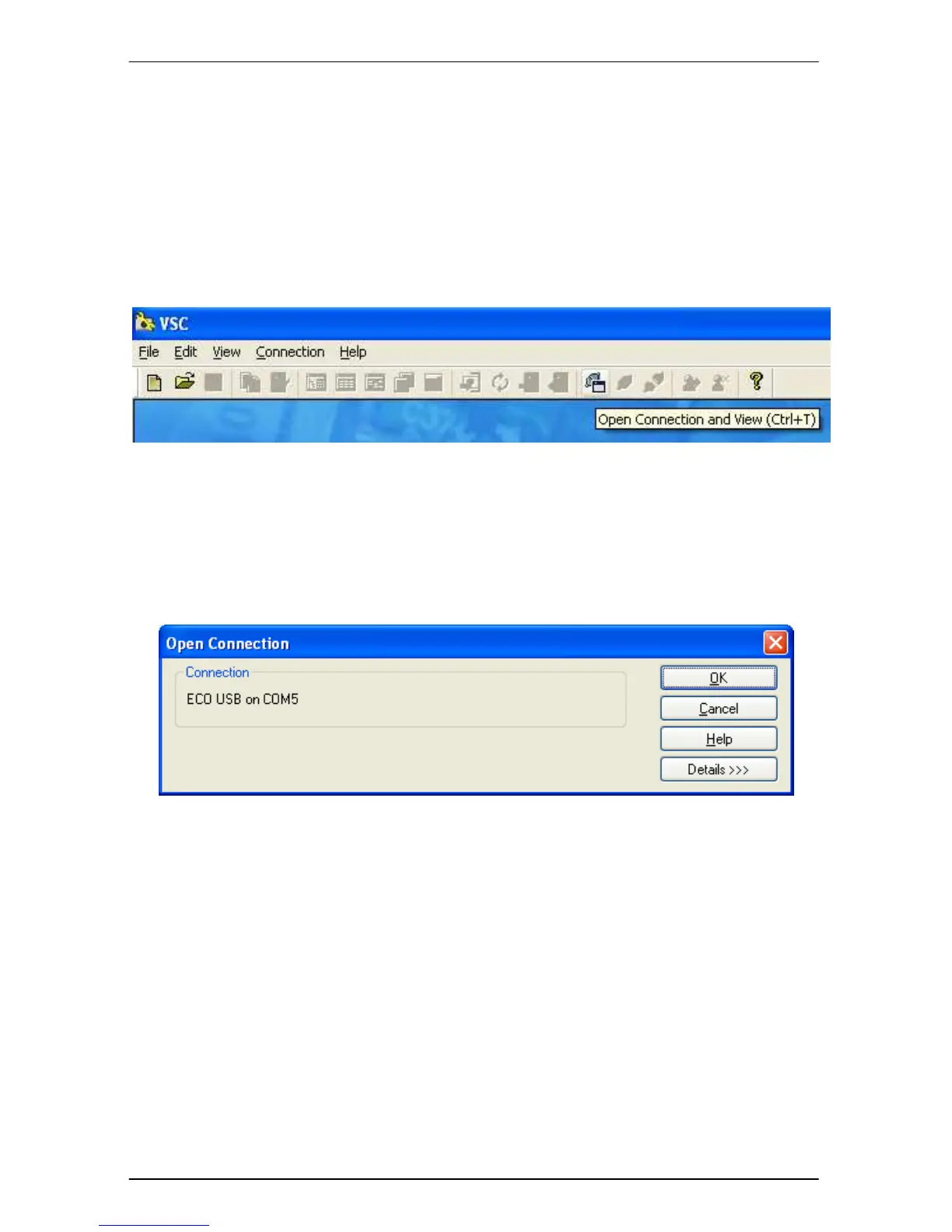
To open a connection with ECO detectors click the ‘Open Connection and View’
toolbar Icon as shown in Figure 21.
Figure 21 Open Connection and View
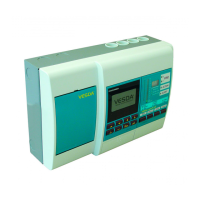
If the ‘Open Connection’ dialog shown in Figure 22 is displayed, and the
connection shown is not the connection that is to be used, click the ‘Details >>>’
button, the dialog will grow to show more connections. Highlight the connection to
use and click the ‘OK’ button.
Figure 22 Open Connection


 To Next Page