VESDA VLI Product Guide VESDA by Xtralis
8 www.xtralis.com
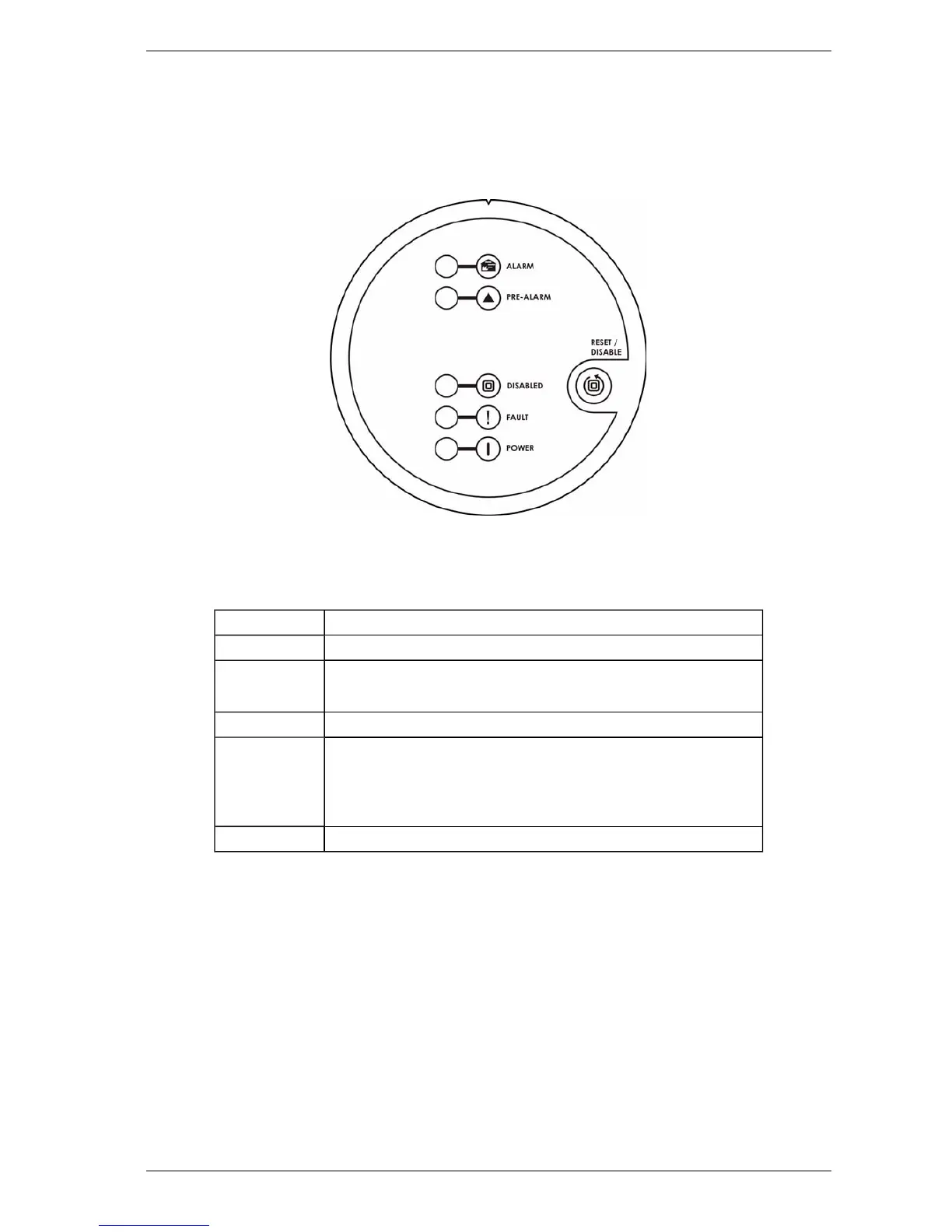
2.3 Front Panel
The VLI detector provides the following information and control capability:
l Status LEDs: Alarm, Pre-Alarm, Disabled, Fault and Power.
l Controls: Reset and Disable button.
Figure 2-3: Front Panel Controls and LEDs
Status LEDs
Table 2-1: LED Indicators
LED Description
Alarm The Alarm LED is lit when the Fire 1 Alarm threshold is reached.
Pre-Alarm The Pre-Alarm LED blinks when the Alert threshold is reached.
The Pre-Alarm LED is lit when the Action threshold is reached.
Disabled The Disabled lamp is lit when the detector is disabled.
Fault The Fault LED is lit when a fault is detected, when airflow
normalization is being performed or when the Clean Air Zero function
is in progress.
Refer to Chapter 8 for information on troubleshooting.
Power The POWERLED illuminates when the detector is powered up.
Reset / Disable Button
l To reset the detector, press this button once.
l To disable the unit, press and hold the button for approximately 2 seconds, until the Disabled
LEDilluminates.
l To re-enable the unit, press and hold the button for approximately 2 seconds, until the
Disabled LEDdeactivates.
l While the detector is disabled, any faults may be cleared by pressing this button once.
The button will not operate if:
l a remote reset switch has been fitted to the Reset (GPI) terminals and is set to the Isolate
position; or
l the Reset/Disable button has been locked out in the programming.














 To Next Page