VESDA by Xtralis VESDA VLI Product Guide
www.xtralis.com 37
5.1.3 Creating a VESDAnet Connection
1. Follow the steps in section 5.1.
2. Select VESDAnet from the Add Connection dialog box (Figure 5-2).
3. Select the COM port associated with the High Level Interface (HLI)and click on the Next
button.
4. Enter the name you want to identify the connection with in the Name field and click on the
Finish button.
Note: For specific information relating to VESDAnet configuration, refer to the VESDA
Communications Guide.
5.2 Access Levels
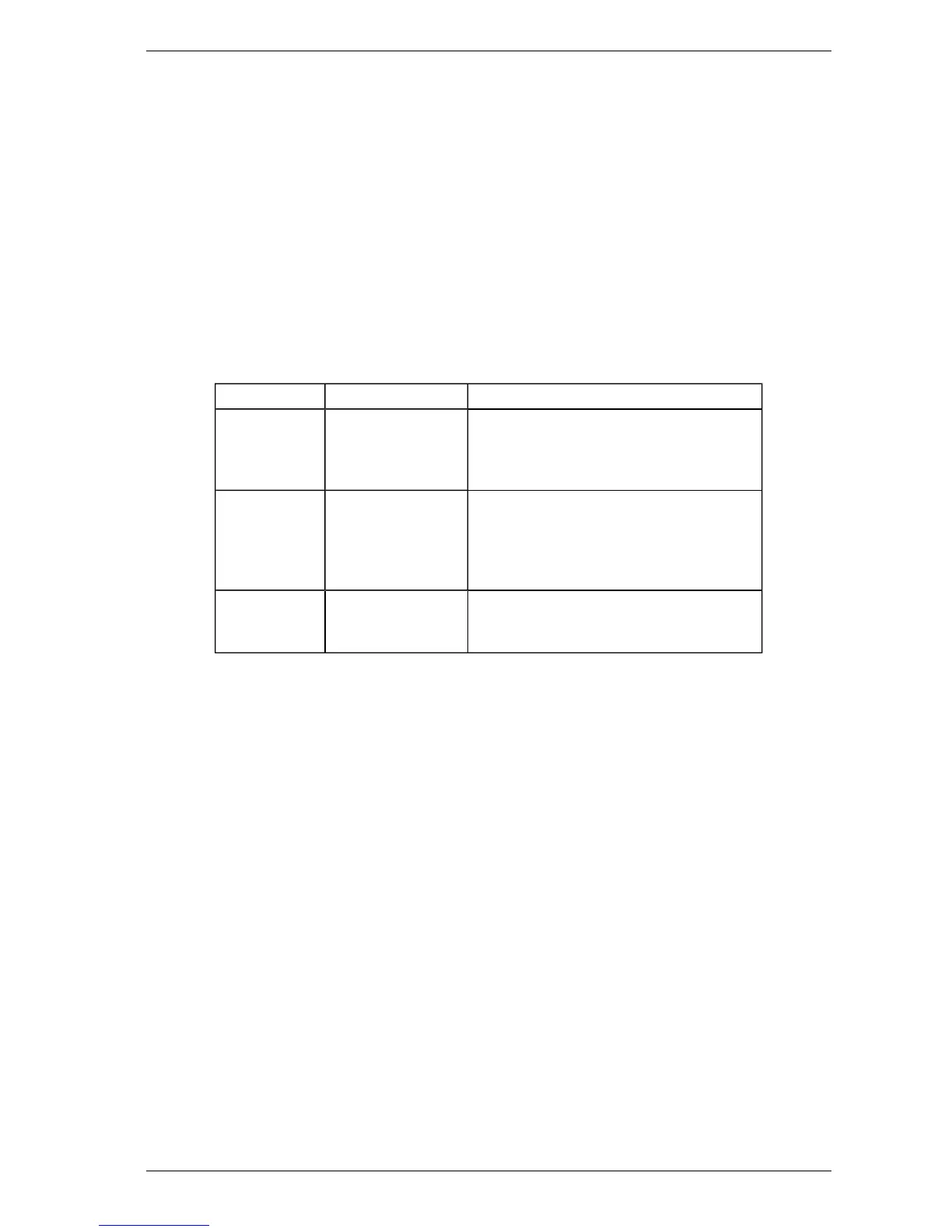
When accessing the VLI detector via Xtralis VSC or LCDProgrammer, there are three user levels;
DST, ADM and USER. It is necessary to log in using a four digit PINcode.
User Level Access Level Functional Authorization
USR Low This is the USER or the OPERATOR level.
The user can view the event log, change the
date and the time. They can also perform
selected zone control functions.
ADM High At the ADMINISTRATOR level access is
available to most functions. These include
setting alarm thresholds, normalizing air
flows, reset filter, and defining the relay
configuration.
DST Absolute The DISTRIBUTOR level allows unlimited
access to all the system commands and
parameters.
Table 5-1: User Access Levels
The default PIN for each level of user is set at the factory. The distributor has access to the PINs for
each level. PIN numbers are disclosed to authorized personnel attending accredited training
courses.
After logging in the user has the option to change the default PIN. To guard against unauthorized
access, if someone enters an incorrect PIN number three times they will not be allowed another
attempt for ten minutes














 To Next Page