VESDA VLI Product Guide VESDA by Xtralis
44 www.xtralis.com
7.2 Remove the Front Cover
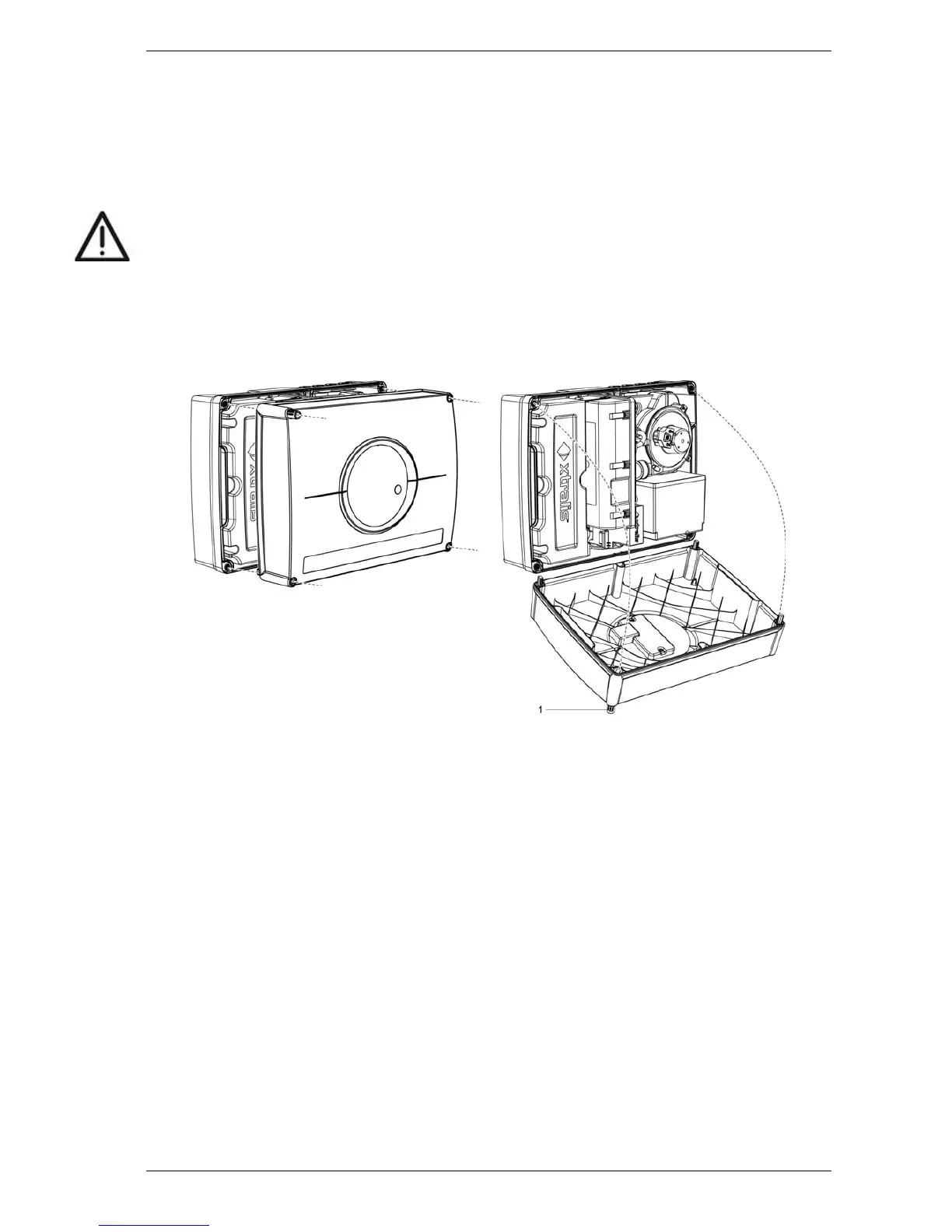
Several maintenance functions require that the front cover be removed from the VLI detector in
order to perform them. The front cover is held on by four captive screws. It may be removed by
turning the screws counter-clockwise.
Caution: Electrostatic discharge (ESD)precautions need to be taken prior to removing the front
cover from the detector in order to prevent damage to sensitive electrical components
within the VLI detector.
Remove the Front Cover
The front cover is held on by four captive screws and a tether. It may be removed by turning the
screws counter-clockwise.
Figure 7-1: Front cover removal














 To Next Page