VESDA by Xtralis VESDA VLI Product Guide
www.xtralis.com 35
5 Operation
Once the VLI detector has been commissioned, it will report alarms and faults according to the
parameters defined during installation.
The procedures below describe how to define a connection to the detector within Xtralis VSC.
5.1 Connecting to the Detector
Xtralis VSC supports connecting to a VLI detector via a range of connection mechanisms and
communication protocols. Connection methods are defined and saved for future use within the
Connection Manager.
To define a connection to a networked or standalone VLI detector, follow this procedure:
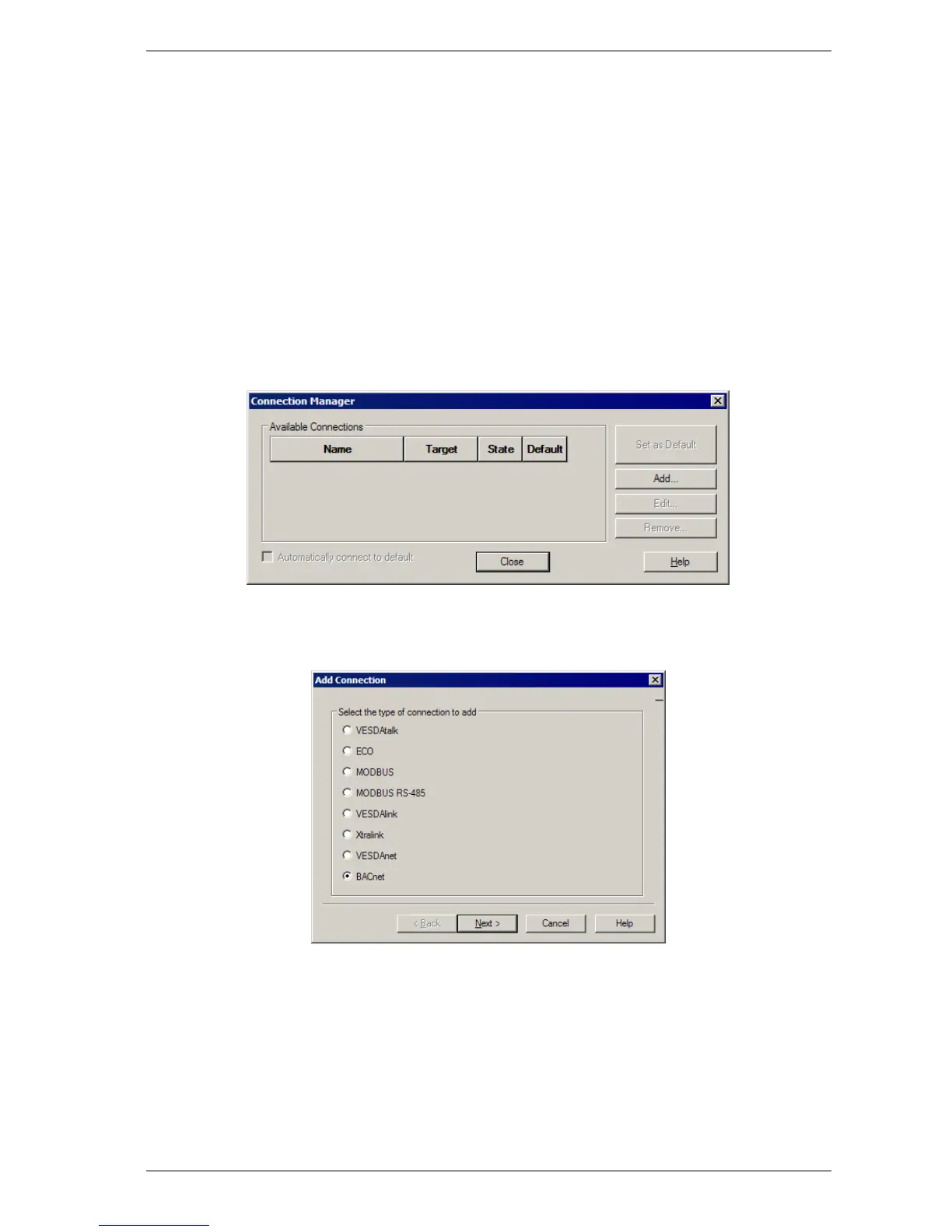
1. Select Connection | Manager from the menu system.
The Connection Manager dialog is displayed.
Figure 5-1: Connection Manager
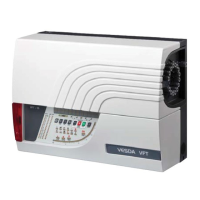
2. Select Add.
The Add Connection dialog is displayed.
Figure 5-2: Add Connection
3. Select the BACnet connection option, then select Next.














 To Next Page