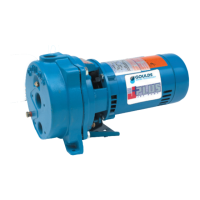
Controller ⇒ pressure control for a single pump If only one HYDROVAR-pump is in
operation, set Controller.
If more than one HYDROVAR-pumps are working together via the RS485-interface, the
Multicontroller must be selected.
Actuator ⇒ external frequency setting. The application Actuator is only used, if you
have an external controller and the HYDROVAR works like a standard frequency
converter (external frequency signal 0,5-4,5VDC to the terminals X2/1 and X2/2).
Press
Î
on the controller to change to
13.4 Control Response
Regulation Mode
Normal
Normal: Speed is increased with falling actual value
Signals. (e.g.: Control at constant output pressure).
Inverse: Speed is reduced with falling actual value
signal, (e.g.: Control of constant suction pressure or at
constant level before the pump).
Press
Î
on the controller to change to
13.4.1 Dimension unit
Dimension unit
Bar
Here you could choose your favourite unit (with
buttons Ð and Ï) Bar, psi or % for the 1
st
display.
Press
Î
on the controller to change to
13.5 Submenu Inverter
Submenu
Inverter
To enter this menu you have to press the Ð
key, to
leave the menu, press the Î key longer than 3 sec.
Press
Î
on the controller to change to
13.5.1 Maximum Frequency
Max. Frequency
50.0 Hz
Possible setting between min. 40 and max. 70 Hz.
Attention: Settings higher than 50 Hz may overload the
motor!
Settings of 10% above nominal frequency cause 33%
more power consumption!


 To Next Page
 Loading...