64
EN 2.10 Shuttle Manual 1712
SW 838023
Appendix
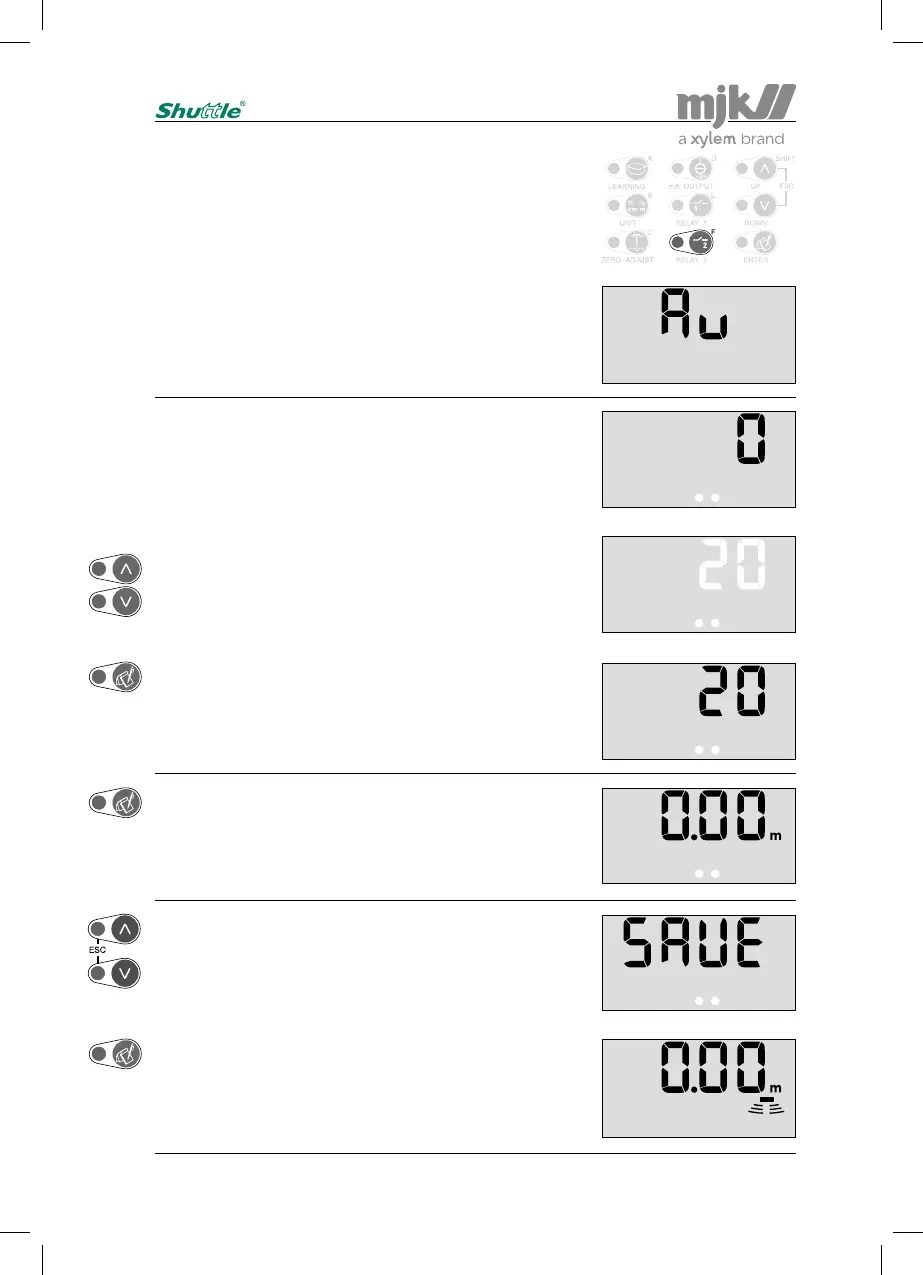
Averaging the level measurement
Enter the access code (see page 58) and press 'F':
When measuring on very turbulent liquid surfaces, it may be
needed to average the level changes in order to gain a more
steady level readout and level signal.
This menu is used to set the time from a level change is
measured and until the reading will be 99 % of the level
change.
See also page 49, 'Response time'.
Use the arrow keys to select a new value:
Confirm the new setting:
Note:
The variation on the mA output will change ac-
cordigly.
The actual setting is shown immediately:
(Value in seconds.)
Shuttle
®
is ready for a new selection of a password protect-
ed menu after pressing 'Enter'.
(Re-entering the access code is not necessary if a menu
selection is made within 5 minutes.)
Press 'Escape' if no further password protected menu
selections are needed …
... or confirm with 'Enter' that the changes should be saved,
whereupon Shuttle
®
revert to normal read-out, and the next
password protected menu can be selected.
(Press 'Escape' if the changes should not be saved.)


 To Next Page