Multi 3410 Operation
100
ba75863y18 01/2015
4.12.3 Connecting a USB memory device/USB printer
(USB-A interface (USB Host))
Connect the USB-A interface (USB Host) of the Multi 3410 to a USB
flash drive/USB printer.
Suitable USB printers:
4.12.4 Options for data transmission to the USB-B (PC) interface
and the USB-A (USB printer) interface
Via the USB-B interface you can transmit data to a PC.
Via the USB-A interface, you can transmit data to a USB printer or USB
memory device. How to transmit data to a USB memory device is
described in an extra section (see section 4.12.5).
The following table shows which data are transmitted to the interface in
which way:
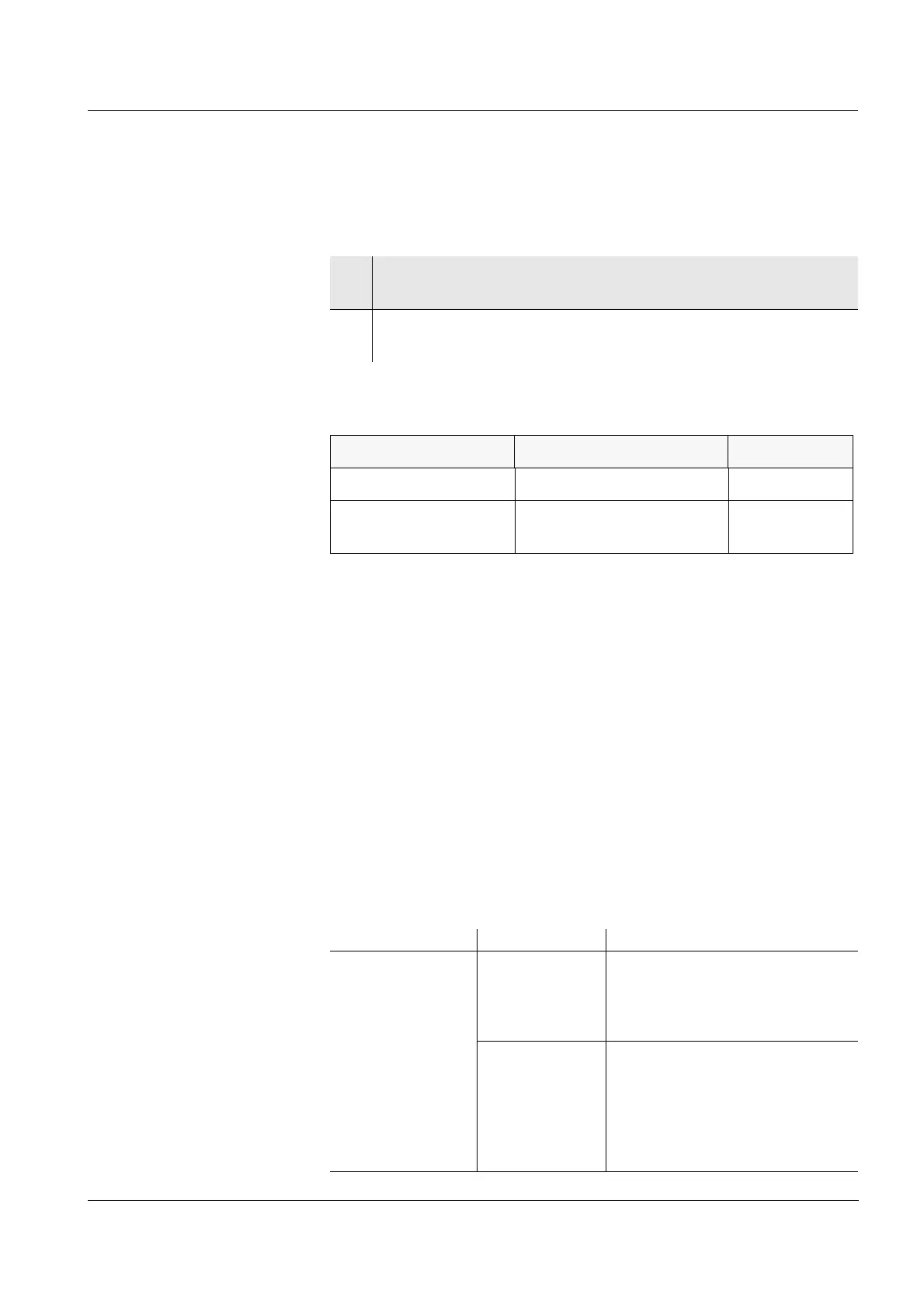
1 Connect a USB memory device/USB printer to the USB Host
interface.
2 For USB printers:
Connect the power pack to the Multi 3410 (see section 3.3.2).
Model Type Paper width
Citizen CT-S281 Thermal transfer printer 58 mm
Star SP700 with USB
interface*
* Recommended printer settings for Star SP700:
- CodePage 437
- DIP switch 1...7: =ON, DIP switch 8: OFF
Details: see operating manual of your printer.
Matrix printer 76 mm
Data Control Operation / description
Current
measured values
of all connected
sensors
Manual With <PRT>
Simultaneously with every
manual storage process
(see section 4.11.1)
Automatic, at
intervals
With <PRT
_>.
Then you can set the trans-
mission interval
Simultaneously with every
automatic storage process
(see section 4.11.2)














 To Next Page