Operation Multi 3410
95
ba75863y18 01/2015
Settings You can configure the automatic storage function with the following set-
tings:
Starting the automatic
storage function
To start the automatic storage function, select continue with <><>
and confirm with <MENU/ENTER>. The meter switches to the mea-
sured value display.
ID number 1
Interval 30 s
Duration 180 min
continue
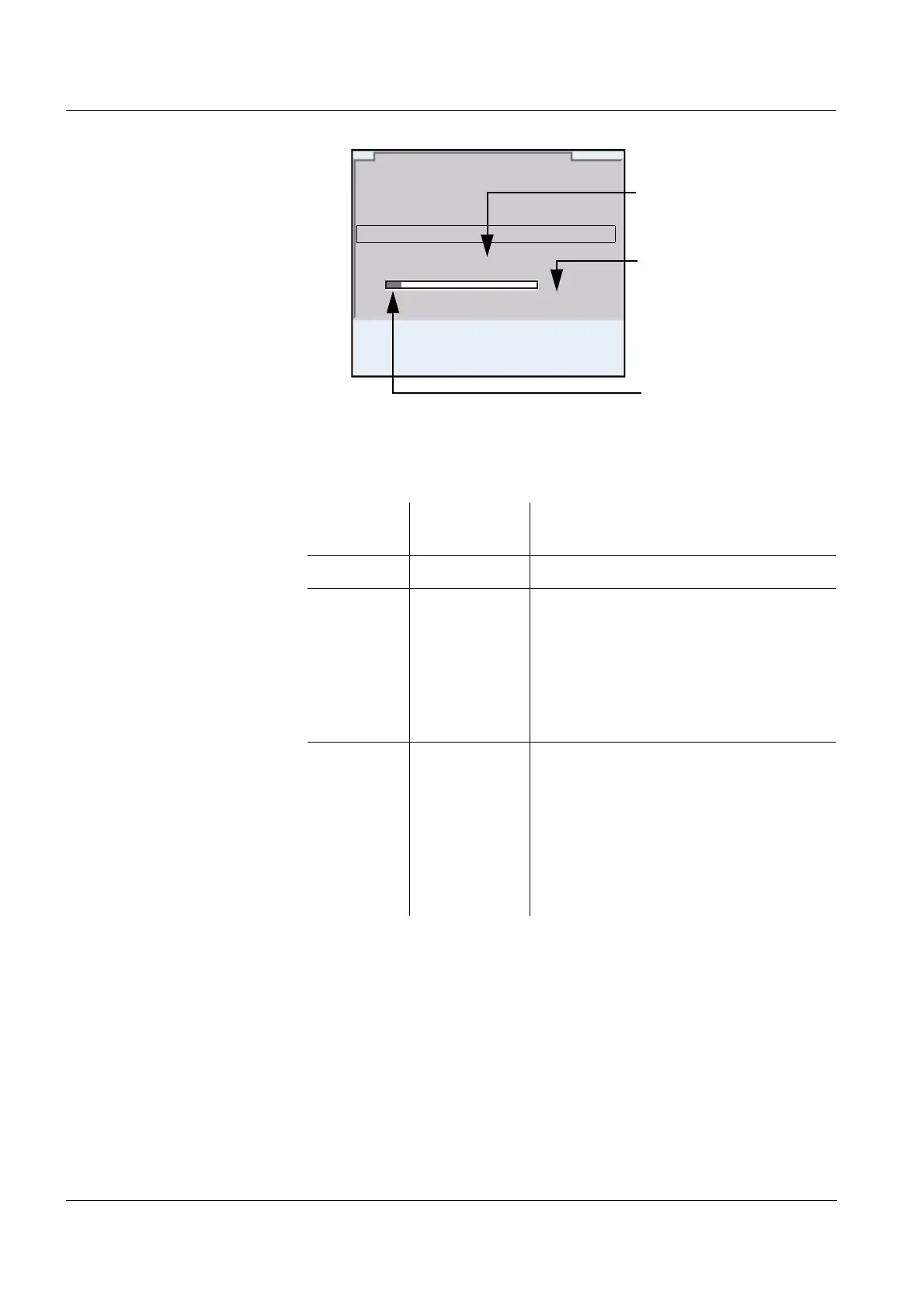
0d03h00min
0 1d17h33min
Automatic data storage
15.03.2014 08:00
Set entire storing dura-
tion
Max. available storing
duration
Graphical display of the
storage usage
Menu item Possible
setting
Description
ID number 1 ... 10000 ID number for the dataset series
Interval 1 s, 5 s, 10 s,
30 s, 1 min,
5min,
10 min,
15 min,
30 min,
60 min
Storage interval.
The lower limit of the storage interval
can be restricted by the number of free
storage locations.
The upper limit is restricted by the stor-
age duration.
Duration 1 min ... x
min
Storage duration.
Specifies after which time the auto-
matic storage should be terminated.
The lower limit of the storage duration
is restricted by the storage interval.
The upper limit is restricted by the
number of free storage locations.














 To Next Page