6-26
NOTE: Prime the calibrator bottle daily to remove air bubbles from the tubing and deliver fresh calibrator to the
cal well!
When you have finished priming the fluid pumps, touch the [X] button to return to the Main display.
Stirbar
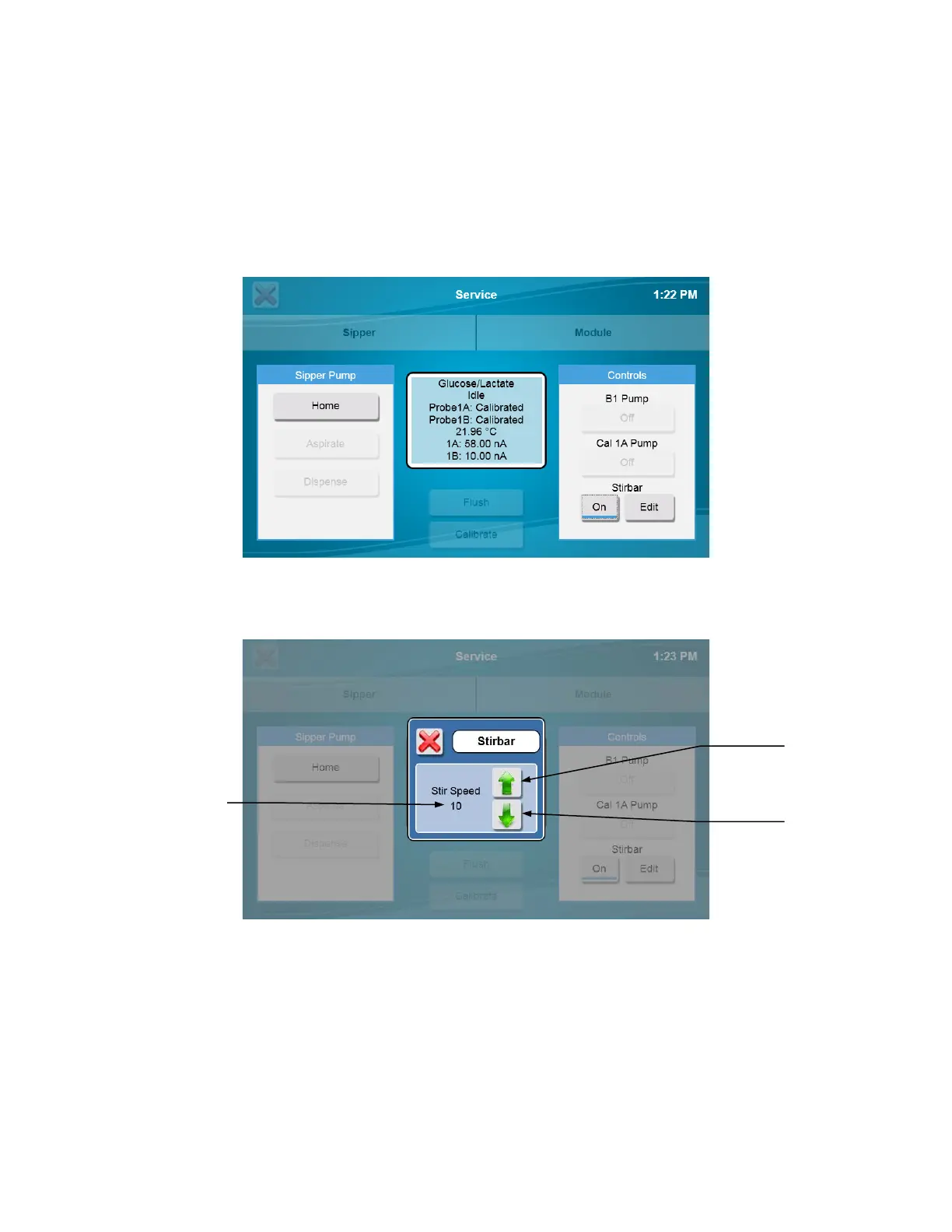
The StirbBar screen is used to adjust the speed of the stir bar.
Note: The sample module must be full of buffer when adjusting stir speed. To fill the module with buffer, see 6.2.2 Module.
Touch the [Off] button under Stirbar1 to change it to [On]. Verify the stir bar is rotating smoothly, but not jumping.
If the stir bar is jumping, touch the [Edit] button and use the Down Arrow Button to decrease the stir speed until the stir bar
is spinning smoothly.
NOTE: Set the stir speed as high as possible without causing the stir bar to jump!
Touch the [X] to return to the Service screen.
Touch the Stirbar [On] button to change it to [Off]. The stir bar will stop.
Touch the [Off] button again. Verify the stir bar is spinning smoothly and not jumping. If necessary, reduce the stir speed
until the stir bar is not jumping.
Touch the [On] button to stop the stir bar.
After you have adjusted the stir speed, touch the [X] button to return to the Main display.
Speed
indicator
Speed














 To Next Page