6-30
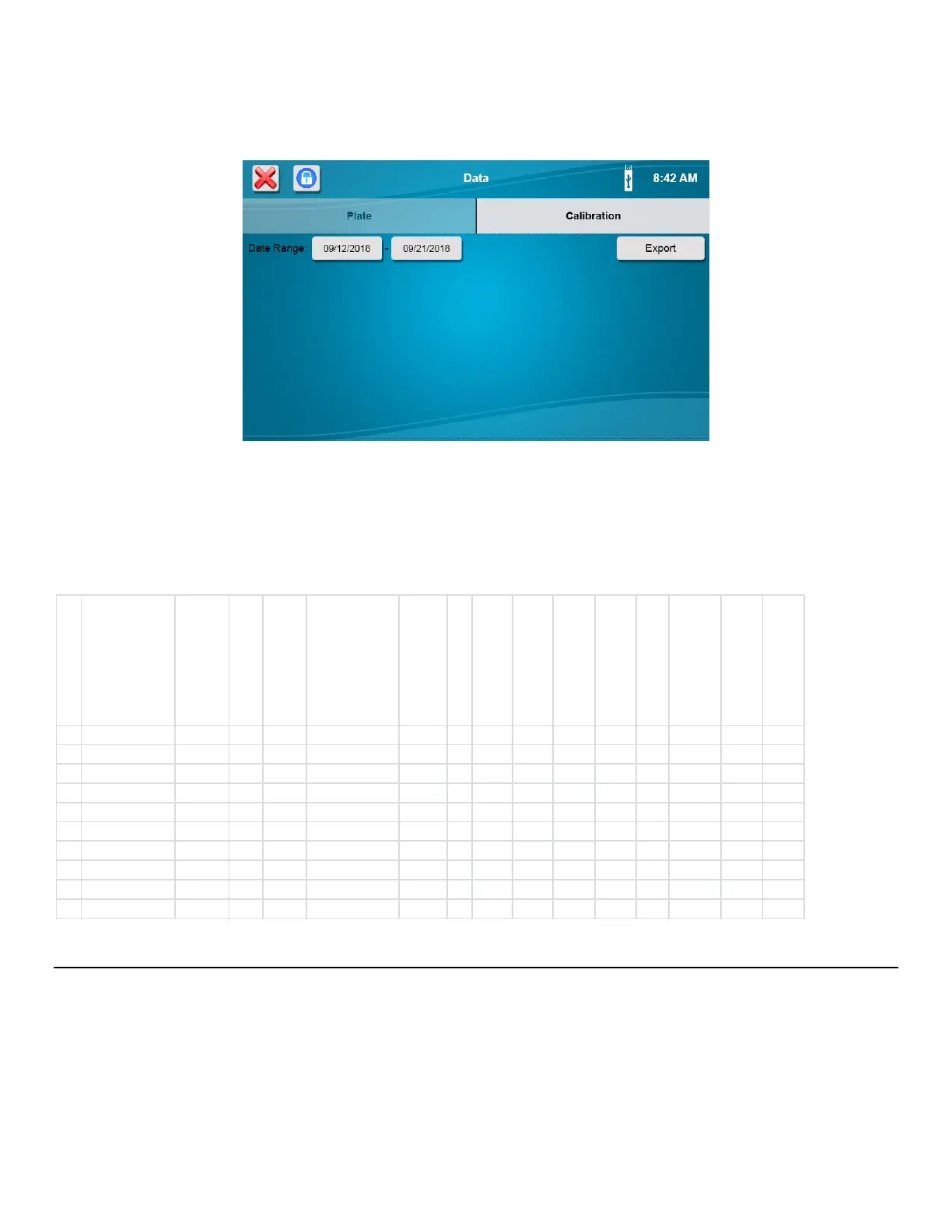
6.3.2 Calibration
Touch the Calibration tab.
Plug a flash drive into the 2500 Analyzer’ USB port. Select a date range, then press the [Export] button to send calibration
data to the flash drive.
When you have finished exporting data, touch the [X] button to return to the Main screen.
A folder named YSI\BiochemistryAnalyzer will be created on the flash drive. Calibration data files are copied to the Data
subfolder. The calibration data file name will contain the instrument’s Machine ID along with the date and time.
Example Calibration File:
Help 6.4
Touch the [Help] icon to display the Help selections as shown below.
6.4.1 About
Touch the [About] tab to display the About screen. This screen provides information about the analyzer’s ID and serial
number, the current software (App) version, hardware, and IP address.
1A 8/1/2018 10:12 Glucose 2747 1.8
GramsPerLiter 0:00:30 25 1.038
7.416 1.019 6.378 NaN -0.0233
23.62
1B 8/1/2018 10:12 Lactate 2747
0.45 GramsPerLiter 0:00:30 25 2.141 12.71
2.193 10.57 NaN 0.03509 23.62
1A 8/1/2018 10:32
Glucose 2747 1.8 GramsPerLiter 0:00:30 25
0.266 7.484 0.282 7.218 NaN
0.01806 23.79
1B 8/1/2018 10:32 Lactate 2747 0.45 GramsPerLiter
0:00:30 25 1.804 14.11 1.878 12.31 NaN 0.27766
23.79
1A 8/1/2018 10:32 Glucose 2747 1.8 GramsPerLiter 0:00:30 25 0.266 7.484
0.282 7.218 NaN 0.01806 23.79
1B 8/1/2018 10:32
Lactate 2747 0.45 GramsPerLiter 0:00:30 25 1.804 14.11 1.878
12.31 NaN 0.27766 23.79
1A 8/1/2018 10:44 Glucose
2747 1.8 GramsPerLiter 0:00:30
25 0.143 7.767 0.199 7.623 NaN 0.371
23.88
1B 8/1/2018 10:44 Lactate 2747 0.45 GramsPerLiter 0:00:30 25
1.603 14.18 1.692 12.57 NaN 0.22466 23.88
1A 8/1/2018 10:56 Glucose
2747
1.8
GramsPerLiter 0:00:30 25 0.097 8.027 0.132 7.93 NaN
-0.155 23.93
1B 8/1/2018 10:56 Lactate 2747 0.45 GramsPerLiter
0:00:30 25 1.535 14.3 1.632 12.77
NaN
0.51949
23.93














 To Next Page