4-4
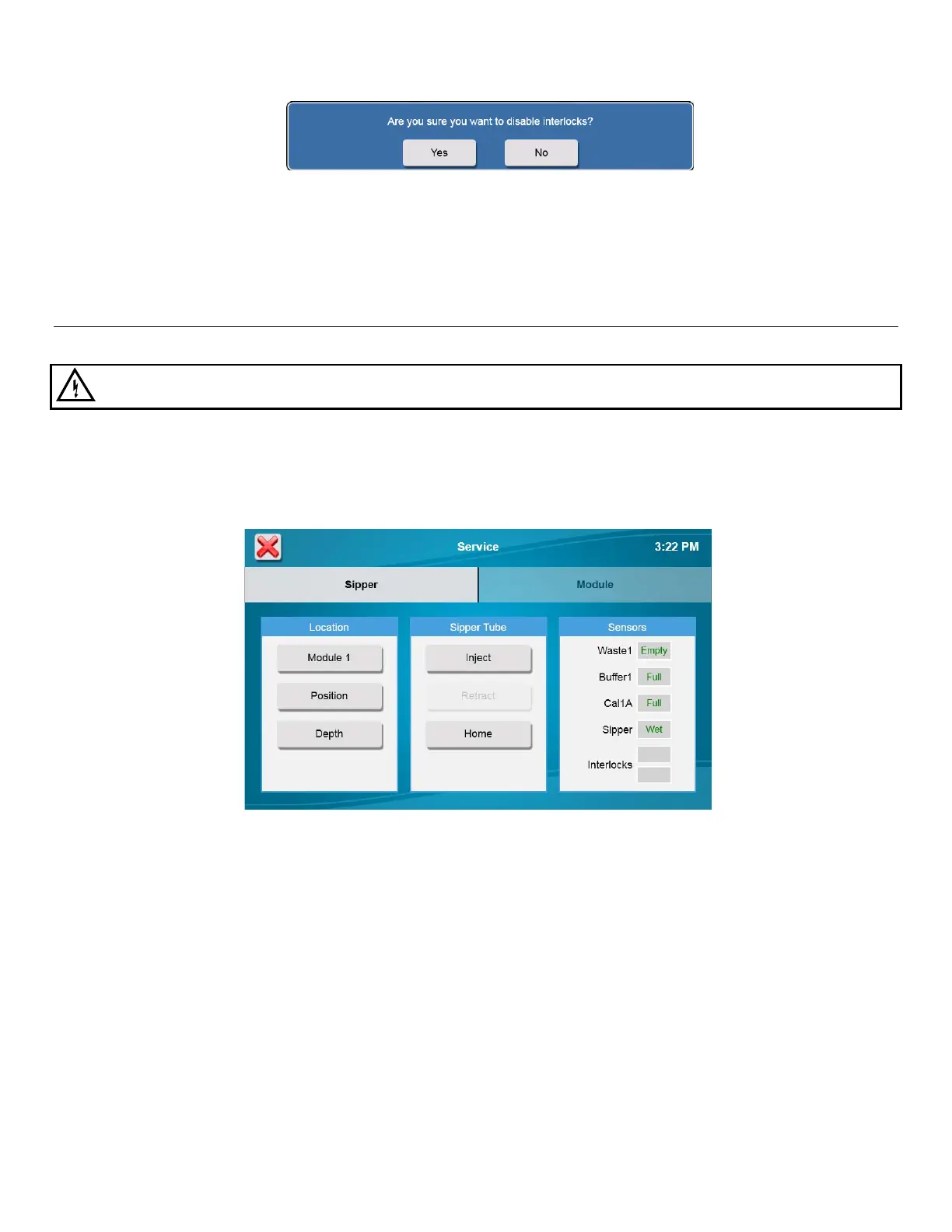
7. Touch [Yes] to confirm and disable the safety interlocks.
8. Touch [X] in the top left of the screen to return to the main display.
Align Sipper 4.4
It is very important that the sipper be accurately adjusted.
WARNING: Keep your hands clear of the sipper while the instrument is in operation.
1. Touch the Service icon.
2. From the Sipper tab of the Service screen, touch [Home].
3. Once the sipper has moved to the home position, touch [Module 1].
4. The Select Location screen will appear. Select [Module 1]. The sipper will move to sample module 1 and should
be centered above the cone shaped opening in the top of the module.
If the sipper does not move, make sure the packing material was removed.




 To Next Page