9
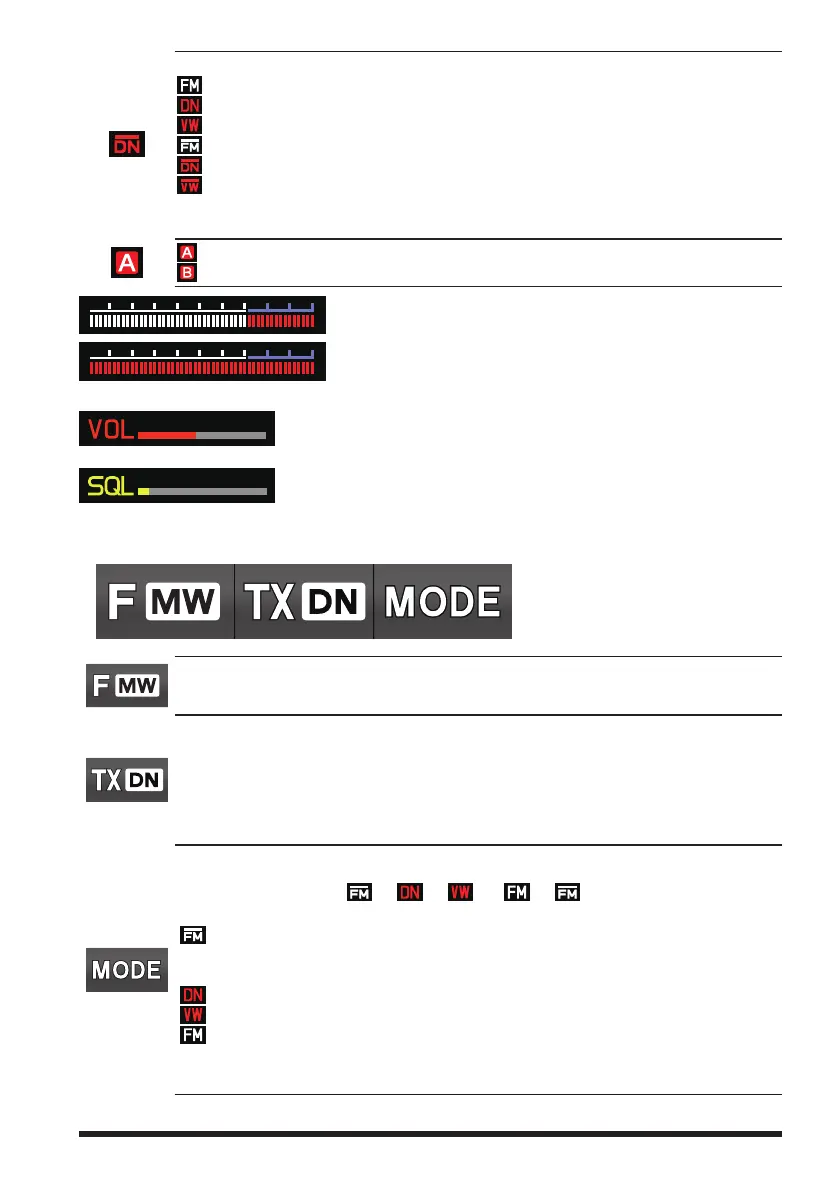
Displays the operating mode (Digital mode is indicated by a red icon)
: FM (Analog) mode
: Normal digital mode (digital mode using C4FM modulation)
: Wide digital mode (digital mode using C4FM modulation)
: AMS (Automatic Mode Select) FM (Analog) mode
: AMS (Automatic Mode Select) DN mode
: AMS (Automatic Mode Select) VW mode
When AMS (Automatic Mode Select) function is activated, indicator is shown with a
bar appearing above the mode.
: A-band icon
: B-band icon
: S meter (Displays received signal strength in 10 levels)
: PO meter (Displays transmit output in 4 levels when transmit-
ting)
: Volume level
: SQL level
z
Touch keys display area
Touch: To enter the Function Menu
Touch and hold: To activate the “Memory Write” mode
Each touch steps the transmit communication mode as follows:
→AUTO→TX(FM)→TX(DN)→AUTO→•••
AUTO :
Automatically selects the transmit mode to correspond to the received signal.
TX (FM) :
Always transmits in the analog FM mode.
TX (DN) :
Always transmits in the digital (DN) mode.
Each touch steps the communication mode as follows:
→
→ → *→ → →•••
The current communication mode is displayed on the upper right of the frequency.
:
AMS function operation (A bar is displayed at the top of the communication
mode icon, and the AMS function automatically displays the selected communi-
cation mode.)
:
V/D Mode (Voice/Data simultaneous transmission mode)
:
Wide digital mode (high-quality digital communication)*
:
FM (Analog) mode
* When the Set Mode item [TX/RX]
→
[2 DIGITAL]
→
[4 DIGITAL VW] is set to “ON” (factory
default is “OFF”), the Voice FR (VW) may be selected.



 To Next Page