24
Pitch Control
The
FTA-310
includes a feature that lets you choose
four special receiver audio responses to allow the most
comfortable and/or effective reception in noisy envi-
ronments. The effect is similar to that provided by an
“Equalizer” in a stereo.
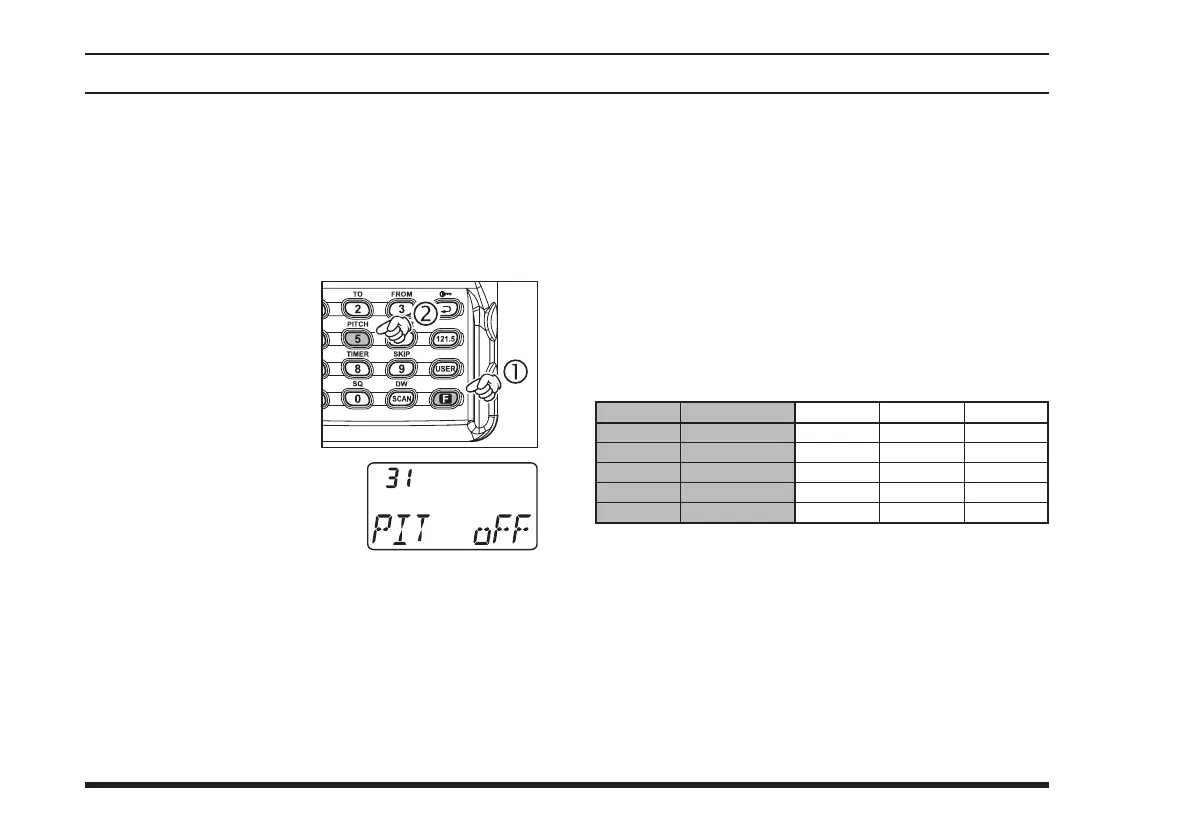
Press the
[
F
]
key mo-
mentarily, then press
the
[
5
(
PITCH
)]
key.
This instantly recalls
Menu Item 31 “
P I T
”
which selects the re-
ceiver audio responses.
Rotate the
DIAL
selector
knob to select desired receiv-
er audio response. Available
selections are:
oFF
: The received audio signal does not pass
through the equalizer circuit.
MD1
: The received audio is passed without roll-off
on the high or low ends.
MD2
: The received audio is enhanced in the low-
and mid-range frequencies.
MD3
: The received audio is enhanced in the mid-
and high-range frequencies.
advanced operatIon
USR
: The received audio is shaped per a user-
configured audio response programmed via
Menu Items 26 “
UP_L
,” 27 “
UP_M
,” and 28
“
UP_H
.” The default setting enhances the
audio in the lower frequency range, and re-
duces the level of the higher-frequency com-
ponents.
When you have made your selection, press down-
ward on the
VOLUME
knob to save the new set-
ting, and then press the
PTT
key exit to normal
operation.
selectIon
oFF
MD1
MD2
MD3
USER
low-range
0
+
+
–
+
mId-range
0
+
+
+
0
HIgH-range
0
+
–
+
–
response
Normal
Full Boost
Low Boost
High Boost
Default



 To Next Page