41
vor navIgatIon
Position Cross-checking
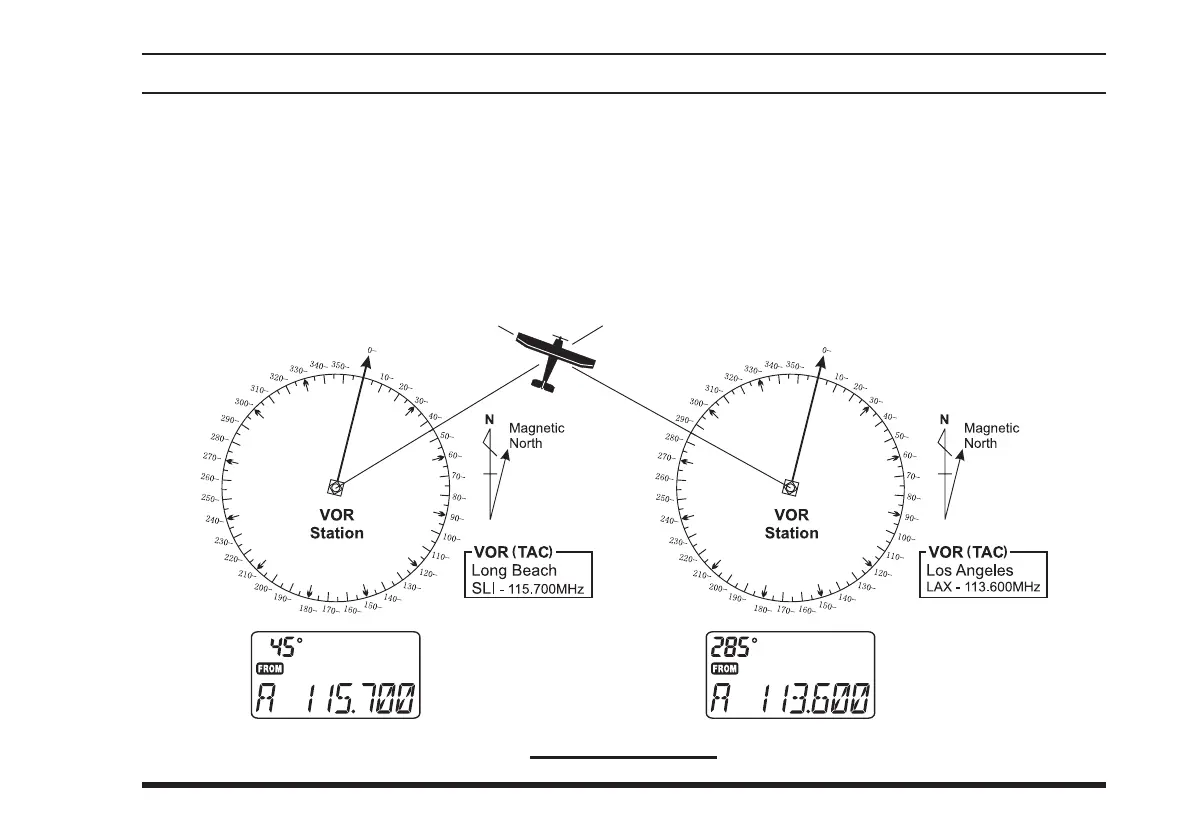
Select two VOR stations on your aeronautical chart.
Set the frequency of one of the VOR stations in the
DVOR mode. The course indicator will show the
course deviation from the VOR radial. Note the ra-
dial you currently are on.
Cross-checking Position
Now set the frequency of the other VOR station in
the DVOR mode. Note the radial from the station
you are on.
Extend the radials from each VOR station on the
chart. Your aircraft is located at the point where the
lines intersect.



 To Next Page