30
memory operatIon
The
FTA-310
provides 150 user-programmable “Main”
memories, labeled “
CH-001
” through “
CH-150
,” and
up to 100 pre-programmed memories, designated
“Book” Memories. The “ ” icon appears when the
“Book” Memory Mode is activated.
The Main memories and “Book” Memories can be as-
signed alpha-numeric names of up to eight characters.
Memory System Operation
The
FTA-310
’s Main Memory system allows the user
to store, label, and recall channel frequencies which
you may want to use frequently. You may store VFO
frequencies, Book Memory frequencies, and/or Weather
Channel frequencies (USA version only) into the Main
Memory system.
Memory Storage
Select the desired frequency in the VFO mode, or
recall the Book Memory channel or Weather chan-
nel to be stored in the Main Memory.
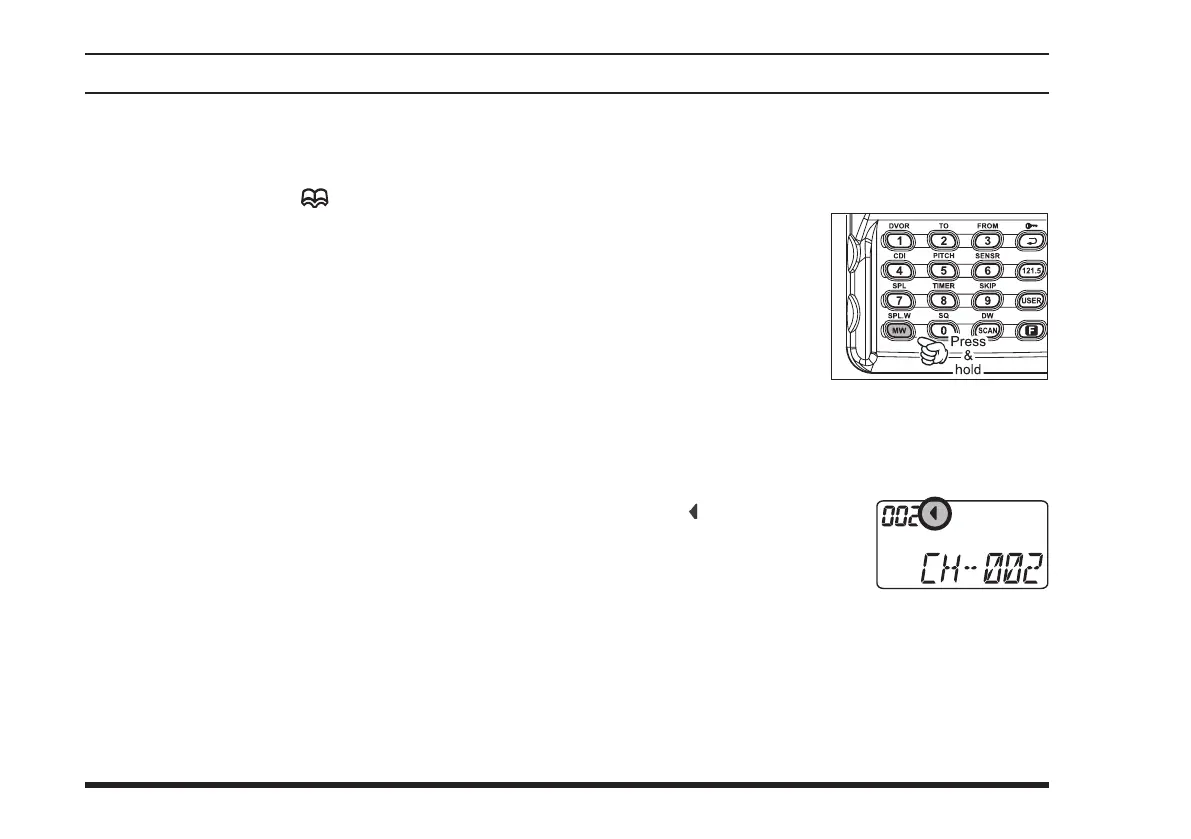
Press and hold in the
[
MW
(
SPL-W
)]
key
for 2 seconds. The dis-
play will indicate “
CH-
XX X
” and a channel
number will blink on
the LCD.
Within ve seconds of pressing the
[
MW
(
SPL-W
)]
key, rotate the
DIAL
selector knob to select the de-
sired memory channel number for storage.
In order to prevent writing over memory channels, a
small “
” icon will appear at
the right side of the channel
number to indicate a vacant
memory channel.
Now press and hold in the
[
MW
(
SPL-W
)]
key for
2 seconds; you will now see blinking “
A
” on the
LCD. To attach an alpha/numeric name (label) to
the memory, proceed to the next step; otherwise
press and hold in the
[
MW
(
SPL-W
)]
for 2 seconds
to save the entry and exit.



 To Next Page