26
The
FTA-310
also provides for adjustment of the
“Hang-Time” of the VOX system (the transmit-receive
delay after the cessation of speech) via the Menu. The
default delay is 1.0 second. To set a different delay time:
Press the
[
F
]
key, then
press downward on the
VOL-
UME
knob
to activate the Menu (“SET”) mode.
Rotate the
DIAL
selector
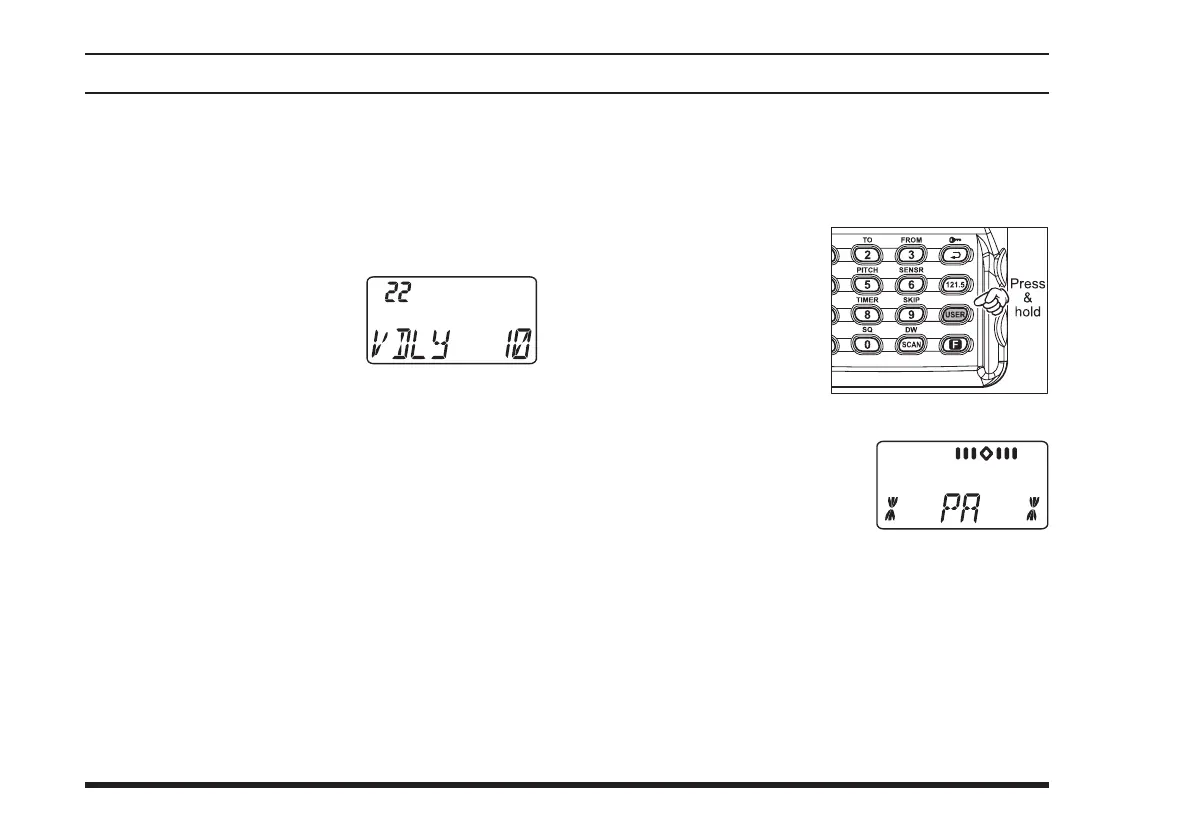
knob to select Menu Item 22
“
VDLY
.”
P r e s s d o w n w a r d o n t h e
VOLUME
knob
to enable adjustment of this Menu
item.
Rotate the
DIAL
selector knob to select the delay
time among “
05
,” “
10
,” “
15
,” and “
20
” (repre-
senting 0.5, 1.0, 1.5, and 2.0 sec).
When you have made your selection,
press down-
ward on the
VOLUME
knob
to save the new setting,
and then press the
PTT
switch to exit to normal op-
eration.
PA Operation
The PA mode allows the
FTA-310
to be used as a Pub-
lic Address System when an optional
MH-44
B4B
Micro-
phone or other Headset/Microphone is connected.
Press and hold in the
[
USER
]
key for 2 sec-
onds to activate the PA
mode.
Speak through the mi-
crophone while press-
ing and hold in the
PTT
switch on the microphone or headset/microphone.
The “
Course Deviation Nee-
dle
” will defect in accordance
with the voice level. Rotate
the
VOLUME
knob to con-
trol the audio output level.
To exit the PA mode, press and hold in the
[
USER
]
key again.
The
FTA-310
provides for customization of the voice
monitor feature via the Menu while using a Headset. To
select the monitor conguration:
Press the
[
F
]
key, then
press downward on the
VOL-
UME
knob
to activate the Menu (“SET”) mode.
advanced operatIon



 To Next Page