34
dual watcH operatIon
The Dual Watch feature automatically checks for activ-
ity on a “priority” channel
while you are operating on
another channel. During Dual Watch operation, the cur-
rent channel and the Priority channel will each be polled
for a 500 ms interval, as the
FTA-310
looks for activity
on each channel.
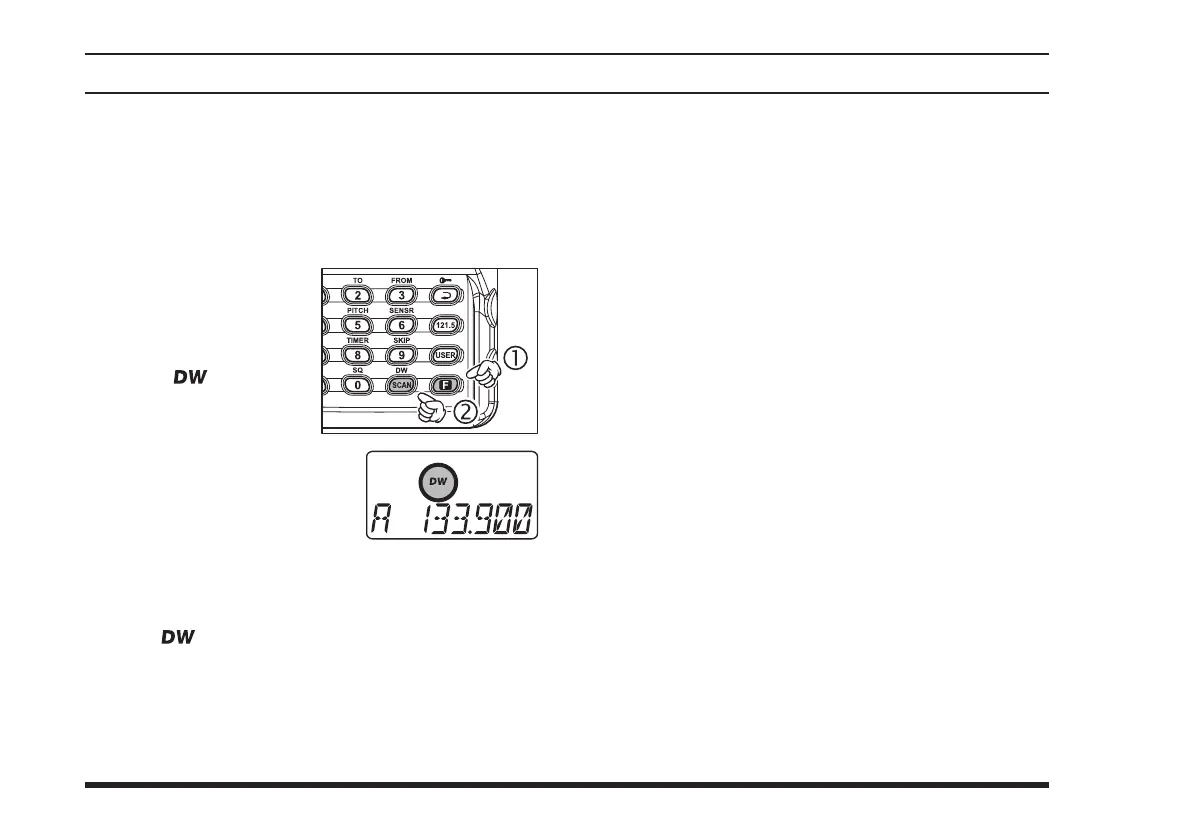
To start Dual Watch,
press the
[
F
] key mo-
mentarily, then press
the
[
SCAN
(
DW
)]
.
The “
” icon will
appear on the display.
While receiving on the
“current” channel (not the
Priority channel), you may
push the
PTT
switch at any
time to transmit on that chan-
nel.
When a signal is received on the Priority channel,
operation immediately shifts to the Priority channel,
the “ ” icon will blink, and the display will be-
come illuminated.
While receiving on the priority channel, if you mo-
mentarily press the
PTT
switch, Dual Watch will
be disabled. You may then transmit on the Priority
Channel.
To stop Dual Watch, press
[
F
]
[
SCAN
(
DW
)]
.
If you wish, you may use both the Dual Watch and
Scan features simultaneously. To do this, start the
Dual Watch rst, then start the Scanner.
: The “priority” Channel is defined as the last-used
Memory Channel (when using the VFO mode) or Mem-
ory Channel 1 (when using the Main Memory or Book
Memory modes).



 To Next Page