6
controls & connectors
(
Front panel
)
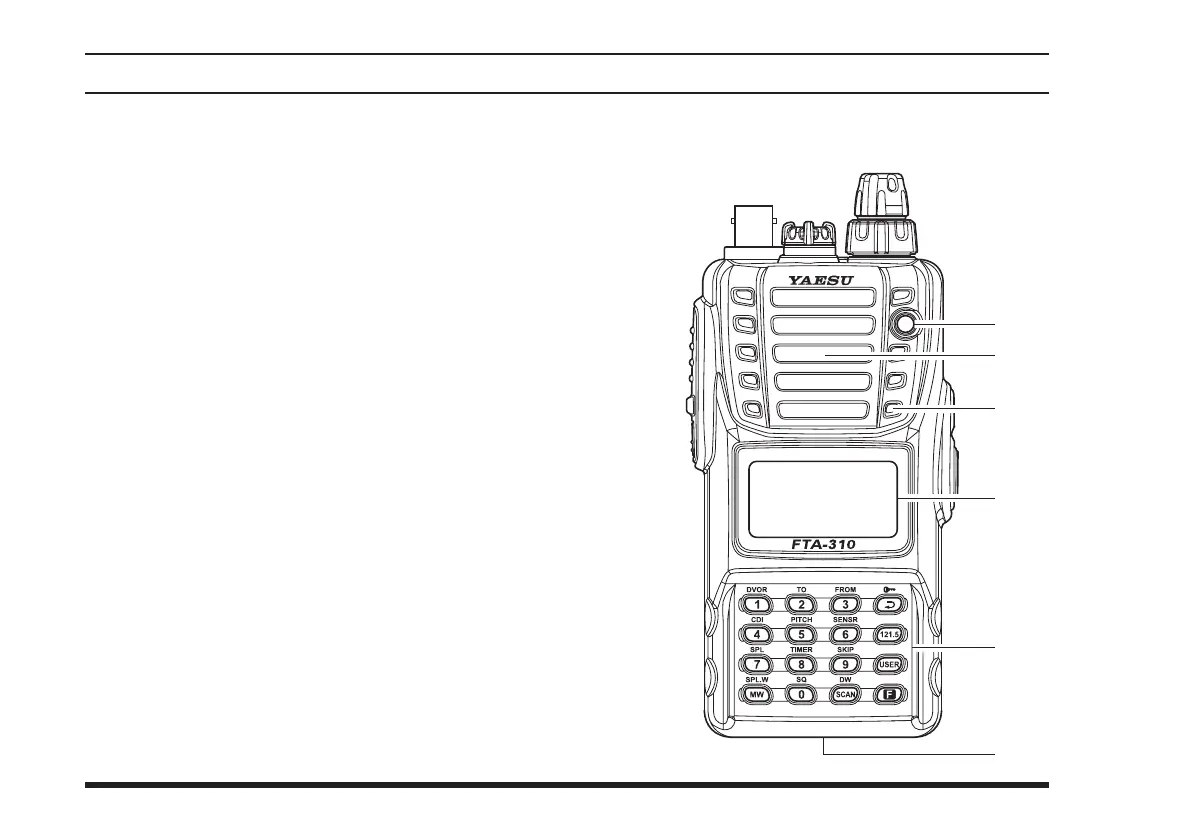
BUSY/TX
Indicator Lamp
This lamp glows green when a signal is being re-
ceived, and red when transmitting.
Loudspeaker
The internal speaker is located in this position.
Microphone
Speak across this opening in a normal voice level,
while pressing the
PTT
switch, to transmit.
LCD (Liquid Crystal Display)
The display shows selected operating conditions, as
indicated on the next page.
Keypad
The keypad is used for most radio command opera-
tions. Several keys have triple functions.
The primary functions are activated by simply
pressing the key momentarily.
The secondary functions are activated by pressing
the key followed by
[
F
]
key.
The third functions are activated by pressing and
holding in the key for 2 seconds.
These functions are described in detail on page 8.
Battery Pack Latch
Open this latch for battery removal.



 To Next Page